USB Copy Protection by Nexcopy Nexcopy has released a USB Copy Protection solution for those who need to share files, but without giving the “receiver” full ability to copy and re-distribute. The great thing about a USB flash drive is file sharing. They are great for copying, saving, and taking files on the road. This […]
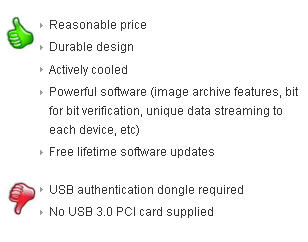
Review: Nexcopy 3.0 USB Duplicator EverythingUSB posted a review of the Nexcopy 3.0 USB Duplicator with a bunch of “thumbs up” marks. Let’s take a closer look. Design and Build Quality As far as USB duplicators go, the Nexcopy SSUSB160PC is actually pretty stylish. Its form certainly flows from its function, but Nexcopy has made […]
USB 3.0 is gaining momentum with every new product launch, and millions of PCs and peripherals are expected to ship with the SuperSpeed interface this year. That makes the timing of the Nexcopy SSUSB160PC USB duplicator especially relevant, offering users a high-speed solution to manage modern peripherals without relying on slower legacy USB 2.0 systems. […]
Introducing the Nexcopy Standalone USB Duplicator We’ve reported about Nexcopy several times before, ranging from their USB duplicators to SD and Compact Flash duplicators. Today, we’re here to highlight the Nexcopy standalone USB duplicator. Nexcopy, Standalone USB Duplicator With flash drives growing in both capacity and affordability, it’s no surprise that data loads are also […]
2025 Update: Nexcopy Enhances USB 3.0 Duplicator with Higher Capacity Drives and Advanced Drive Manager Software Nexcopy, a leader in USB duplication technology, has been shipping its USB 3.0 SuperSpeed Duplicator for over 15 years. The 16-port USB 3.0 Duplicator remains one of the most reliable solutions for high-speed USB flash drive and hard drive […]
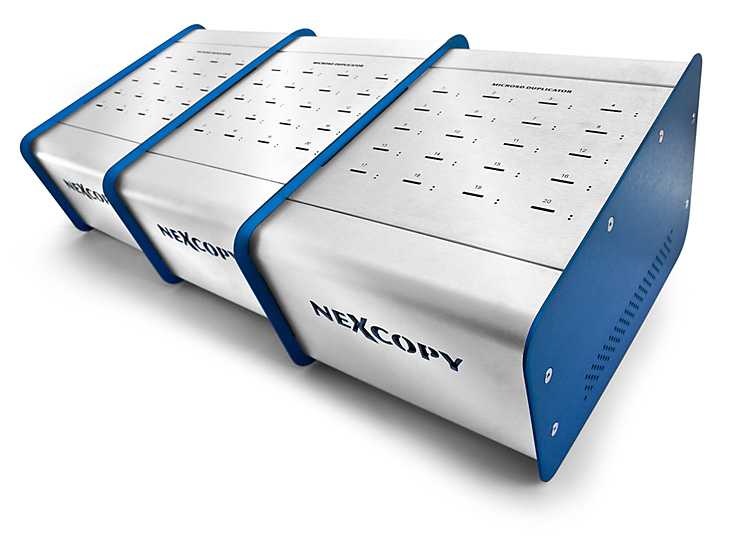
Nexcopy recently introduced an upgraded line of microSD duplicators supporting media capacities from 16 to 60 port configurations—no adapters required. These systems are built from the ground up for high volume deployments and advanced flash memory control. PC Based Solution: mSD160PC (16 Port) The mSD160PC is a USB 3.0, PC connected duplicator featuring: 16 targets […]
Nexcopy unveiled an all new CF Duplicator System Nexcopy Corporation unveiled its latest range of flash memory duplication systems, introducing the CF Duplicator 150PC, 300PC, and 450PC models. These PC-based solutions offer an ideal method for efficiently handling bulk data loading onto Compact Flash cards. Nexcopy’s CF duplication systems boast unique features designed to streamline […]
Nexcopy first made waves back in 2009 with their USB400PC and USB600PC systems—PC-based USB duplicators offering 40 and 60 target ports. At the time, these systems broke ground by overcoming Windows’ drive letter limitations and offering a modular expansion path for high-volume USB duplication. Fast-forward to 2025, Nexcopy continues to lead the field with a […]
Update: Nexcopy Develops In-House Copy Protection to Support Mac OS As of 2025, Nexcopy no longer partners with TrusCont for USB copy protection solutions. This strategic shift was driven by Nexcopy’s commitment to supporting both Windows and macOS platforms. TrusCont’s DRM solution did not support Mac, which became a critical limitation for many users. To […]
Update: Nexcopy reports the USB duplicator will duplicate 30MBs of data to all 20 flash drives in about 40 seconds. The USB duplicator will copy 250MBs of data in about 3.5 minutes. So the USB duplicator has good performance on data copy speeds. Nexcopy announced earlier this week their USB200PC USB Duplicator is available for […]
Five Reasons USB Sticks Will Be Around a Dozen More Years — and Why Flash Drives Still Matter in a Cloud-First World Reason #1. Universal Compatibility Isn’t Going Anywhere If you’ve been around USB as long as we have at GetUSB.info—since 2004, back when flip phones ruled the earth and “cloud” meant weather—you start to […]
The Untold Life of a microSD Card: From Silicon Wafer to Secure Erasure From the outside, a microSD card looks boring. It is a black rectangle with a logo on top and some gold contacts on the back. You plug it in, it stores data, and as long as your photos or firmware or logs […]