
2025 Update: Nexcopy Enhances USB 3.0 Duplicator with Higher Capacity Drives and Advanced Drive Manager Software
Nexcopy, a leader in USB duplication technology, has been shipping its USB 3.0 SuperSpeed Duplicator for over 15 years. The 16-port USB 3.0 Duplicator remains one of the most reliable solutions for high-speed USB flash drive and hard drive duplication. With peak transfer speeds of 65MB/s per device and up to 72MB/s with multiple drives connected, the duplicator can efficiently handle demanding data loads. For USB 3.0 hard drives, transfer rates reach a consistent 95MB/s, regardless of whether a single device or eight devices are connected.

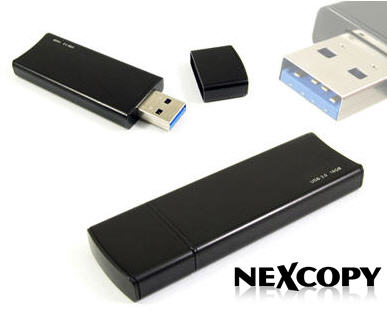
Since its initial release, Nexcopy has expanded its USB 3.0 flash drive lineup, now offering capacities up to 256GB with optional custom branding. These high-capacity drives are ideal for industries requiring large data sets, secure distribution, and reliable performance.
The USB 3.0 Duplicator is powered by Nexcopy’s proprietary Drive Manager software, which receives regular updates to enhance speed, improve user experience, and add new functionality. Drive Manager updates are always free and require no license fees. For professional applications, the PRO version of Drive Manager enables advanced features such as:
- USB write protection (hardware-based read-only mode)
- Configuring USB drives as USB CD-ROM devices
- Partitioning flash drives at the controller level
- Editing USB device serial numbers
Nexcopy continues to focus on providing enterprise-grade duplication solutions with ongoing software innovation and long-term product support.
Source: EverythingUSB.
Let GetUSB.info keep you updated.
Receive article notifications about USB storage, flash memory, and duplication updates in your preferred language. We average a couple of articles per week.


