
Realistic Looking Skull Seconds As USB Hub
USBFever rolled out a Gothic looking Skull shaped USB hub. Almost good enough to be a prop for CSI, the skull hub includes a tray for collecting your cr&p.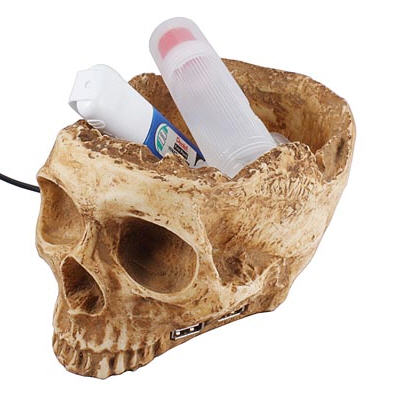



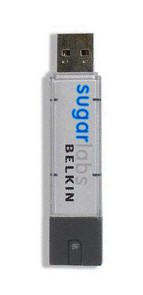 Sugar Labs coined the phrase, “One Laptop per Child” and today they are getting us one step closer with Sugar On a Stick.
Sugar On a Stick is the Linux operating system fit to run off any USB drive. Fit to run on any computer setup. The Sugar Stick is based off the Fedora LiveUSB package and boots into Linux. The package will keep all data usage on the drive so the host computer stays clean.
The Sugar Stick is intended to run on any legacy hardware configuration, so if you’ve got a moment, download the package, put it on a stick and give it a try.
Check out the full website:Â SugarLabs.org
Source:Â Betanews.
Continue Reading
Sugar Labs coined the phrase, “One Laptop per Child” and today they are getting us one step closer with Sugar On a Stick.
Sugar On a Stick is the Linux operating system fit to run off any USB drive. Fit to run on any computer setup. The Sugar Stick is based off the Fedora LiveUSB package and boots into Linux. The package will keep all data usage on the drive so the host computer stays clean.
The Sugar Stick is intended to run on any legacy hardware configuration, so if you’ve got a moment, download the package, put it on a stick and give it a try.
Check out the full website:Â SugarLabs.org
Source:Â Betanews.
Continue Reading


Don’t get too excited — the flash drive doesn’t blow up and take everyone with it, nor does it spit out harmful biochemicals for mass destruction. Rather, the Fujitsu USB flash drive will self-destruct using a much less flamboyant method: it will erase itself.

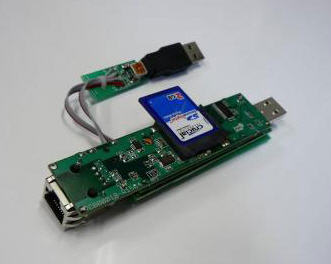
The drive is a prototype design where the internal workings include a processor and battery, and after a certain amount of time, the data on the stick will erase itself. Or self-destruct.
But just in case this method is a bit too hard-core, Fujitsu has an alternate method for data protection. The second method includes an auto-erase feature if the USB flash drive is used to copy files to an unauthorized workstation or server. Using the Fujitsu re-direct software as the backbone, it can prevent data from being uploaded to file-sharing networks, sent as e-mail attachments, or printed, according to Fujitsu.
Since this is just a prototype, you’ll need to wait a bit longer. But for those who are impatient, GetUSB.info knows of one flash drive which already offers USB Copy Protection. The drive will also copy protect PDF files, Flash, MPG, and a host of other multimedia files.
[autorun] Label=type whatever you want hereFor those of you less familiar with .INF files they are extremely easy to make and use. For the USB Volume name this is what you do: Continue Reading