One of the more common questions raised in technology forums is why television manufacturers continue to rely so heavily on HDMI when USB-C appears capable of doing so much more. On paper, USB-C looks like the obvious winner. It can carry video, data, and power through a single connector, supports impressive bandwidth, and has become the preferred interface for many laptops, tablets, and mobile devices.
Given those capabilities, it seems reasonable to ask why modern televisions are still equipped with multiple HDMI ports while USB-C video inputs remain relatively rare.
Many technically minded people assume the answer must be inertia. Perhaps television manufacturers are moving too slowly, or maybe the industry is reluctant to embrace newer technology. In reality, the answer is much less dramatic. Television manufacturers have spent years evaluating USB-C, and for most television applications HDMI continues to make better business sense.
The reason often comes down to a distinction that engineers, product managers, and business executives view differently. Engineers tend to focus on what a technology is capable of doing. Manufacturers tend to focus on what problem the technology solves, how much it costs to implement, and whether customers are willing to pay for the difference.
Those questions frequently lead to different conclusions.
HDMI Already Solves The Television Problem
USB-C provides tremendous value in a laptop environment because it consolidates several functions into a single connection. A user can connect a laptop to a monitor and simultaneously receive charging power, video output, network access, and connectivity to peripherals such as keyboards, mice, and storage devices.
A television does not have those requirements.
The overwhelming majority of devices connected to televisions already use HDMI. Game consoles, streaming devices, cable boxes, Blu-ray players, AV receivers, and soundbars have all standardized around the HDMI ecosystemA network of compatible devices, technologies, and standards that work together seamlessly.. From a consumer perspective, HDMI already accomplishes exactly what is needed: delivering high-quality audio and video between devices with minimal confusion.
When manufacturers evaluate whether to replace HDMI with USB-C, the first question is not whether USB-C can do more. The first question is whether customers are experiencing a problem that needs solving. In the case of televisions, the answer is often no. HDMI already performs the task consumers expect it to perform.
The Hidden Cost Difference
This is where many technology discussions become disconnected from the realities of product development.
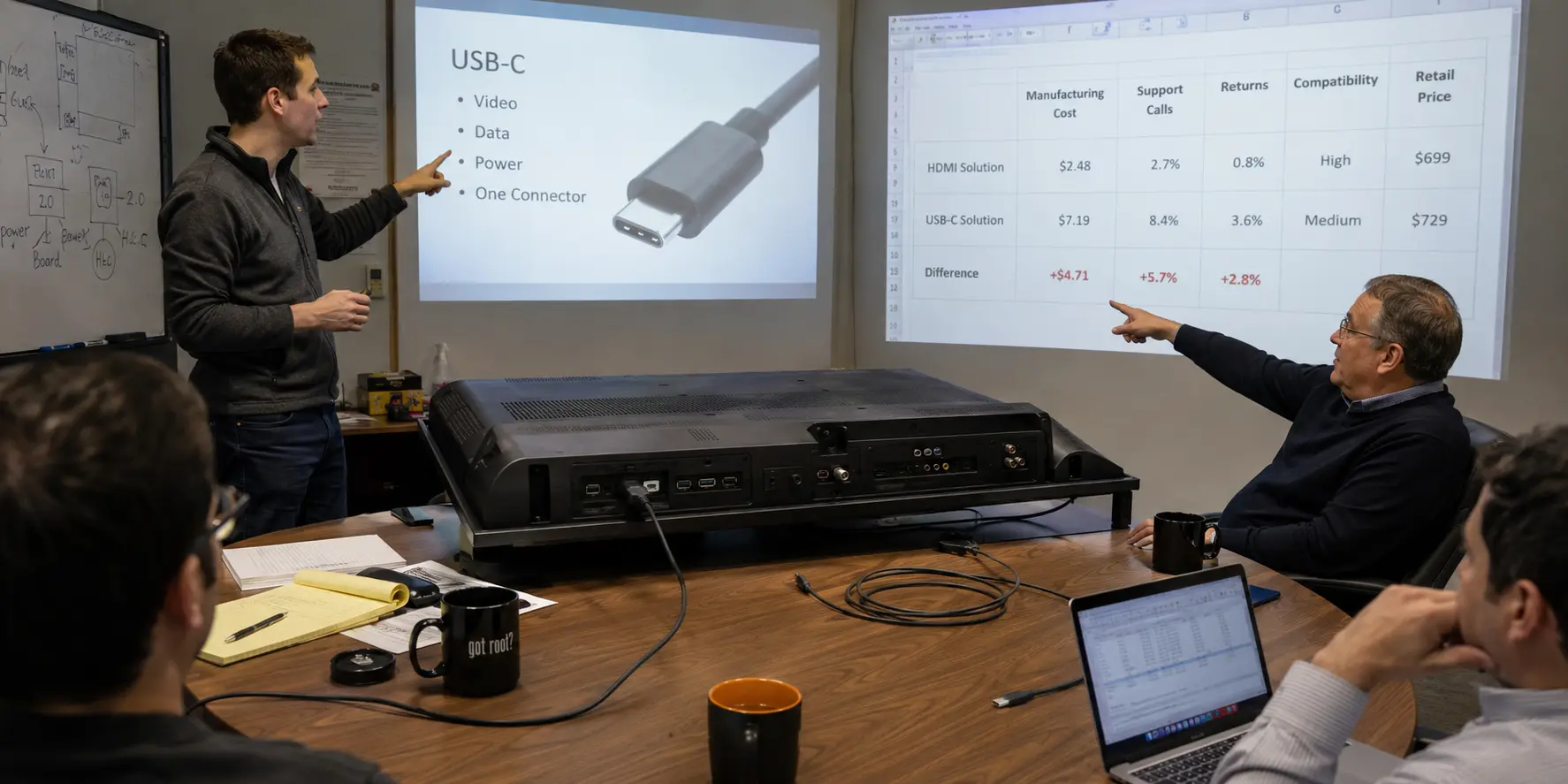
When enthusiasts compare HDMI and USB-C, they often compare capabilities. Manufacturers compare costs.
An HDMI implementation is relatively inexpensive. The connectors are inexpensive, the supporting electronics are mature, and the entire supply chain has benefited from decades of optimization. Television manufacturers understand exactly what HDMI costs and exactly how it performs.
USB-C introduces additional complexity. Depending on the implementation, manufacturers may need to support Power Delivery negotiation, DisplayPort Alternate Mode functionality, additional controllers, more extensive validation testing, and compliance requirements. Even if the individual costs appear small, they become significant when multiplied across hundreds of thousands or millions of units.
At some point, a manufacturer must answer a simple question: will customers pay more for this feature?
If the answer is no, adding cost without increasing demand becomes difficult to justify.
To put things into perspective, a basic HDMI cable may cost less than a dollar to manufacture in volume and sell at retail for under ten dollars. A fully featured USB-C cable capable of high-speed data transfer, video output, and Power Delivery can cost several times more to manufacture and many times more at retail. The difference is not simply the connector. Modern USB-C cables often contain identification chips, power-management circuitry, and signal-conditioning components that add both capability and cost.
Estimated Cable Cost Comparison
The following chart is a general cost comparison, not a fixed price list. Actual costs vary by cable length, certification, shielding, chipset, brand markup, and production volume.
View HDMI vs USB-C Cable Cost Comparison Chart
| Cable Type | Factory Cost | Wholesale | Retail | Complexity |
|---|---|---|---|---|
| Basic HDMI | $0.75 – $1.50 | $2 – $4 | $5 – $15 | Low |
| HDMI 2.1 Certified | $5 – $10 | $10 – $25 | $25 – $80 | Moderate |
| USB-C Charge Only | $0.30 – $0.75 | $1 – $2 | $3 – $10 | Low |
| USB-C Video | $2 – $5 | $5 – $10 | $15 – $35 | Moderate |
| USB4 / Thunderbolt | $5 – $30 | $10 – $50 | $20 – $100+ | High |
Estimated industry pricing shown for comparison purposes. Actual costs vary by cable length, certification level, production volume, and supported features. The key observation is that USB-C cables can vary dramatically in capability despite using the same physical connector.
The USB-C Cable Problem
One of USB-C’s greatest strengths is flexibility. It is also one of its greatest weaknesses.
Many consumers assume that all USB-C cables are identical because they share the same connector shape. Unfortunately, that assumption is incorrect.
Some USB-C cables support charging only. Others support data transfer. Others support video output. Some support high-speed data rates while others do not. Some support higher power levels than others. To an average consumer standing in front of a drawer full of cables, the differences are often impossible to identify by appearance alone.
Nearly everyone has encountered a situation where a USB-C cable worked perfectly for one task but failed completely for another. A cable may charge a device but not transfer data. Another may transfer data but not support video output. The connector fits in every case, yet the results can vary dramatically. We covered some of these compatibility differences in our article about USB-C cable differences and USB cable specifications.
Engineers often appreciate the flexibility this creates. Customer support departments usually do not.
When a television uses HDMI, consumers generally know what cable is required and what outcome to expect. When USB-C enters the equation, the possibility of cable-related confusion increases substantially. Every support call, product return, and negative review carries a cost, even when the product itself is functioning exactly as designed.
From a manufacturer’s perspective, this matters. A technically elegant solution that increases customer confusion may not be an improvement at all. Product designers spend just as much time trying to eliminate support issues as they do adding features.
Where USB-C Video Makes Sense
This does not mean USB-C video is a bad idea. Quite the opposite. USB-C is extremely useful when the device environment benefits from combining video, power, and data into one cable. That is why USB-C makes so much sense for laptops, tablets, docking stations, and many desktop monitors.
Computer users have benefited enormously from USB-connected displays and docking stations over the years. Our earlier look at the USB monitor concept illustrates how video over USB can solve very different problems than those found in a living-room television environment.
The mistake is not believing USB-C is powerful. The mistake is assuming that a powerful technology automatically belongs everywhere.
The Difference Between Technology And Product Design
One of the more interesting lessons in engineering is that the most advanced technology does not automatically become the best product.
Early in a technical career, it is easy to assume that newer standards should replace older standards whenever possible. Experience tends to reveal a more complicated reality. Products succeed when they solve customer problems reliably, predictably, and at a reasonable cost.
This is why industrial equipment often continues using established technologies long after newer alternatives become available. It is also why many products adopt new standards slowly rather than immediately. The goal is not to showcase the most features. The goal is to deliver the best overall solution for the intended application.
Television manufacturers are not ignoring USB-C. They have evaluated it extensively and continue to use it where it makes sense. However, they have also concluded that for the primary job of connecting televisions to external devices, HDMI remains a remarkably effective solution.
The next time someone asks why televisions still use HDMIA widely used interface for transmitting high-quality audio and video between devices. instead of USB-C, the answer is not that manufacturers are unaware of newer technology. The answer is that they have already done the math.
For televisions, HDMI continues to provide the right balance of cost, simplicity, compatibility, and performance. USB-C remains an outstanding solution for laptops and portable computing devices, but that does not automatically make it the best solution for every product category.
In engineering, the most capable technology does not always win. More often, the technology that solves the problem with the least cost and complexity is the one that survives.
EEAT Disclosure: This article is based on industry experience in USB technology, flash memory products, and hardware manufacturing. The discussion reflects practical considerations involved in product design, including manufacturing costs, support requirements, customer adoption, and technology implementation. Cost estimates referenced are industry approximations intended to illustrate comparative design decisions rather than exact manufacturing figures.
Let GetUSB.info keep you updated.
Receive article notifications about USB storage, flash memory, and duplication updates in your preferred language. We average a couple of articles per week.