Transfer Photos from iPhone to PC – Easy
Transfer Photos from iPhone to PC – Easy and Automated

iCloud is the default way to store your photos from your Apple device to another location. Once the files are in your iCloud account, you can log in and download those images to your computer.
However, many users do not use iCloud and are looking for an alternative. Here is an option that is easy, automatic, and far less expensive than maintaining an iCloud subscription.
The Qubii Pro is a backup device that works while you charge your phone. There is nothing to configure and no settings to manage. The Qubii Pro holds a microSD card for storage and connects between your iPhone cable and your charging block.
Photo and video transfer from your iPhone to storage happens automatically. Qubii scans your photo and video library and backs up any file not already present on the microSD card. The first backup can take a while because everything must be copied. The total time depends on how many photos and videos you have. On future connections, only new files are backed up.
Since most people charge their phones overnight, the backup process happens without disrupting normal usage.
Apple provides 5GB of free iCloud storage, but that space fills up quickly with high-resolution photos and video. As shown below, iCloud pricing seems inexpensive at first, but the monthly cost increases as storage needs grow.
- Free: 5GB of storage per iCloud account (not per device)
- $0.99/month: 50GB of storage (single user)
- $2.99/month: 200GB of storage (family use)
- $9.99/month: 2TB of storage (family use)
- Apple One Family plan ($22.95/month) includes 200GB of iCloud storage
- Apple One Premier plan ($32.95/month) includes 2TB of iCloud storage
Apple does a very good job of encouraging users to upgrade storage plans, so there is a high likelihood that monthly costs will exceed $20 USD over time (based on pricing in 2023).
There are a few important limitations to understand with Qubii:
- You cannot choose specific photos or videos to back up; everything is included
- If a file is deleted from the microSD card but still exists on your phone, it will be backed up again
- The solution backs up photos and videos only, not contacts or documents
- If you replace the microSD card, the entire backup process starts over
The last point above is important.
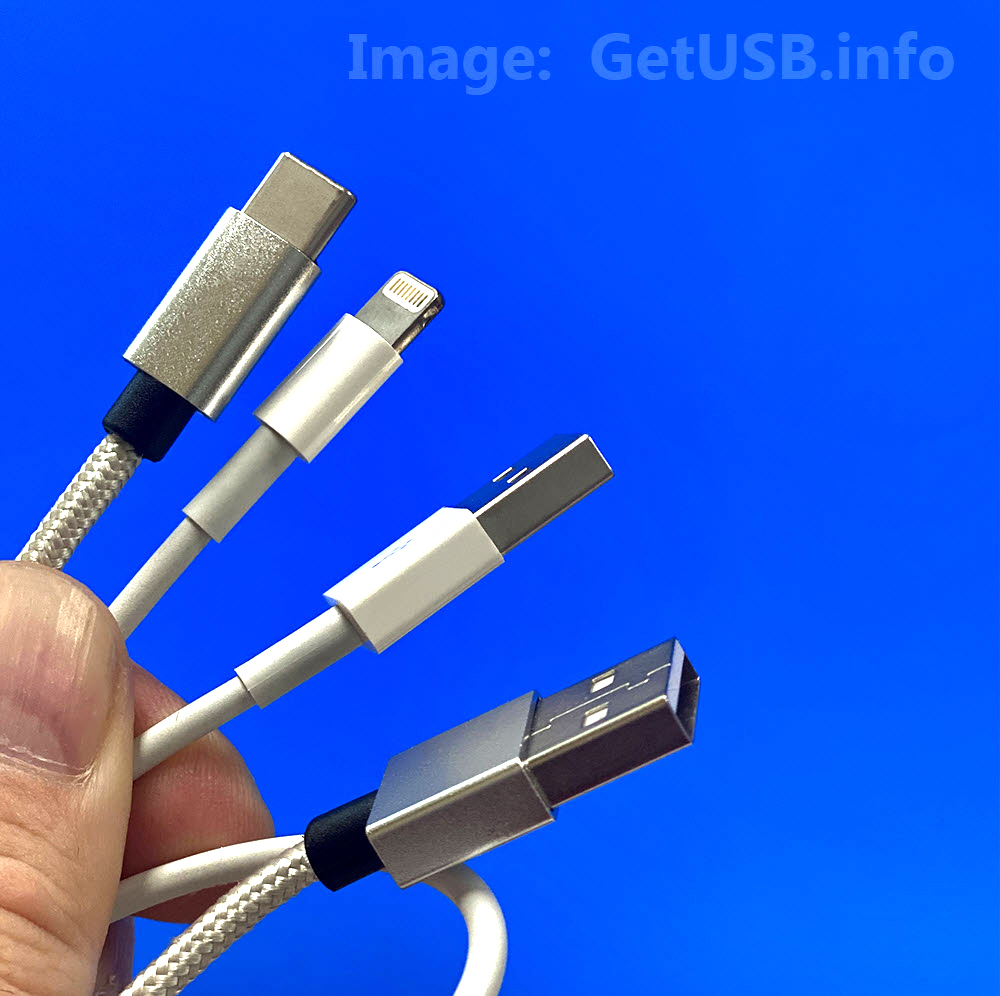


 The Apple cable extender is $12 and
  The Nest is bargain at just $15.
 Doing a bit of research for iPhone chargers I came across the Dynamic8 iPhone and iPad charger. The look is fantastic and is very contemporary. No protrusive charger sticking out half way into the drivers console, but rather flush, stylish looking accessory.
 The AirStash, in one word, Amazing. This device solves all the problems of lack of storage with Apple products. With the AirStash you can now budget down to purchase the cheapest iPad or iPhone because the AirStash gives you the extra storage you need.
The AirStash, in simple terms, is a wireless storage dongle you carry around which provides unlimited storage.
The AirStash uses self powered WiFi to sync with your iPod, iPad or iPhone. The AirStash uses an SD slot for unlimited storage. The controller on the AirStash will recognize up to 32GB SD cards…from there you just swap out memory and keep saving.
The AirStash, in one word, Amazing. This device solves all the problems of lack of storage with Apple products. With the AirStash you can now budget down to purchase the cheapest iPad or iPhone because the AirStash gives you the extra storage you need.
The AirStash, in simple terms, is a wireless storage dongle you carry around which provides unlimited storage.
The AirStash uses self powered WiFi to sync with your iPod, iPad or iPhone. The AirStash uses an SD slot for unlimited storage. The controller on the AirStash will recognize up to 32GB SD cards…from there you just swap out memory and keep saving.
 Since the AirStash is wireless you can stream audio or video from the device to your Apple product. This means you can run GBs of music or videos without bogging down all the memory on your iPhone or iPad.
The only drawback I see is that you cannot dump photo’s from your Apple product to the AirStash [I’ve emailed the company to make sure my info is correct]. But you can easily take pictures using a digital camera [that uses SD cards] and simply pull the SD card from the digital camera and upload those photo’s to your iPhone / iPad.
The AirStash [kudos on the creative name] is available for $99 and is well worth the money rather than paying $100s more for a bigger Apple product.
If you’re not convinced yet, watch this 3 min YouTube video and get hooked.
Since the AirStash is wireless you can stream audio or video from the device to your Apple product. This means you can run GBs of music or videos without bogging down all the memory on your iPhone or iPad.
The only drawback I see is that you cannot dump photo’s from your Apple product to the AirStash [I’ve emailed the company to make sure my info is correct]. But you can easily take pictures using a digital camera [that uses SD cards] and simply pull the SD card from the digital camera and upload those photo’s to your iPhone / iPad.
The AirStash [kudos on the creative name] is available for $99 and is well worth the money rather than paying $100s more for a bigger Apple product.
If you’re not convinced yet, watch this 3 min YouTube video and get hooked.