GetUSB.info Logo

Review Windows 10 Computer Stick

In 2015, Intel introduced the Compute Stick, or Computer Stick – a product that has been around ever since. The idea is simple and elegant: Intel wanted to create an HDMI dongle computer that could run Windows 10.

There is no confirmation, but our suspicion is that Intel aimed to provide an ultra-cheap and portable solution to run Windows for embedded applications like set-top boxes (DVRs) and other IoT (Internet of Things) products. If our assumption is correct, it’s a wonderful product and a great solution for its intended purpose.

PCWorld did a fantastic review of the Compute Stick back in 2016, and a link to that article is at the footer of this post. The PCWorld review outlined the specifications and performance levels of the Intel-based product. We’ll let that article do the heavy lifting for the tech people out there, but today we want to talk about the applications one might have for a computer stick.

For only around $120 on Amazon, this is an excellent solution to run Windows 10 for a host of specific applications.

Intel Compute Stick device

Several quick talking points before we move to examples of usage out in the field:

Continue Reading

Review: Wireless Phone Charger For Tesla Model 3

My neighbor has a Model 3 with a wireless charging station built right into the center console. I didn’t realize this was an aftermarket purchase at first, which is why I wanted to review it here today. The brand my neighbor uses is the Taptes Generation 2 wireless charging station.

The Gen 2 model includes several improvements over the previous version. Starting with the basics, this version has a ridge line molded into the center of the charging platform. This allows a user to charge two phones vertically at the same time, each independently receiving power. The center ridge does not extend all the way to the bottom, so if you need to charge a phone in landscape mode, for example while viewing Google Maps, that is still possible.

The charging station also includes a USB-C port in the event a passenger has a phone that does not support wireless charging. This applies to both Android and Apple devices, making the setup flexible for mixed-device households.

My neighbor’s car is a 2019 Tesla Model 3, but this charging station supports Tesla center consoles from the 2017, 2018, 2019, and 2020 model years. The black finish closely matches the Tesla interior trim, and as mentioned earlier, it does not look like an aftermarket add-on once installed.

The charging pad uses an anti-slip grip material so phones don’t slide around while driving. The wireless signal is strong enough to charge through most phone cases. However, if your phone has a magnetic disc or pop-socket attached, charging may not work reliably. This is typically due to increased distance from the charging coil or signal obstruction. The pad also includes two LED indicators to show when the charging station is active, while your phone confirms receipt of power. Two USB splitters are included so the charger can be powered from the Tesla USB ports while still allowing connections for accessories such as a dash camera.

  • 1 × Wireless Charger / Pad (Gen 2)
  • 1 × Manual
  • 2 × USB Splitters

Taptes Gen 2 wireless phone charger installed in Tesla Model 3

Continue Reading

Inexpensive iPhone Charging Cable – and Smart

Are you looking for an inexpensive iPhone cable? This is a common search on Google because those cables go missing, get taken by your kids or co-workers, or simply break. It’s as though we need an endless supply of them. I don’t recall the last cable I had that lasted more than four months. There is an article out there somewhere that claims for each iPhone made, the user will need at least three cables for charging it. The link to that article escapes me, but from personal experience, it feels accurate.

Typically, one cable lives in the car for charging while driving. One stays at work to charge while you’re at your desk (and yes, for a little TV-background noise {wink}). And one stays at home for overnight charging. That’s the baseline.

iPhone cables, or Lightning cables, are expensive. Go to Amazon and you’ll find a decent six-foot cable costing close to $20. Multiply that by three and you’re looking at a $60 expense just to keep your phone alive. No thanks. We want an inexpensive iPhone charging cable solution.

This cable problem actually gets worse, not better, and here’s why.

You also need microUSB cables to charge your portable battery packs. So now we’ve got three Lightning cables for the iPhone (work, car, home) and at least one microUSB cable to charge the power bank that keeps your phone alive when you’re away from all three. Portable batteries are non-negotiable these days. Kids’ baseball games can stretch to three hours. Softball tournaments stack games back-to-back. A round of golf runs 4.5 hours. The point is, we’re often away from power outlets longer than our phones can handle.

If this feels familiar, you’re not alone. We’ve been writing about USB charging standards and cable sprawl for years, including how USB slowly became the? standardized connection for charging phones and mobile devices in general (related article here).

So how do we solve the problem of finding an inexpensive iPhone charging cable? The answer is a combination of products. This setup charges your iPhone and your portable battery packs without buying multiple expensive Lightning cables.

On Amazon, you can find a pack of five microUSB cables for under $10. Be sure to check the length you want. It’s easy to save a dollar and accidentally buy cables that are too short to be useful.

Pack of microUSB charging cables

The other item you need is a microUSB to Lightning adapter. These small adapters sit on the end of your microUSB connector and convert it into a Lightning connection for your iPhone. A four-pack can usually be found for under $10.

MicroUSB to Lightning adapters

It’s important to note these adapters only supply power to your iPhone. They do not support data transfer. For most people, that’s a non-issue. When was the last time you plugged your iPhone into a computer to sync? Everything happens wirelessly now.

For about $20 total, you now have multiple Lightning charging options for your iPhone and multiple microUSB cables to charge your portable power packs. It’s a simple, flexible, and very inexpensive iPhone charging cable solution. Honestly, it’s hard to justify doing it any other way.

iPhone charging setup using microUSB cables and Lightning adapters

Continue Reading

Remote access to USB security keys

If you are an avid user of USB security dongles, you might know how challenging it can be to get remote access to these devices. To simplify this task, Electronic Team, Inc. has developed a dedicated software solution capable of sharing USB protection dongles over a network.

Donglify is a lightweight desktop application that allows connecting USB hardware keys to remote computers over the Internet and LAN. The software uses 2048-bit SSL encryption to secure your connections, so you don’t need to worry that your sensitive data will be intercepted or lost.

One of the nicest things about Donglify is that it can redirect one USB dongle to several remote PCs simultaneously. In order to make a USB hardware key available for use on multiple computers, you can connect the device to your local PC and share it over the network with nothing more than a couple of clicks. This option currently works with HASP HL Pro, Sentinel HL Pro, SafeNet eToken 5110, and CodeMeter CmStick security keys.

Donglify software interface for sharing a USB security dongle over a network

USB hardware keys of other types can also be shared over the Internet, but you’ll only be able to access them from one remote machine at a time.

Donglify is available by subscription and comes with a 30-day free trial. When the trial period is over, you can continue using the service for $19.99 a month.

Continue Reading

USB Vacuum For Holiday Season

For most, the middle of November is when you start thinking about Christmas and the holiday season. With that in mind, if you have an office gift exchange, this USB vacuum could make your short list, if you draw the office IT person as your secret Santa.

What tipped my memory about seeing this USB vacuum several years ago is a commercial during Sunday night football. Yup, someone actually worked this USB gadget into a prime time commercial. First image is from the commercial, second image is the link to get the USB vacuum from Amazon (or equivalent).

USB desk vacuum shown in a TV commercial

USB desk vacuum product photo

Before you get your hopes up the USB vacuum actually works, it doesn’t. The thing will make a vacuum noise, but doesn’t suck anything up.

That said, the images here are still useful in a completely different way: as a sales tool for promotional products. If you sell branded USB flash drives, the real pitch is rarely “it stores files.” The pitch is visibility, desk presence, and the moment someone pulls it out in front of other people. A novelty gadget photo like this helps you sell that idea without saying it out loud.

Here’s the angle: use a funny, familiar “desk gadget” visual to start a conversation, then pivot to a branded USB stick as the practical version of the same concept. A USB vacuum is memorable but disposable; a customized USB drive is memorable and actually useful. In a catalog, on a landing page, or in a sales email, you can place a hero image like this next to a simple message such as “Make your brand part of the desk.” Then show the real product: a USB drive with your client’s logo, packaged like a small gift, or bundled with an IT-themed swag kit.

For promotional buyers, the decision is emotional first (does it feel fun and giftable?) and practical second (will people keep it?). These images do the emotional lift. You can use them as a hook in a holiday campaign, an internal employee gift program, trade show swag, or an IT onboarding kit. Once you have attention, you close with options: capacity, style, imprint area, packaging, and turnaround time. The novelty image gets the smile; the branded USB closes the order.

Continue Reading

Power Over Ethernet to USB-C From Far Away

USB-C is a great technology, offering ultra-fast data transfer rates close to 10Gbps and increased power delivery for charging laptops, monitors, and TVs. However, the power advantage of USB-C diminishes over longer cable lengths. According to the USB-C (USB 3) specification, optimal power and transfer rates are maintained only when the cable length is under two meters (about six feet).

Power over Ethernet (PoE) is a proven way to deliver both data and power over long distances via cable. PoE Texas has introduced a product that extends USB-C connections using this technology.

“As a standard, USB-C offers amazing speed and power delivery. Unfortunately, USB-C can only transmit power less than ten feet (three meters), and the cable infrastructure comes at a cost premium. Ethernet cable, nearly ubiquitous in modern construction, can transmit power and data up to 328 feet (100 meters). USB-C power and data transmitted over Power over Ethernet significantly lowers the cost of adopting USB-C by eliminating the need for new electrical infrastructure.”

Extending USB-C Connections with Power over Ethernet

Real-World Example of PoE USB-C in Use

A user has a workstation located about 30 feet away from the production unit it needs to communicate with. The production unit is a USB-C duplicator by Nexcopy. The workstation manager controls the data to be loaded onto USB-C flash drives, while the production manager physically connects and disconnects the USB sticks during the duplication process.

Because a standard USB-C cable cannot cover the required distance, the user can employ the USB-C Power over Ethernet solution to deliver both power and data effectively to the remote device.

  • Conference Room Setup: A USB-C monitor is mounted 40 feet away from the docking station. Using PoE to USB-C allows both video data and charging power to reach the display over a single Ethernet cable.
  • Security Camera Installation: A USB-C powered 4K security camera is installed 80 feet from the control room, receiving both power and data via PoE without additional electrical wiring.
  • Point-of-Sale Terminal: Retail stores can power USB-C tablets located 50–75 feet from the main server rack using PoE, avoiding the need for extra outlets and USB hubs.
  • Industrial Automation: A USB-C duplicator or machine placed 60 feet from the workstation uses PoE adapters to maintain stable power and high-speed data transfer without costly long USB cables.

Product Page: POETexas.com

Reference: Power over Ethernet (Wikipedia)

Continue Reading

USB-C to Lightening Cable, Unique Combo For Sure

We really don’t like reporting about cables. It’s boring. But this post is going into publication for two reasons: 1) The model used to show off the product is a complimentary image {wink} and 2) it’s actually a unique feature combination for a USB cable. Also, cables are one of those accessories you only think about when they fail, so anything that improves durability and portability is worth a quick mention.

HyperDrive USB-C to Lightning cable with keychain capsule design

Hyper has a new USB-C to Lightning cable that makes it convenient to keep the cable near by and doubles as a cleaver key-chain holder. The new HyperDrive Cable series includes Key-chain, Lanyard, and Tough. All of the cables are MFi certified (Made For iPhone/iPad devices) and make use of bulletproof ballistic nylon for high durability and longevity.

The cable length is 3.3 feet, or 1 meter.

Made of TOUGH 2m material by Hyper. This is material that can withstand 70kg of tension before something bad happens.

The key-chain has made of aluminum and screws into the capsule like casing which also doubles as the housing for the ends of the USB-C and Lightening connections.

They Hyper cable starts out at $27.99 USD at the time of this post.

Continue Reading

USB Wall Charger With Hidden Surveillance Camera

With USB gadgets like this, it’s hard to imagine how companies like ADT stay in business for residential customers. This functional USB wall charger includes a miniature camera that acts as a discreet surveillance device. You can plug any USB gadget into it for charging while simultaneously recording or streaming video of whatever falls within its field of view.

Using your Android or iPhone, you can stream video directly to the companion app or share access with a group of authorized users. The spy camera records 1080p HD video and also saves footage to the included 32GB microSD card. As a bonus, the camera can be configured to record only when motion is detected.

USB wall charger with hidden surveillance camera

The camera view is fixed directly in front of the wall plug, so there is no ability to pan or tilt the lens. That limitation is easy enough to work around by choosing an outlet that aligns with the area you want to monitor.

Here are some noteworthy features included at the low price of $29 USD:

  • Motion Detection – Can be configured to record only when motion is detected and send notifications directly to your phone.
  • Loop Recording – Automatically overwrites older footage to allow continuous recording.
  • Night Mode – Supports recording in dim or low-light environments.
  • Multi-User Support – Allows multiple users to connect to the same device, supporting up to eight users.
  • Multi-Camera Viewing – Supports up to eight cameras within the same app or software environment.

The Evela spy camera comes with a 32GB microSD card and a USB dongle for reviewing recorded footage. The low-light recording feature works particularly well. For a $29 investment, this device makes sense for frequent travelers who want to check in on their home while away. Another practical use case is monitoring a babysitter or nanny. You can never be too careful, and at this price point, the barrier to entry is minimal.

USB charger spy camera plugged into wall outlet

Visit the product page for the USB wall charger and surveillance camera to see ordering details and customer reviews. The product carries a four-star rating and has been well received.

For background information, Wikipedia offers a general overview of surveillance, which is worth reading before crossing the line into nanny-cam territory.

Continue Reading

Features to Consider When Buying a USB Duplicator

Came across an article today that I thought was a very good read. It’s a niche topic, but for anyone who deals with flash drives or media distribution, it’s worth checking out.

From the article:

The optical drive is nearly dead — no longer found in laptops and only rarely included in desktop PCs. As a result, the trend for distributing data has shifted toward USB flash drives instead of CDs or DVDs. Because of this shift, many companies are taking a closer look at purchasing a USB duplicator.

There are several factors to consider before spending thousands of dollars on duplication equipment. The article breaks the most important considerations into four categories. After reviewing these areas, you should have a much clearer understanding of which type of duplicator best fits your organization.

USB Duplication Speed

Speed is the first area to evaluate. This isn’t just about raw copy speed. It also includes the number of USB sockets, the user interface, and how much operational feedback is available during a copy session. Questions worth asking include:

# How many USB drives will you need to copy in a day or week?

# How large is the data load in MB or GB?

# What turnaround time is required between request and completion?

# Is printing or branding required on the USB devices?

# Do you need proof of performance via log files or reports?

Answering these questions helps define the type of USB duplicator you should be looking at: how many ports, what performance level, and what software features are necessary for your workflow.

Buy USB Duplicator

Your Production Crew

The next step is understanding who will actually be running the equipment. Will the system be operated by non-technical staff, or by IT professionals? Does the organization need to restrict access to the system or protect the data content during the duplication process?

This often depends on how the content is delivered. A duplication company might receive physical master drives from clients, while a fulfillment operation might receive files automatically from an online ordering system or internal server.

Another consideration is scale. Will the organization deploy multiple duplicators across different geographic locations? Many global companies standardize on a single manufacturer so the workflow, training, and support experience remain consistent worldwide.

Understanding the people, environment, and operational requirements goes a long way toward narrowing the field.

Read-Only vs. Read-Write

The third category is the final state of the USB media being shipped. Should the drives be read-only, or remain read-write? By default, all standard flash drives are read-write. That introduces risk: files can be deleted, modified, or infected after distribution.

Because of this, many organizations look for USB duplicators that support creating read-only (write-protected) media. With this approach, files cannot be deleted, formatted, or altered, and malware cannot write itself onto the drive. It’s a practical safeguard for training material, software distribution, compliance data, and controlled documentation.

Nexcopy is cited in the article as a world leader in read-only flash drive duplication systems and is used as an example of the type of platform organizations evaluate for secure media production.

Read the full article here

Continue Reading

Hedgehog USB Holder

What can you get with a 3D printer and plenty of flash drives? A hedgehog USB holder. With more than 200 downloads, head over to Thingiverse to grab the 3D printable template. The hedgehog design appears to hold roughly 15 USB devices.

Continue Reading

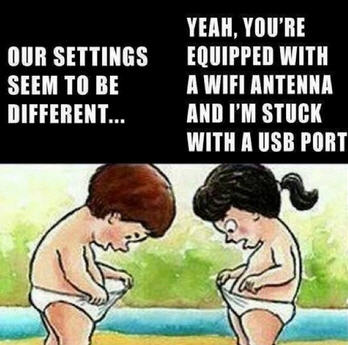
Not So Funny USB Jokes [11]

What do you call a bee born in the United States? A USB.

When the person who invented the USB drive dies: They will lower the coffin into the grave and realize it’s the wrong direction. Flip it, and try again.

Why do people complain about plugging in USB cables? I always connect them on my second try.

Humorous USB illustration

Amazon offers a USB-powered taillight: It’s used to back up your computer.

Arguing with your wife is like a USB port: You will only be right 50% of the time.

I ate my USB flash drive: It only took 1 byte.

If you are carrying around a USB stick: Do you have mobile data?

What do you call a USB stick in Russia? A “Put-in.”

The USB Type-C design is brilliant: I can’t see a downside to it.

How do you stop an elephant from charging? Take away its USB cable.

Thanks to these guys for inspiration.

Continue Reading

Updated iPad OS Will Accept USB Thumb Drives

Today Apple announced the new iPadOS will support USB thumb drives. The iPad has long been toughted a workers tablet from Apple, but the relaity is their iPad didn’t provide much functionality. In addition, the devices have limited storage.

With today’s announcement the above argument could get a little muted.

Update: We learned the iPad will allow other storage devices such as external hard drives and SD or microSD cards (with USB adapters). The USB port will also allow for HID devices, such as a USB mouse and keyboard. We are not sure if the iPad will support Bluetooth mouse and keyboard, but we’ve got to assume, right!

There is no word about the connection. The connection could be one of three; an adapter, USB-C socket size or the classic USB type A socket size.

iPad accepts usb drive

Source: The Next Web.

Continue Reading

Copyright

Copyright © 2006 +

USB Powered Gadgets and more...

All Rights Reserved

Advertise with us

GetUSB Advertising

This is a high value website providing great exposure to your product and brand. Visit our advertising page to learn specifics.

For more information
Visit our advertising page.

Nexcopy Ad

Nexcopy Provides

USB copy protection with digital rights management for data loaded on USB flash drives.

Contact us learn more

Resources and References Page

Resources and References Page