
Intel’s X79 chipset: 14 USB 2.0 – Where is 3.0?
Seems a bit odd that Intel releases their X79 spec to replace the X58 and include 14 USB ports for 2.0 standard, but nothing for 3.0. Continue Reading
 Continue Reading
 The next up is the USB condom. Yes, I think it’s stupid too, and probably not even real, just a photoshop job with the USB connector sticking out of the condom wrapper. But it’s a good laugh, don’t ya think?
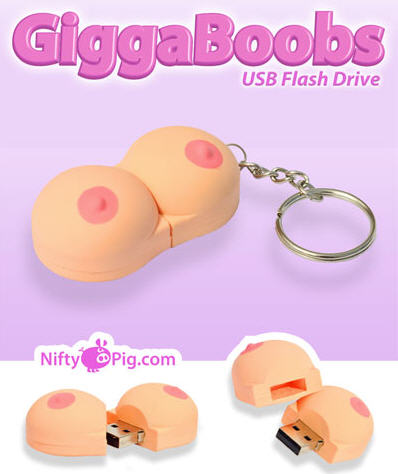
 The gigaboobs are available for purchase.
Continue Reading
The gigaboobs are available for purchase.
Continue Reading
 Continue Reading

 We’ve read these USB cuff-links are something James Bond would wear…but I’m sorry, James Bond has never been a steampunk guy, he’s much too classy for this cult following design work.
Continue Reading
We’ve read these USB cuff-links are something James Bond would wear…but I’m sorry, James Bond has never been a steampunk guy, he’s much too classy for this cult following design work.
Continue Reading
 The USB flash drive, slips out from the right and the blue radial area is the watch itself.
From the description of what is what, the Konect also has voice record ability and a lavish setting of alarms. Ability to stream audio live or communicate via Skype when loaded to the USB flash.
The USB flash drive, slips out from the right and the blue radial area is the watch itself.
From the description of what is what, the Konect also has voice record ability and a lavish setting of alarms. Ability to stream audio live or communicate via Skype when loaded to the USB flash.
 From the source post at
Continue Reading
From the source post at
Continue Reading
Corsair has always gotten good reviews about the speed and performance of their USB 2.0 flash drives, so it is no surprise to see Corsair enter the market of USB 3.0 sticks.

As we said years ago, USB 3.0 will start to catch on, and the price points Corsair is publishing for the 8, 16, and 32GB drives proves the point.
The USB 3.0 Flash Voyager looks like all their others, and comes in at a price of:
These seem like great prices for individuals. The next question becomes: how does a corporate company that bought a pallet full perform the data load function? Maybe this USB 3.0 duplicator by Nexcopy would help.
Here is the company line from their press release:
The new Flash Voyager USB 3.0 models bring SuperSpeed USB 3.0 performance to the Flash Voyager family, and share the same durable rubber housing and stylish looks that have made the Flash Voyager family a favorite of consumers looking for fast, reliable, and portable data storage. All Flash Voyager USB 3.0 models are shockproof, water-resistant, backward compatible with USB 2.0/USB 1.1, and provide easy plug-and-play compatibility with most operating systems.
Source: Legit Reviews.
GetUSB.info has reported on making a bootable USB with nt60 boot sector, and here is another post about bootable USB, but this time for making the boot device for any Windows OS…or should I say from any Windows OS.
WinToFlash is a slick little tool I came across which allows you to make a bootable USB from any source Windows installation CD or DVD.

WinToFlash will slurp out the boot sectors required to make a bootable USB from your source CD or DVD. Simply pop in the Windows disk, get a 4GB stick [8GB is better] that can read/write faster than a promo give-away drive, and run WinToFlash.
Here is a list of items you can perform using WinToFlash for bootable USB devices:
You certainly don’t need a lot of power to run the utility, that’s for sure. But if not sure, here are the min specs:
WinToFlash is asking for dontations if you find the tool helpful. Good luck! [ https://tinyurl.com/ovfetq ]
 Thunderbold, LightPeak and their magical 10Gpbs transfer rate have been the talk for some time. Well, at least the LightPeak version. Thunderbolt is just Apple’s spin on the technology. So will these new fangled technologies replace USB one day? Yes, I think so. Anytime soon? No way.
LightPeak and Thunderbolt are currently designed off copper wire and provide an estimated 10Gbps transfer rate in both directions. Of course that is spec, and we have yet to see a working product. But never-the-less, the LighPeak technology has the ability to cap at 100Gpbs if they ever switch to Fiber Optics as the transfer hardware.
But lets be clear, a lot must happen before the momentum of a market switches from one technology to another. Heck, just for Dell to make a change from USB 2.0 to USB 3.0 took them nearly 9 months…and that was just an upgrade.
Are we scared over here at GetUSB.info – no. I could see DisplayPort USB drives in the future, after all, it’s just another means of connection…and if it gets me more speed and more done in less time. I welcome it with open arms.
Continue Reading
Thunderbold, LightPeak and their magical 10Gpbs transfer rate have been the talk for some time. Well, at least the LightPeak version. Thunderbolt is just Apple’s spin on the technology. So will these new fangled technologies replace USB one day? Yes, I think so. Anytime soon? No way.
LightPeak and Thunderbolt are currently designed off copper wire and provide an estimated 10Gbps transfer rate in both directions. Of course that is spec, and we have yet to see a working product. But never-the-less, the LighPeak technology has the ability to cap at 100Gpbs if they ever switch to Fiber Optics as the transfer hardware.
But lets be clear, a lot must happen before the momentum of a market switches from one technology to another. Heck, just for Dell to make a change from USB 2.0 to USB 3.0 took them nearly 9 months…and that was just an upgrade.
Are we scared over here at GetUSB.info – no. I could see DisplayPort USB drives in the future, after all, it’s just another means of connection…and if it gets me more speed and more done in less time. I welcome it with open arms.
Continue Reading
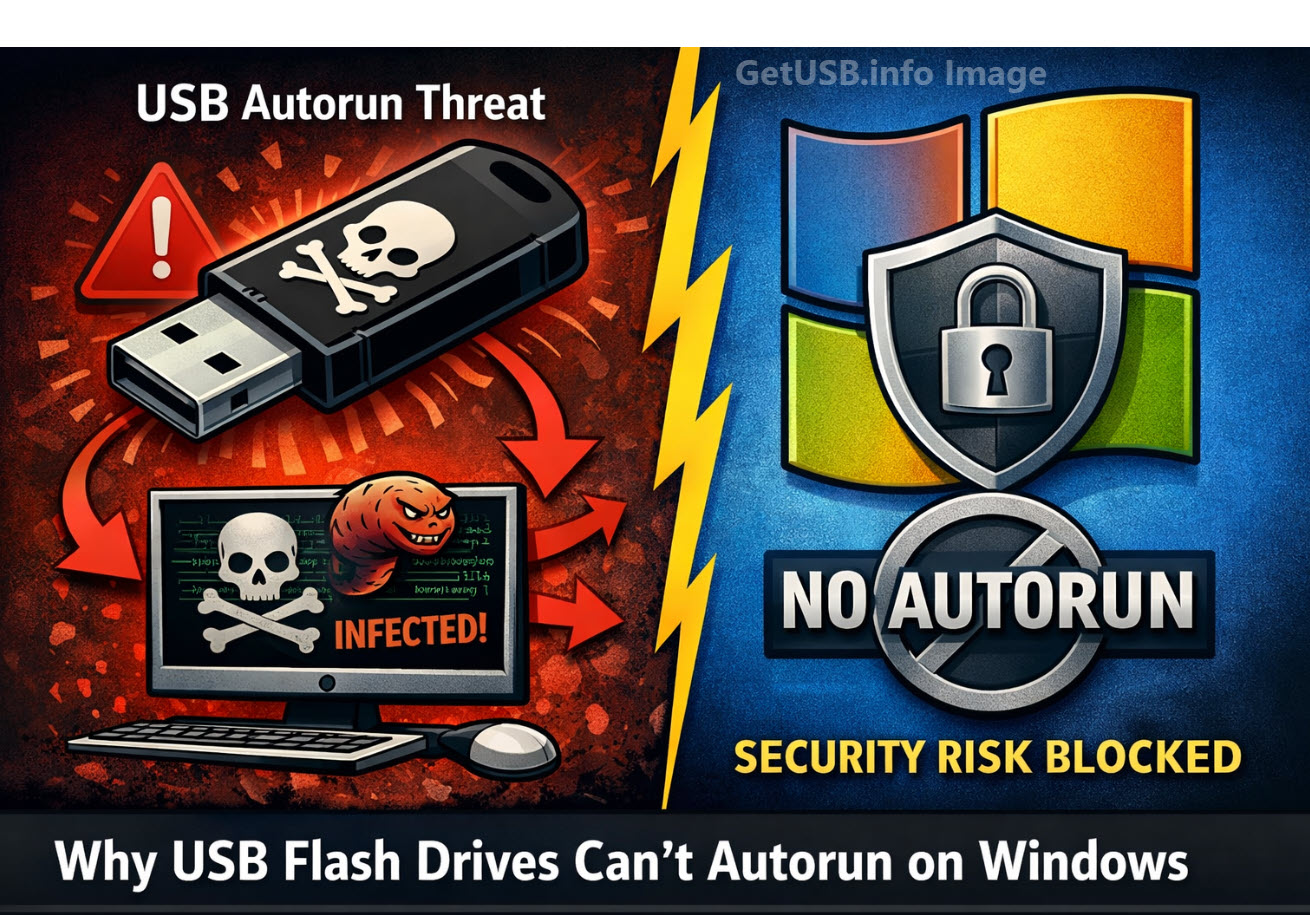
Can USB Flash Drives Autorun From Windows? The short answer is NO. Microsoft disabled USB autorun functionality on standard USB flash drives primarily for security reasons, following several high-profile malware outbreaks that exploited this feature. Here’s why this change was necessary:
Before 2011, when a USB drive was inserted, Windows’ autorun feature could automatically execute files (like autorun.inf) stored on the drive. Malware creators exploited this by placing malicious executables on USB drives that would launch automatically when inserted into a computer. This made it easy for viruses and worms, such as the infamous Conficker worm, to spread rapidly between systems without user interaction.
Unlike CDs or DVDs, which are typically read-only and distributed from trusted sources, USB flash drives are read-write devices. They are frequently passed between multiple users and computers, making them a prime target for malware. Any infected computer could unknowingly weaponize a USB stick, allowing malicious code to spread instantly upon insertion.
In 2011, Microsoft released security patch KB971029, which permanently disabled autorun for USB flash drives on Windows XP, Vista, and later versions to match Windows 7’s safer behavior. After this patch:
USB drives that emulate a CD-ROM device can still trigger autorun because Windows treats them like optical media. This is useful for software distribution, marketing content, or protected applications that need an autorun experience.
A professional solution for this is the Nexcopy Disc License USB drive. These drives feature a permanent, hardware-based CD-ROM partition that allows autorun to function exactly like a traditional CD, while maintaining a second partition for standard flash storage. Because the CD-ROM portion is read-only, it is safe from malware infections and trusted by the Windows autorun process.
Microsoft removed autorun from standard USB flash drives to stop self-spreading malware and worms that thrived on this feature. If you need legitimate autorun capabilities for distributing software or presentations, using a Nexcopy Disc License USB drive is a secure and reliable solution.
Windows allows autorun from a USB CD-ROM device because the hardware identifies itself as an optical disc drive, and Windows is designed to trust read-only media. Here’s a detailed explanation of why this behavior exists and how it works:
The autorun feature was originally created for CDs and DVDs, which are read-only media. Because the content on a physical disc cannot be modified by malware, it was considered safe for Windows to execute instructions from the autorun.inf file automatically. This design choice made software installations seamless and secure for optical discs.
All USB devices report their device type to the operating system through a descriptor. A USB stick configured as a CD-ROM device reports itself as a Mass Storage Device ? Subclass: SCSI Transparent ? Protocol: CD-ROM (0x05). To Windows, this looks identical to plugging in a real optical disc drive.
Because Windows cannot tell the difference, it applies the same rules for autorun as it would for a physical CD or DVD drive. The firmware of the USB device essentially “masks” its true nature and convinces the OS it is optical media.
Windows checks whether the device is read-only before permitting autorun. A properly configured USB CD-ROM emulation device has a hardware-protected, non-writable partition that mimics a pressed CD. This read-only characteristic assures Windows that the autorun.inf file has not been altered or infected by malware, making autorun safe to execute.
A professional solution for creating a USB with autorun capabilities is the Nexcopy Disc License USB drive. These drives feature:
Windows allows autorun from USB CD-ROM devices because their firmware tells Windows they are optical discs, and optical media is inherently safer due to its read-only nature. Standard USB flash drives are blocked because they are writable and could easily carry self-propagating malware. If legitimate autorun functionality is required, using a Nexcopy Disc License USB provides a secure and professional solution.
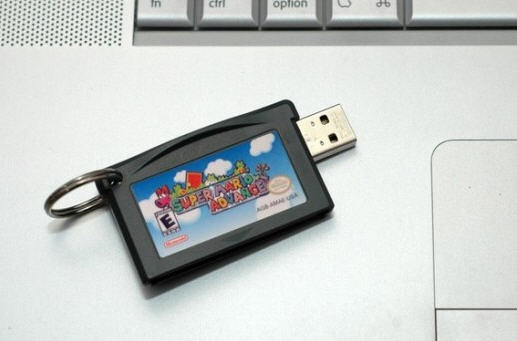
 Some live, eat and sleep SuperMario, or at least did when they where younger will enjoy this small USB flash drive cartridge:
 Or for the hard cord geek who needs a boat load of extra storage you can pull out all the stops for this 1TB hard drive,
Continue Reading
Or for the hard cord geek who needs a boat load of extra storage you can pull out all the stops for this 1TB hard drive,
Continue Reading
 The Nest is bargain at just $15.
Site page.
The Nest is bargain at just $15.
Site page.