Solved Windows Will Not Assign Drive Letter To USB Flash Drive
Problem: Windows Will Not Assign a Drive Letter to a USB Flash Drive
This issue can occur on Windows 8 and Windows 10. You unplug a USB flash drive, plug it back in, and Windows fails to assign a drive letter. That’s a real problem, especially when every other computer handles the same device without issue.
There are three solutions. All of them can work:
- You can open Disk Management and manually assign a drive letter to the device. This works, but it’s a repetitive and inconvenient fix if the problem happens often.
- There’s a good chance the driver or registry entry for that device is corrupt. Use the USBScrub tool to remove old USB registry entries. In many cases, this resolves the issue immediately. Download USBScrub
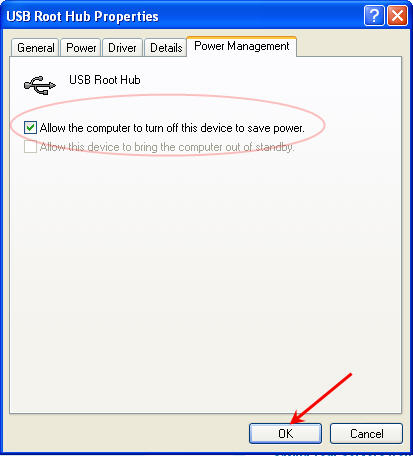
- Use DiskPart and enable the automount feature.

- Open Command Prompt as Administrator (search for Command Prompt in the Start menu, right-click, and select “Run as administrator”).
- Type diskpart and press Enter.
- At the DiskPart prompt, type automount enable and press Enter.
- Type exit and press Enter.
For solution number one above, Disk Management is essentially the graphical (GUI) version of DiskPart, but with a reduced feature set compared to what DiskPart can actually do.
DiskPart includes dozens of useful commands for managing storage devices. One of the most important is automount, which controls whether Windows automatically assigns drive letters to newly connected volumes.
 So what is something like this good for anyway? The jog wheel functions like your wheel on that mouse you have, but larger and has good momentum which is nice when searching through large bits of code, viewing long webpages or searching through numerous documents.
A job wheel is also excellent for media editing like sound or video. You can scroll around in these large files effortlessly and without stressing out your finger from the mouse scroll wheel. With the heaviness of the VCR head you can get the motion going and it’s inertia will keep it spinning for quite some time and when you’ve found the frame you’re looking for, just hold the wheel to stop it.
Enough about the sales pitch of a DIY project, jump over to
So what is something like this good for anyway? The jog wheel functions like your wheel on that mouse you have, but larger and has good momentum which is nice when searching through large bits of code, viewing long webpages or searching through numerous documents.
A job wheel is also excellent for media editing like sound or video. You can scroll around in these large files effortlessly and without stressing out your finger from the mouse scroll wheel. With the heaviness of the VCR head you can get the motion going and it’s inertia will keep it spinning for quite some time and when you’ve found the frame you’re looking for, just hold the wheel to stop it.
Enough about the sales pitch of a DIY project, jump over to


 Biking is great exercise, but don’t let a healthy body be the only reward for this activity, power up your gadgets. Here is aÂ
Biking is great exercise, but don’t let a healthy body be the only reward for this activity, power up your gadgets. Here is a