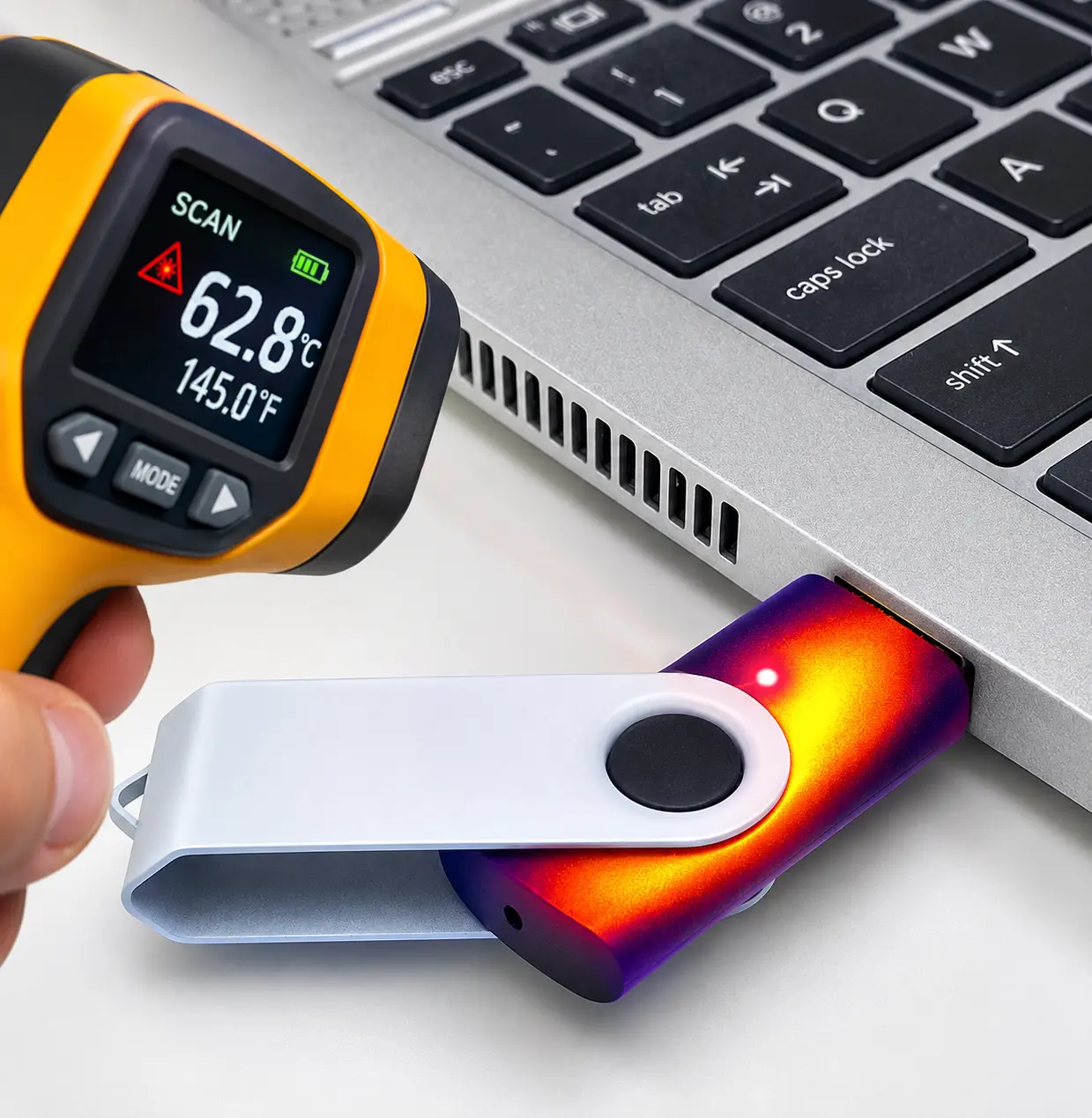
Does NAND memory become slower as it gets hotter? The short answer is yes, it can, but not necessarily for the reason you might think. USB flash drives, SD cards, microSD cards, and M.2 SSDs all generate heat during operation. When temperatures climb too high, write speeds can decrease, sometimes significantly. However, the slowdown is usually related to the flash controller rather than the NAND memory itself.
Why Heat Can Reduce Write Speeds
Modern flash storage devices use a controller to manage data transfers, NAND programming, error correction, and other background operations. During continuous writing, the controller and NAND memory consume power and generate heat. If the device reaches a temperature threshold, some controllers intentionally reduce performance to prevent overheating. This process is called thermal throttling.
M.2 NVMe SSDs are particularly susceptible because of their high transfer speeds and power consumption. USB flash drives, especially faster USB 3.x models, can experience similar behavior. SD and microSD cards may also slow down under sustained workloads, although thermal management varies by manufacturer and controller design.
Interestingly, NAND memory does not automatically become slower simply because its temperature increases. NAND programming characteristics can actually improve at certain elevated temperatures. The performance reduction users experience is often the result of the controller managing heat rather than the NAND memory becoming inherently slower.
When Excessive Heat Indicates a Manufacturing Problem
Not every hot USB flash drive is experiencing normal thermal throttling. Poor solder connections, defective USB connectors, electrical shorts, inefficient voltage regulators, or inadequate PCB design can also generate excessive heat. Some USB drives become almost too hot to touch, even when they are not performing particularly demanding operations.
Component quality also plays a role. Lower-cost USB flash drives may use less efficient controllers, inexpensive voltage regulators, or PCB designs with limited heat dissipation. Poor soldering and inconsistent manufacturing quality can introduce additional electrical problems. While inexpensive components do not automatically mean higher temperatures, poor component selection and assembly can contribute to excessive heat, unstable write speeds, and premature device failure.
Where the heat develops can provide useful clues about the underlying problem.
| Where Heat Is Detected | Possible Explanation |
|---|---|
| Hot at the USB connector | Potential contact resistance, connector damage, or a power-related fault. |
| Hot around the controller | Normal high-performance operation, excessive controller power consumption, or a defective component. |
| Hot around the NAND | Sustained programming activity, concentrated heat from nearby components, or a thermal design issue. |
| Hot while idle | More suspicious than heating during continuous writes. Could indicate abnormal power consumption or defective circuitry. |
These observations are diagnostic clues rather than definitive proof of a defect. A warm USB connector does not automatically mean poor manufacturing, just as a hot controller does not necessarily indicate failure.
Heat Is Not the Only Reason Flash Memory Slows Down
Another common cause of declining write performance is SLC cache exhaustion. Many flash storage devices temporarily write data to a faster cache area before moving it into denser NAND storage. Once that cache fills, write speeds can drop substantially, even when device temperatures remain within normal operating limits.
This is why a USB flash drive or M.2 SSD might begin copying files at an impressive speed, only to slow down several minutes later. The cause could be thermal throttling, cache exhaustion, or a combination of both.
Final Thoughts
Higher temperatures can reduce the write performance of USB flash drives, SD cards, microSD cards, and M.2 SSDs, but heat does not automatically make NAND memory slower. Controller behavior, thermal design, manufacturing quality, and available write cache all influence the results.
A storage device becoming warm during heavy use is generally expected. A device becoming extremely hot, especially while idle, deserves closer inspection. If a flash drive becomes unusually hot to the touch, disconnect it and investigate before continuing to use it.
Let GetUSB.info keep you updated.
Receive article notifications about USB storage, flash memory, and duplication updates in your preferred language. We average a couple of articles per week.