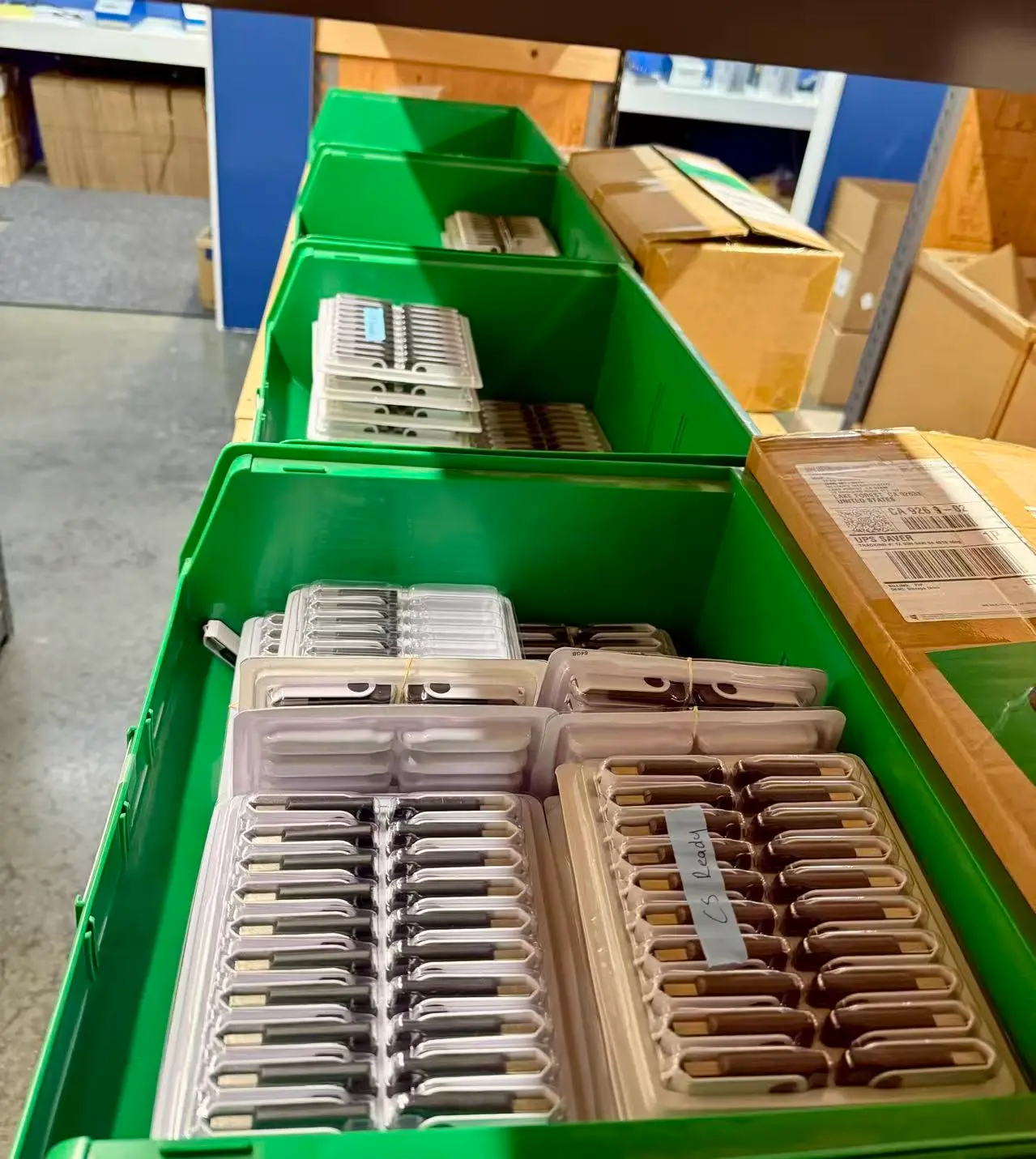
A company purchases 10,000 USB flash drives for a product with a five-year manufacturing life cycle. The drives are placed into inventory, and some of those drives might not be used for three, four or even five years. When somebody finally opens that last carton and plugs one of those USB drives into a computer, will it still work?
That is a surprisingly difficult question to answer with a Google search.
There is plenty of information about how long a USB flash drive lasts while being used. Most discussions focus on NAND write endurance, program/erase cycles, connector cycles or how long data remains stored in NAND memory. We have discussed many of those factors in our article about the lifespan of a USB flash drive.
But that isn’t the question being asked here.
This article is about new USB flash drives sitting in inventory before they are ever put into service. This is an important distinction for medical device companies, industrial manufacturers, equipment manufacturers and other organizations purchasing components against a bill of materials (BOM) that might remain active for several years.
So How Long Can an Unused USB Flash Drive Sit in Storage?
There isn’t a single expiration date that applies to every USB flash drive, but as a practical inventory guideline, new USB flash drives stored under reasonable warehouse conditions should remain usable for several years.
For business planning purposes, we would consider one to five years of storage a reasonable inventory window. Storage beyond five years does not mean the drives suddenly become unreliable, but at that point periodic validation becomes increasingly important.
| Time in Storage | Practical Expectation for New USB Inventory |
|---|---|
| 1–3 years | Very low concern under reasonable warehouse conditions. |
| 3–5 years | Generally reasonable for commercial inventory when properly packaged and stored. |
| 5–10 years | Likely viable, but inventory testing becomes increasingly appropriate. |
| 10+ years | Should be treated as aged electronic inventory and validated before deployment. |
These time periods are not manufacturer warranties or guaranteed retention specifications. They are practical inventory-planning guidelines. Actual results depend on the NAND flash technologyA type of non-volatile storage technology designed to store large amounts of data efficiently and retrieve it when needed., controllerA hardware component that manages data flow between a USB drive and its memory chips., PCB construction, packaging, temperature, humidity and storage environment.
A USB Drive Sitting on a Shelf Is Not Wearing Out
One reason this topic gets confusing is because USB flash drive life expectancy is normally discussed in terms of usage.
NAND flash memory has a finite number of program and erase cycles. USB connectors also have a finite number of insertion cycles. Controllers generate heat while operating, and electronic components experience electrical and thermal stress while being used.
None of those things are happening to a USB flash drive sitting inside a sealed carton.
A new USB flash drive does not accumulate program/erase cycles while sitting in inventory. The USB connector isn’t being inserted and removed. The controller isn’t continuously operating. The NAND isn’t being repeatedly written and erased.
In simple terms, a blank USB flash drive does not wear out simply because it is sitting on a warehouse shelf.
Time still matters, but now the primary concerns become the storage environment and the natural aging of electronic components rather than normal operational wear.
Blank Inventory and Data Retention Are Different Questions
There is another important distinction to make.
When somebody asks whether a USB flash drive will retain files for ten years, they are asking about data retention. NAND flash stores information as electrical charge inside memory cells, and over long periods that charge can gradually change. Temperature, NAND wear and the type of flash memory all influence retention.
But a company storing unused USB inventory is asking a different question:
Will the device itself still function when we eventually put it into service?
Data retentionThe length of time data remains stored and accessible on a storage device without degradation. is generally a much smaller concern for unused inventory than it is for a flash drive holding irreplaceable user data. However, it would not be technically correct to say an unused USB flash drive contains no important stored information.
The controller contains firmware and configuration information required to operate the device. Depending on the controller architecture, some flash-management information may also reside in NAND memory.
So even an unused USB drive is still an electronic storage device. The difference is that it has not experienced years of user writes, erase cycles and normal operating wear.
Why Companies Might Intentionally Buy Several Years of USB Inventory
At first glance, purchasing three or five years of USB flash drive inventory might sound excessive. For some manufacturers, however, it can make a lot of sense.
Consider a medical device manufacturer that qualifies a particular USB controller, NAND configuration and firmware combination for use with its product. Or consider an industrial equipment manufacturer shipping firmware updates, configuration software, service utilities or documentation on USB media.
Once a specific component configuration has been tested and approved, purchasing doesn’t necessarily want a completely different USB flash drive six months later.
A component change can trigger compatibility testing, engineering review, documentation changes, purchasing approval and potentially additional validation work. In regulated industries, seemingly small component changes can create a much larger internal process than the cost of the component itself would suggest.
This is where BOM planning becomes important.
If a product is expected to remain in production for three or five years, purchasing enough inventory to support a significant portion of that manufacturing cycle can reduce supply-chain uncertainty and help maintain a consistent hardware configuration.
Memory Pricing Adds Another Reason to Consider Long-Term Inventory
Flash memory pricing is cyclical. NAND prices can fall dramatically when the market is oversupplied and increase when production is constrained or demand increases.
That makes purchasing decisions more complicated.
Imagine a manufacturer expects to consume 25,000 identical USB flash drives during the next three years. Buying those drives in smaller quantities every few months exposes the company to changing NAND prices, controller availability and possible component substitutions.
If memory pricing is rising, purchasing a larger quantity today can potentially lock in both pricing and component availability.
But that purchasing decision immediately creates another engineering question:
If we buy three years of USB inventory today, can those drives safely sit in our warehouse until we need them?
In most reasonable storage environments, that is a manageable problem. The key is understanding how the inventory is stored and having a simple validation plan.
Warehouse Conditions Matter More Than the Calendar
There is a major difference between storing USB drives for five years in a climate-controlled electronics warehouse and storing the same drives for five years in a building experiencing extreme temperature and humidity swings.
Consider an uncontrolled warehouse in Illinois. During the year, inventory could experience hot summer temperatures, very cold winter temperatures and significant changes in humidity.
The USB drives may tolerate those conditions perfectly well, but environmental cycling introduces additional concerns that wouldn’t exist in a stable indoor environment.
Temperature is one consideration. Sustained high temperatures are generally more concerning for long-term electronic storage than ordinary cool conditions.
Humidity is another. Moisture can contribute to corrosion of exposed metal contacts, PCB components and connectors.
Temperature cycling also matters. Moving very cold inventory into a warm and humid environment can create condensation. The same principle applies to many electronic products, not just USB flash drives.
Airborne contaminants can also become a factor in industrial environments. Dust, chemicals, salt and other contaminants can attack exposed electrical contacts over long periods.
For these reasons, USB drives intended for long-term inventory should remain in their original sealed packaging whenever possible. Additional moisture-resistant packaging and desiccant can also be considered when the storage environment is known to have high humidity.
Don’t Buy Five Years of Inventory and Forget About It for Five Years
If a company purchases a large quantity of USB flash drives intended to support several years of manufacturing, there is a very simple way to reduce the risk: test samples periodically.
This doesn’t mean opening and testing thousands of drives every year. A company can retain a small sample from the original production lot and establish an inventory validation schedule.
| Inventory Age | Suggested Validation | Purpose |
|---|---|---|
| At Receipt | Sample inspection, USB enumeration, capacity verification and full write/read test. | Establish a baseline for the production lot. |
| 1 Year | Test a small retained sample for enumeration, write and read operation. | Confirm inventory remains consistent with the original baseline. |
| 3 Years | Repeat full-device write/read verification and confirm reported capacity and performance. | Identify potential storage-related issues before older inventory enters production. |
| 5 Years | Perform broader sample testing before deployment of remaining inventory. | Validate aged inventory before it is committed to production or customers. |
The exact sample size and testing requirements will depend on the organization and application. A promotional USB drive doesn’t require the same validation process as removable media included with industrial or medical equipment.
At minimum, testing should confirm that the device enumerates correctly, reports the expected capacity and can successfully write and read across the storage area being tested.
For more critical applications, companies may also want to compare sustained write/read performance against the original production-lot baseline.
Should Old USB Inventory Be Powered Up Just to Refresh It?
For normal commercial inventory, we would not recommend periodically plugging in every USB drive simply because it has been sitting in storage.
Doing that creates additional handling, opens packaging and introduces connector cycles without necessarily providing a meaningful benefit.
A better approach is statistical sampling. Keep the bulk inventory sealed and periodically test representative units from the same production lot.
If those samples begin showing unexpected behavior, then the company has a reason to expand testing before releasing additional inventory into production.
What About USB Drives That Already Contain Data?
This changes the discussion considerably.
If USB drives were programmed before being placed into long-term storage, then the company is no longer concerned only about whether the hardware will function. Data retention also becomes part of the storage strategy.
For example, a manufacturer might pre-load firmware, software, documentation or recovery images onto thousands of drives and then warehouse those drives for several years.
That scenario deserves more conservative validation because the requirement is now twofold: the USB device must operate and the previously programmed data must remain correct.
Periodic sample verification becomes even more important in this situation, particularly when the media contains information required for installation, recovery or equipment operation.
Long-Term USB Inventory Can Be a Reasonable Business Decision
There is nothing inherently wrong with purchasing several years of USB flash drive inventory.
For companies managing long-life products, stable BOMs or qualified component configurations, purchasing inventory in advance can actually reduce risk. It can protect against component substitutions, supply shortages and unfavorable changes in NAND pricing.
The mistake is assuming that because USB flash drives are small and inexpensive they don’t deserve an inventory strategy.
Keep long-term inventory properly packaged. Avoid unnecessarily harsh temperature and humidity conditions. Maintain production-lot records. Retain samples. Test those samples periodically.
A USB flash drive sitting unused for three or five years isn’t automatically an old or worn-out flash drive. In many cases, it has experienced virtually none of the operational stresses associated with flash drive wear.
And that brings us to the practical conclusion:
Buying several years of USB flash drive inventory isn’t inherently a bad idea. Buying several years of inventory without a storage and validation plan is.
Let GetUSB.info keep you updated.
Receive article notifications about USB storage, flash memory, and duplication updates in your preferred language. We average a couple of articles per week.