
Could this be a threat to the Apples iTunes store? The idea is loading up your applications via USB cable, rather than via iTunes store. This type of app installer would eliminate the need for an iTunes app store.
It seems there are several non-Apple sponsored app stores popping up which is the first step to threaten iTunes…but a direct load via USB cable would even threaten the unofficial app stores.
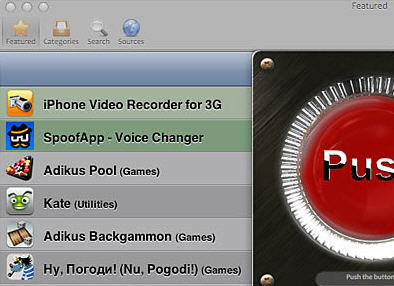
So what gives? The app, called Installer, has been around for awhile and was originally created to install applications directly from your jailbroken iPhone or iPod Touch desktop. But an upgrade was just made so you could install applications directly from your desktop to your iPhone, jailborken or not.
To me, this spells trouble. The huge benefit to the iTunes store is the approval process for applications before they are available. The approval keeps the quality of apps, high and limits bugs, crashing etc while also eliminating any chance of a virus.
We’ll see what happens, but if you have an iPhone now, be sure to double check where the app came from.
Source:Â Asia Cnet.
Let GetUSB.info keep you updated.
Receive article notifications about USB storage, flash memory, and duplication updates in your preferred language. We average a couple of articles per week.


