
There’s a moment most people have had, even if they don’t think much about it at the time. You plug in a USB drive, start moving some files, and something just feels off. It’s not broken, it’s not dead, and technically it’s doing its job, but there’s a hesitation to it. Maybe the transfer speed dips for no clear reason, maybe it disconnects once and comes back, maybe it runs hotter than you’d expect. Then, a day later, you grab another drive – same capacity, same general look, maybe even the same brand family – and that one behaves perfectly. Smooth transfers, no hiccups, no drama. It just works.
What makes this interesting is that, under the hood, those two drives can be far more similar than you’d expect. In many cases, they are built using the exact same controller family and the exact same type of NAND flash memory. On paper, they are effectively identical. And yet, in the real world, they behave like completely different products.
That disconnect is where most people get stuck, because the way we’ve all been trained to evaluate USB drives doesn’t really match how they are actually built. We tend to look at capacity, maybe the interface, maybe a read/write number if it’s listed, and we assume that tells the story. But those are just surface-level attributes. They describe what’s inside, not how it was put together or how it will behave over time.
The assumption that parts define the product
There’s a quiet assumption in the flash memory world that if two devices share the same core components, they should deliver the same experience. It’s a logical assumption, especially if you come from a background where parts are tightly standardized. If the controller is the same and the memory is the same, then performance and reliability should line up as well.
But USB drives don’t really work that way. The controller and the NAND are just the foundation. What sits on top of that foundation – and what happens during assembly – is where the real differences start to appear. That’s why you can see entire batches of drives behave differently from another batch, even when the bill of materials looks identical.
There have even been industry observations pointing to noticeable increases in flash drive failure rates in certain segments, not because the underlying silicon suddenly became worse, but because the way those devices were built and handled shifted over time as discussed in this report on rising USB failure rates :contentReference[oaicite:0]{index=0}.
The layer most people never see
Between the raw hardware and the finished product sits a layer that rarely gets any attention: configuration. This is where the controller is programmed and tuned to behave in a certain way, and it’s one of the biggest reasons two identical chips can produce different results. The controller isn’t just a passive component; it’s making decisions constantly about how data is written, how errors are corrected, and how memory wear is managed over time.
Those decisions can be left at default settings, which is what many manufacturers do when they’re trying to move quickly and keep costs low. Or they can be adjusted and refined to match specific use cases, which takes more effort and more understanding of how the system behaves under stress. The difference between those two approaches doesn’t always show up immediately, but it becomes very clear once the device is used heavily or over a longer period of time.
If you’ve ever dug into the basics of flash behavior, like in this breakdown of SLC flash memory and how it differs from other types, you start to see how much of performance and reliability is tied to how the controller manages the memory rather than the memory itself.
What you end up with is a situation where two drives with the same controller can respond very differently to the same workload, simply because one was tuned with intent and the other was not.
How manufacturing quietly changes everything
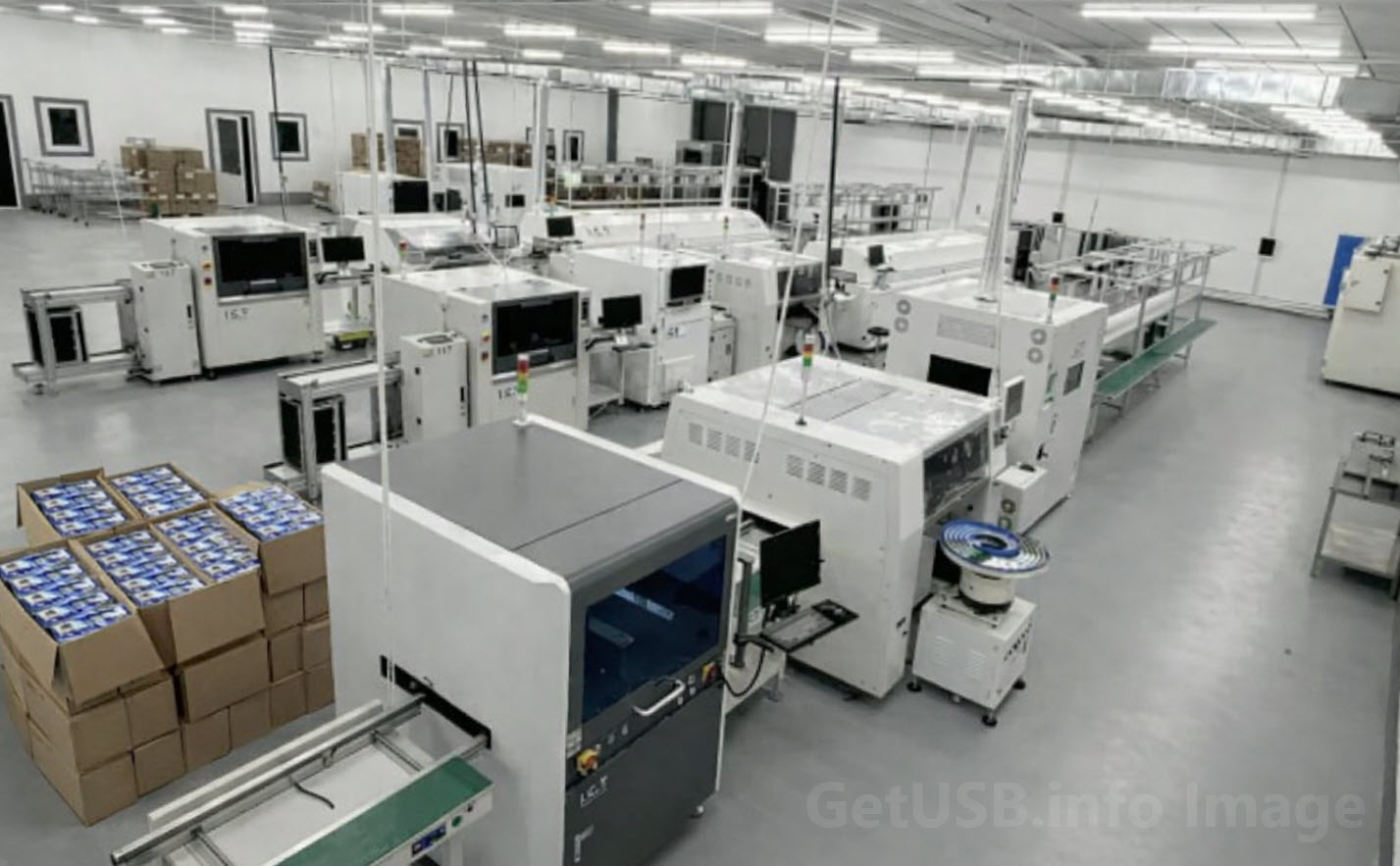
Then there’s the part of the process that almost never gets discussed outside of engineering teams: how the device is physically built. This is where things like solder paste handling, reflow temperature profiles, and assembly consistency come into play. None of these factors are visible to the end user, and none of them show up on a spec sheet, but they have a direct impact on how reliable the device will be over time.
For example, solder paste isn’t just a material you apply and forget about. It has a working life, it reacts to air exposure, and it behaves differently depending on how it’s handled during production. If it’s not refreshed properly or if the process isn’t tightly controlled, you start to see subtle variations in how components are attached to the board. Those variations don’t necessarily cause immediate failures, which is why they often go unnoticed during basic testing, but they introduce weak points that can show up later.
The same goes for stencil cleaning, nozzle maintenance, and reflow accuracy. If those processes drift – even slightly – you end up with joints that are technically acceptable but not consistent. Over thousands of units, that inconsistency becomes a pattern, and that pattern eventually shows up as field failures.
The connector tells the story
One of the easiest places to see this difference is at the USB connector itself. It’s a component everyone interacts with, and it takes a fair amount of physical stress during normal use. If the solder joints holding that connector to the board are solid and well-formed, the drive can handle repeated insertions and removals without issue. If those joints are marginal, the connector becomes a failure point waiting for the right moment.
From the outside, two connectors can look identical. Same shape, same metal, same layout. But the strength of that connection to the board depends entirely on how it was assembled. A slightly thinner solder deposit, a slightly weaker bond, or a bit of inconsistency across units can turn what should be a durable interface into a common failure mode.
This is one of those areas where users often blame themselves for being too rough with a device, when in reality the weakness was already there from the beginning.
When stress exposes the difference
Under light use, most USB drives perform well enough that these differences stay hidden. Copy a few files, move a document here and there, and everything appears fine. But as soon as the workload increases – longer write cycles, higher temperatures, multi-port duplication, or continuous use – the gap between a well-built drive and a loosely assembled one becomes obvious.
Drives that were built with tighter control tend to behave predictably. Their performance may not be flashy, but it’s consistent, and consistency is what matters when you’re relying on the device. Drives that were built with less discipline start to show irregular behavior. Transfers slow down unexpectedly, connections drop, and in some cases the device simply stops responding altogether.
None of this is because the controller suddenly failed or the NAND stopped working. It’s because the surrounding system – the configuration and the physical build – couldn’t support the workload in a stable way.
Consistency is the real differentiator
What this all points to is a simple but often overlooked idea: the real value of a USB drive isn’t just what it can do once, it’s how reliably it can do that same thing over and over again. Consistency across units, across environments, and across time is what separates a dependable product from one that feels unpredictable.
That kind of consistency doesn’t come from selecting a particular controller or a particular type of memory. It comes from controlling the entire process – from how the firmware is configured to how the board is assembled and how the production line is maintained day after day. It’s a systems approach rather than a parts-based approach.
Looking at USB drives differently
Once you start thinking about USB drives this way, the original question – why one drive works flawlessly while another struggles – becomes much easier to answer. It’s not about the visible specs or the headline components. It’s about everything that happens behind the scenes, the decisions that are made during configuration, and the level of discipline applied during manufacturing.
Two devices can start with the same building blocks and end up with completely different personalities. One feels solid, predictable, and dependable. The other feels inconsistent, even if it technically meets the same specifications.
That’s the gap between parts and product, and it’s a gap that only becomes obvious once you’ve seen it enough times. After that, it’s hard to look at a USB drive the same way again.
