GetUSB.info Logo

One Giant Gold Nugget, Millions of USB Sticks

Gold nugget transformed into USB sticks illustration

How Many USB Flash Drive PCBs Could You Make From the Monumental Nugget of 1869?

If you crack open a USB flash drive hoping to find treasure, you’ll be disappointed—but not entirely wrong. There is gold in there. Not much, not enough to make you rich, and certainly not worth firing up a smelter in your garage. But a typical USB PCB does contain tiny amounts of gold in its connector plating and, in some cases, inside microscopic bond wires. How tiny? Most USB boards carry somewhere around 1–5 milligrams of gold—less than what sticks to your fingers after eating a Dorito.

Manufacturers use gold because it’s solder-friendly, corrosion-resistant, and makes a perfect electrical contact. Even the thinnest “gold flash” layer on connector pins can survive years of plugging and unplugging. But for recycling? Forget it. You’d need thousands of dead USB drives just to make a visible speck of gold, and tens of thousands to produce anything resembling a nugget. Still, this tiny bit of gold creates a fun thought experiment: what if we went all the way in the opposite direction? What if we took one of the largest gold nuggets ever found and asked how many USB sticks we could make from it?

That brings us to the legendary Monumental Nugget of 1869, the crown jewel of the California Gold Rush’s late years.

Continue Reading

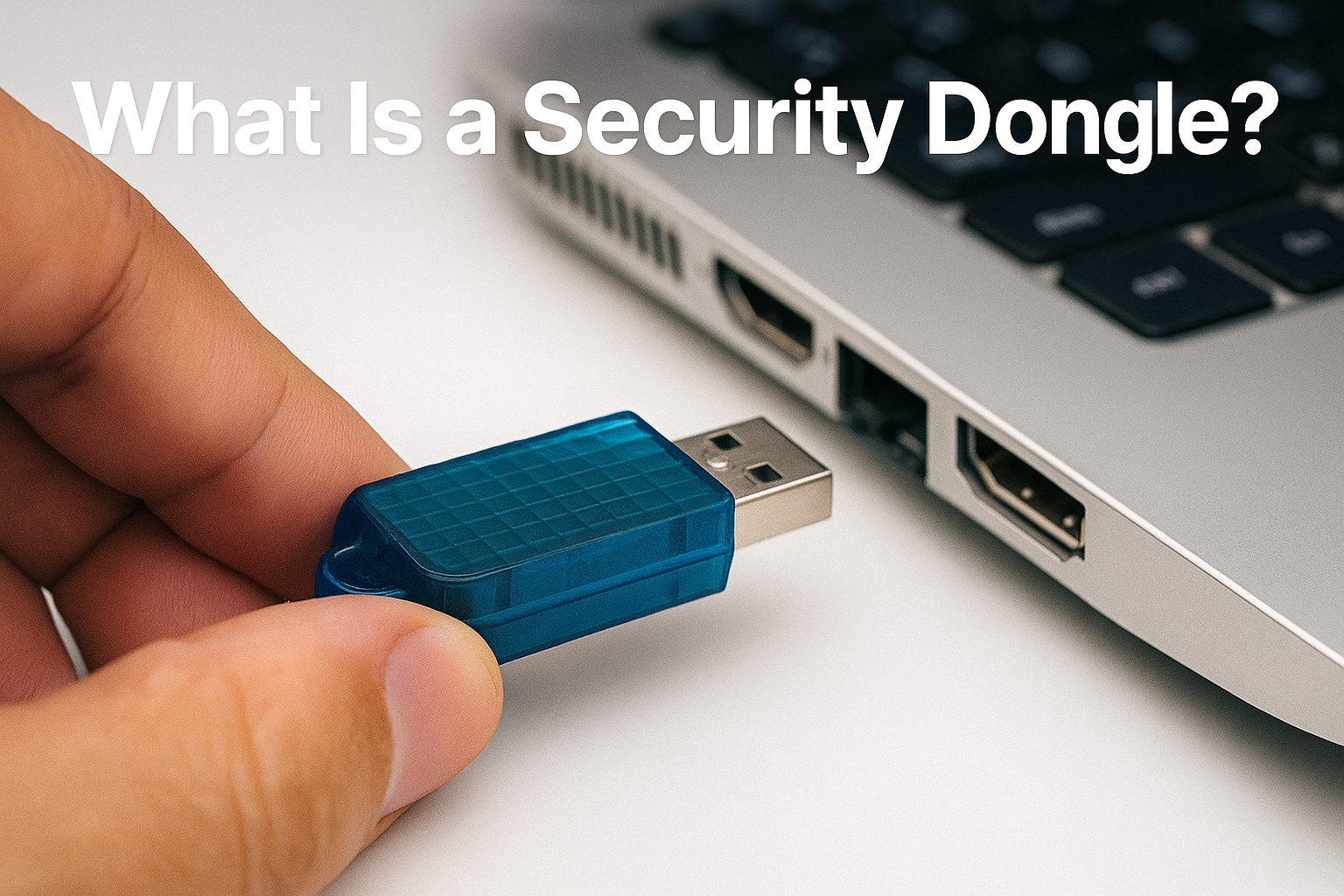
What Is a Security Dongle?

Security dongle being inserted into a laptop USB port

A security dongle is a small USB key that protects licensed software by proving ownership through hardware, not just a password.

A security dongle, sometimes called a license dongle or hardware key, is a small device—usually USB—that unlocks or enables specific software when connected to a computer. It’s a physical token of trust. Inside the dongle lives a secure chip holding cryptographic keys or even small snippets of executable code that verify whether the software is legally licensed. Without it, the program won’t start or runs in limited mode.

The idea dates back to the 1980s when developers needed a way to stop high-value software from being copied endlessly. CAD/CAM engineers, translators, and music producers were early adopters. Today, dongles still play a big role in industries where software value is tied to expensive workflows—think engineering design suites, broadcast editing, industrial control, or medical imaging. Despite decades of progress, the goal remains the same: make sure only authorized users can run what they’ve paid for.

Why Hardware Still Matters

Continue Reading

The Butterfly Effect of USB: How One Design Choice Changed Tech History

USB Butterfly Effect

A tiny design decision in 1996 didn’t just annoy us — it reshaped tech culture, product adoption, and billions of daily interactions.

This post was drafted on a napkin somewhere between a refill and a revelation.

Let me paint you a picture. It’s 1996. Somewhere in a conference room filled with beige computers and men wearing pleated khakis, a group of engineers is finalizing the design for a new kind of cable called USB.

And then… it happens.

Someone says, “Should we make it work both ways?” Someone else replies, “Nah, people will figure it out.”

That’s it. That was the moment. That was the butterfly wing flap that doomed humanity to decades of flipping a plug three times before it fits.

Fast-forward to today. Seven billion people have lived through the USB Shuffle:

  1. Try to plug it in. Doesn’t fit.
  2. Flip it. Still doesn’t fit.
  3. Flip it back. Suddenly works, because the universe is mocking you.

If you haven’t cursed under your breath during step two, congratulations — you’re either lying or, I don’t know, you use wireless everything and hate productivity.

The Cost of the USB Struggle: Humanity’s Dumbest Time Sink

Let’s talk impact. Because this isn’t just inconvenience. This is a global time suck of biblical proportions.

Quick napkin math:

  • Average person plugs in a USB 2× a day
  • Each attempt wastes 3–5 seconds of flipping, inspecting, and questioning your life choices
  • Multiply by 3+ billion USB users worldwide

We’re looking at millions of hours of collective human existence lost to a tiny, avoidable design flaw.

Think about that. We could’ve cured something. We could’ve written more books. We could’ve finally understood taxes. But no — we were busy rotating a rectangle like chimps trying to solve a puzzle box.

If USB Had Been Reversible From Day One

Continue Reading

The USB Ghost That Wouldn’t Die — and How to Exorcise It (Windows 10)

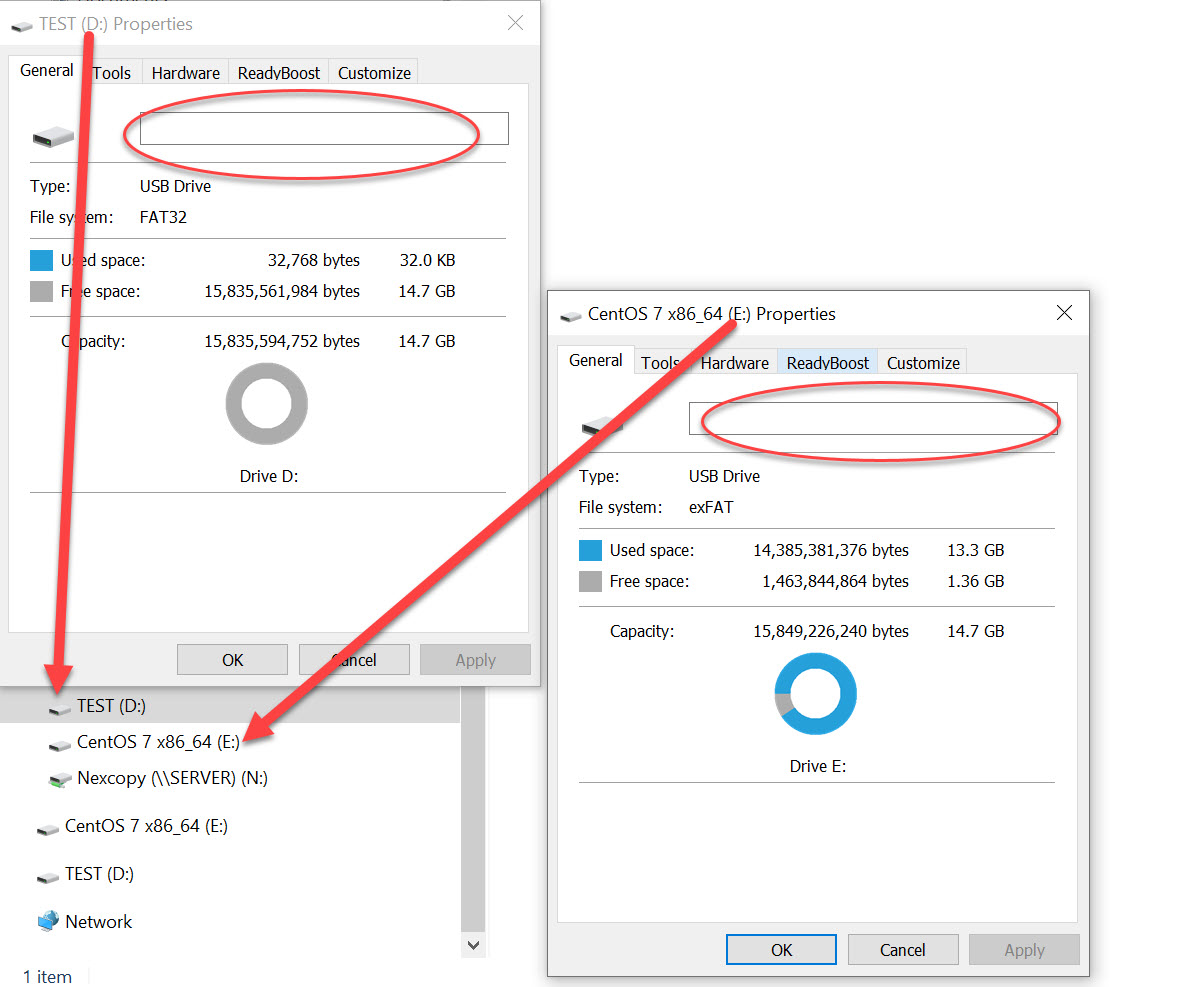
How To: Fix the issue of Windows sticking the same USB Flash Drive name to any USB connected

Windows wont change the name of a USB flash drive in Explorer

Ever plug in a flash drive and watch an old name crawl back from the grave? You format it, rename it, swear at it… and Windows still insists the drive is called something from a previous flash drive connection like TEST or better yet something like CentOS 7 Boot. The stick isn’t haunted. Windows is just clinging to a stale label it cached ages ago.

Windows doesn't change the name of a USB flash drive in Explorer

Continue Reading

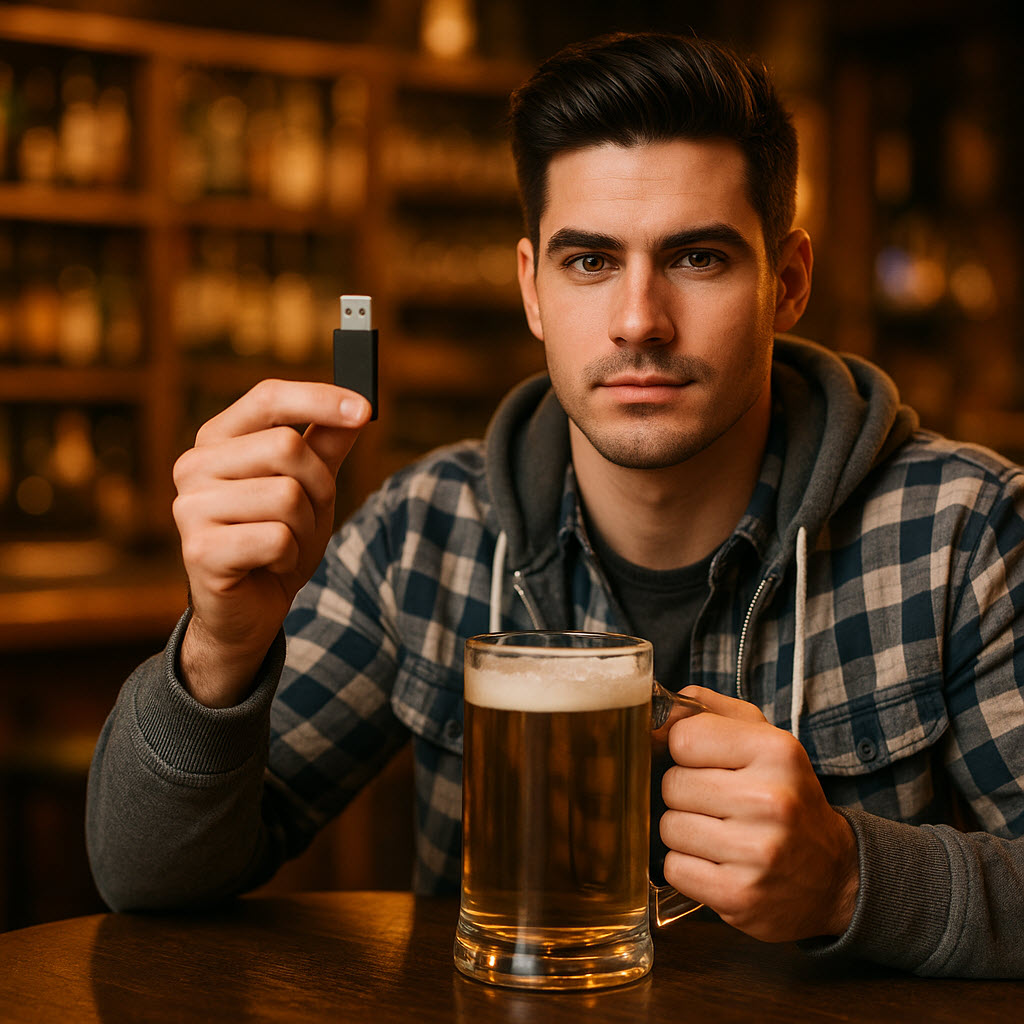
How a Guy at a Bar Explains 30 Years of USB Chaos

USB history bar-stool ramble graphic

How USB took over everything—from the clunky one-way Type-A to today’s reversible USB-C—told from our bar-stool friend after a couple drinks.

You ever notice how USB just kind of became the thing that runs everything in your life? One day we’re plugging in beige printers with cables thick enough to tow a car, and the next we’re charging laptops, phones, and toothbrushes off the same port. It’s wild. But it didn’t just happen — it’s been nearly three decades of engineers fighting physics, cost, and human frustration to make that little rectangle (and now that little oval) work right.

Let’s wind it back.

Back When Ports Were Chaos

The year’s 1995. Intel’s running the show, Microsoft’s figuring out Windows 95, and everyone’s losing their minds trying to make peripherals work. You’ve got serial ports for modems, PS/2 ports for mice, parallel for printers, and if you were really in the weeds, SCSI chains that looked like spaghetti wiring a photocopier to a toaster.

So Intel gets this idea — well, really Ajay Bhatt does — to make a single port that does it all. Universal Serial Bus. They bring in Microsoft, Compaq, IBM, DEC, NEC — basically every big nerd from the ’90s — and start hammering out a spec that could work for everything. Plug and play, power and data, and no dip-switches or IRQs.

And they did it. USB 1.0 dropped in 1996, 12 megabits per second, and it worked. Not fast, not fancy — but simple. Then, two years later, Apple launches the iMac G3 — translucent blue, looks like candy — and kills off all their legacy ports. Just two USB ports. Boom. Overnight, the world moves to USB because, well, if Apple did it, everyone else had to catch up.

That’s the funny part — Intel made it, Apple made it matter.

When Apple Went Off Script

Fast-forward a decade and Apple, being Apple, decides to go rogue. USB 2.0 was topping out at 480 megabits per second, which felt like dial-up in a broadband world. So Intel and Apple teamed up again and built Thunderbolt.

Continue Reading

Forget Hubs — This Board Packs 25 USB Ports

ASRock’s X870 LiveMixer WiFi puts USB connectivity first with twenty-five total ports for creators, gamers, and power users.

A Motherboard With More USB Ports Than You’ll Probably Ever Use

Most boards today give you a few decent USB connections and expect you to figure out the rest with hubs and adapters. That’s fine for casual setups, but chances are if you’re running external drives, cameras, audio gear, or other devices, you’ll run out of ports fast. The ASRock X870 LiveMixer WiFi flips that script. This board comes with twenty-five USB ports in total, which is way more than you’ll see on a typical motherboard.

Rear panel options

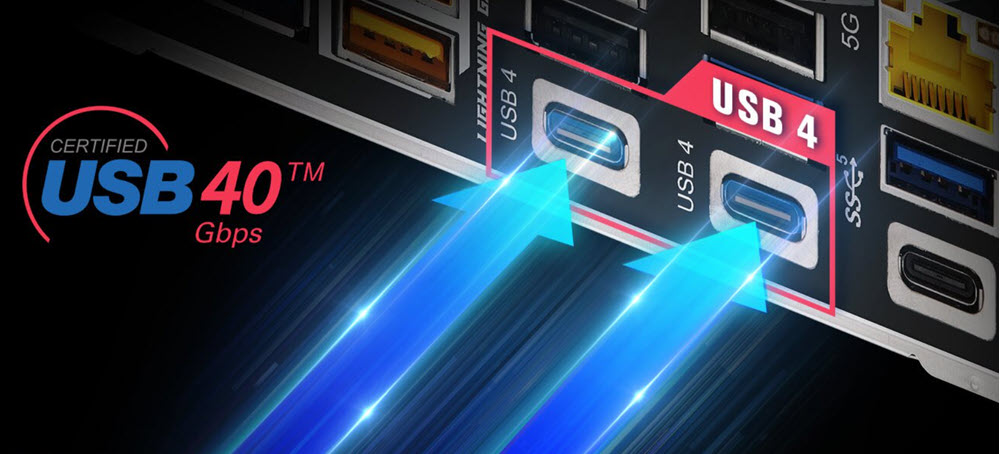
The first thing to understand is that the back panel is stacked. You get sixteen ports right out of the box, and two of those are USB4 Type-C. Those are your heavy hitters: up to 40 Gbps transfers, plus display output if the CPU supports it. That kind of bandwidth makes external SSDs or capture gear run like they should.

You also get another Type-C rated for USB 3.2 Gen1 speeds and about seven Type-A ports in that same Gen1 class. That’s plenty fast for most peripherals — webcams, audio interfaces, or storage that doesn’t need crazy speed. Then there’s the legacy support: six USB 2.0 ports still hanging around. They’re slow at 480 Mbps, sure, but perfect for things like keyboards, mice, dongles, or older hardware that doesn’t benefit from more bandwidth.

Internal headers and front access

Add another nine ports through the internal headers and you hit the big twenty-five.

Continue Reading

Why There Is No Universal Bootable USB Flash Drive

Universal Bootable USB Flash Drive Illustration

Understanding why a truly universal bootable USB flash drive cannot exist, even though millions of people keep searching for one.

People search for a universal bootable USB flash drive because the idea sounds so simple: one USB stick you plug into any computer, and everything just starts. Windows, Mac, Linux, old laptops, new desktops — one drive to boot them all. If millions of people keep looking for it, surely it must exist, right?

But the truth is more like walking into a hardware store and asking for one key that unlocks every house on Earth. Not because the idea is silly, but because every house is built differently. Some have old metal locks, some have smart deadbolts with keypads, some slide, some latch, some spin, and some are designed never to open unless the owner approves it. The problem isn’t the key. The problem is the doors.

A universal bootable USB flash drives drive runs into the exact same issue.

People imagine a USB stick as a magic power switch — plug it into any machine and the computer should wake up and run from it. But computers don’t share a single design. They’re more like different types of vehicles. A Ford pickup, a Tesla, a Harley-Davidson motorcycle, and a jet ski all have engines, but you can’t fire them up with the same ignition key. You wouldn’t expect the same engine to fit in all of them either.

Continue Reading

What Is USB-PD? Explanation + Charts

What Is USB-PD? Explination + Charts

USB Power Delivery (USB-PD) turns USB-C into a universal, negotiated power system for everything from earbuds to gaming laptops.

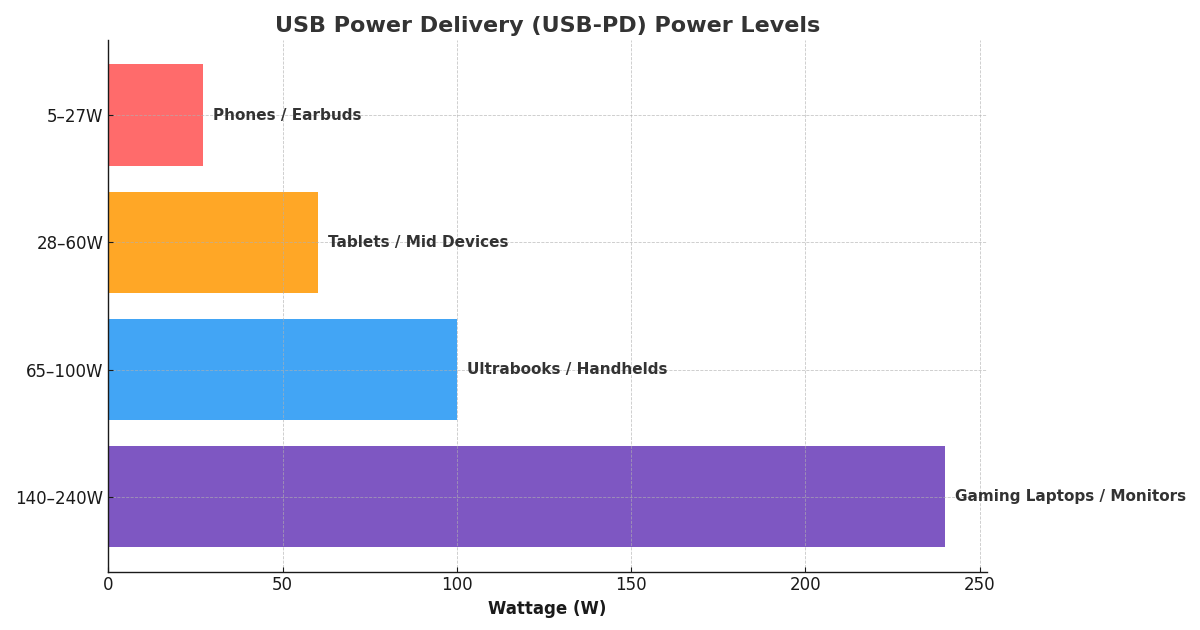
USB Power Delivery watt ranges by device class: 5–27W phones/earbuds, 28–60W tablets/mid devices, 65–100W ultrabooks/handhelds, 140–240W gaming laptops/monitors

If you’ve bought a phone, laptop, or charger in the last few years, you’ve seen the label USB-C with PD. It’s more than just marketing. USB Power Delivery (USB-PD) is the technology that turned USB-C from a simple data connector into a universal power system that can charge everything from earbuds to gaming laptops — and soon, even power tools.

The first thing to understand is that USB-PD isn’t “just faster charging.” It’s a negotiated power standard. The device and charger talk to each other to decide the safest and most efficient voltage and current. No guessing, no over-voltage hacks, and no melting cables. They agree on a profile — 5V, 9V, 15V, 20V, or higher with the new Extended Power Range — and only then does the charger deliver the power.

Who came up with USB-PD?

Continue Reading

USB Local Disk in 2025: The Reliable Way to Make a Flash Drive Appear as a Hard Drive

USB Local Disk in 2025: The Reliable Way to Make a Flash Drive Appear as a Hard Drive

USB “Local Disk” in 2025: the XP-era hack had its moment—here’s the cleaner way (plus a product we found)

If you landed here from our old tutorial about making a USB stick look like a hard drive, you’re reading a time capsule. That guide leaned on an XP-friendly INF/registry trick (tweaking the removable bit with a modified driver). It was clever back then. On modern Windows 10/11, it’s unreliable, brittle with updates, and a magnet for driver-signing hassles. Even when you shoehorn it in, many apps and corporate policies now check the device class the hardware presents—not the label you forced with a file edit.

What changed under the hood

  • Windows storage stacks matured (UASP, policy and security hardening), and driver signing isn’t casual anymore.
  • Backup, imaging, and install tools increasingly verify “fixed disk” at the hardware level. A spoofed driver doesn’t pass that sniff test.
  • Enterprise environments often block or restrict “removable” media regardless of what the OS UI says.

What actually works now

You start with hardware that natively enumerates as a fixed disk. No patched drivers, no post-install gymnastics. The device tells Windows, “I’m a hard drive,” and everything—from Disk Management to BitLocker to fussy installers—behaves accordingly. The brilliant bit about this method is the configuration follows the device. No more editing every PC the USB is connected to.

A product that does exactly that

We found a solution from Nexcopy called USB HDD Fixed Disk . It’s a USB flash device configured at the controller/firmware level to appear as a Fixed Disk / Local Disk on any computer. No utilities to run, no INF edits, no per-PC setup—just plug in and it registers as a hard drive.

Continue Reading

The EU Finally Reins In Computer Cable Chaos

102125a

The EU Finally Reins In Computer Cable Chaos, Forcing a Universal USB-C Standard Across All Devices

It only took the tech world about 45 years to agree on one cable. The European Union is finally doing something that makes sense: they’re mandating USB-C on all power bricks by 2028. That means phones, tablets, laptops, and just about anything else that charges through a wall plug will need to play nice with USB-C.

This rule doesn’t just cover devices — it applies to chargers themselves. Each power brick must have a detachable USB-C connector and a way to identify its power rating, so consumers can tell at a glance whether a cable can handle a coffee-mug heater or a laptop. The EU says it’s about reducing e-waste, but honestly, it’s also about saving us from that drawer full of mystery cords that look like a nest of black snakes.

According to EU Directive 2022/2380, this move could help reduce charger waste and improve consumer clarity across the board. By 2030, regulators estimate significant power savings — and maybe, just maybe, a few less headaches for the rest of us.

Continue Reading

A Detailed Sales Pitch on Custom USB Flash Drives

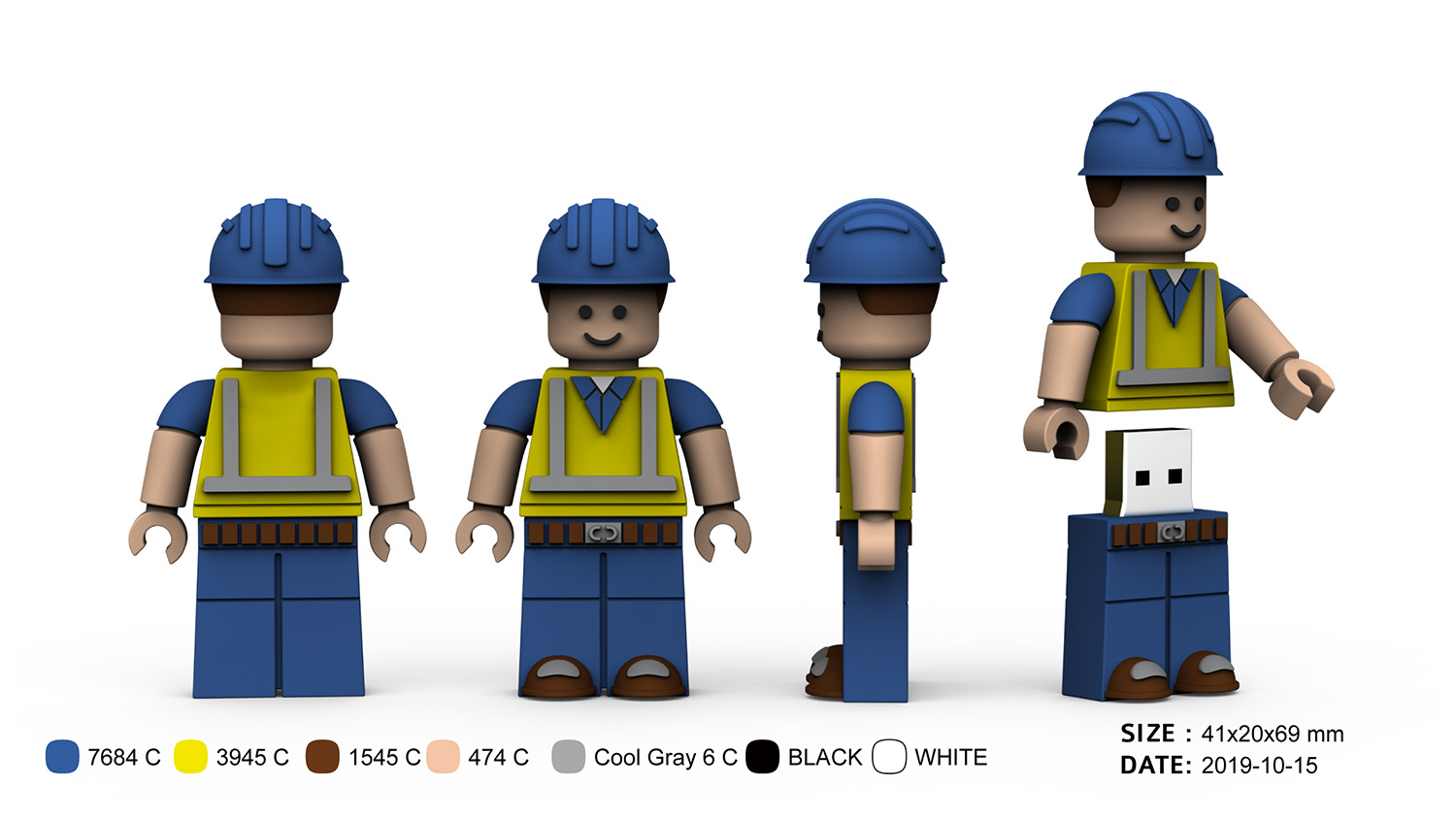
A Construction Worker USB Flash Drive That Builds Lasting Impressions

Custom USB flash drive shaped like a construction worker

At first glance, this isn’t just another thumb drive—it’s a miniature construction worker, complete with hard hat, safety vest, and a friendly smile. The figure looks like something you’d keep on your desk, and that’s exactly the point. It mixes a useful tool with a playful, display-worthy shape, so people actually keep it rather than toss it in a drawer.

Continue Reading

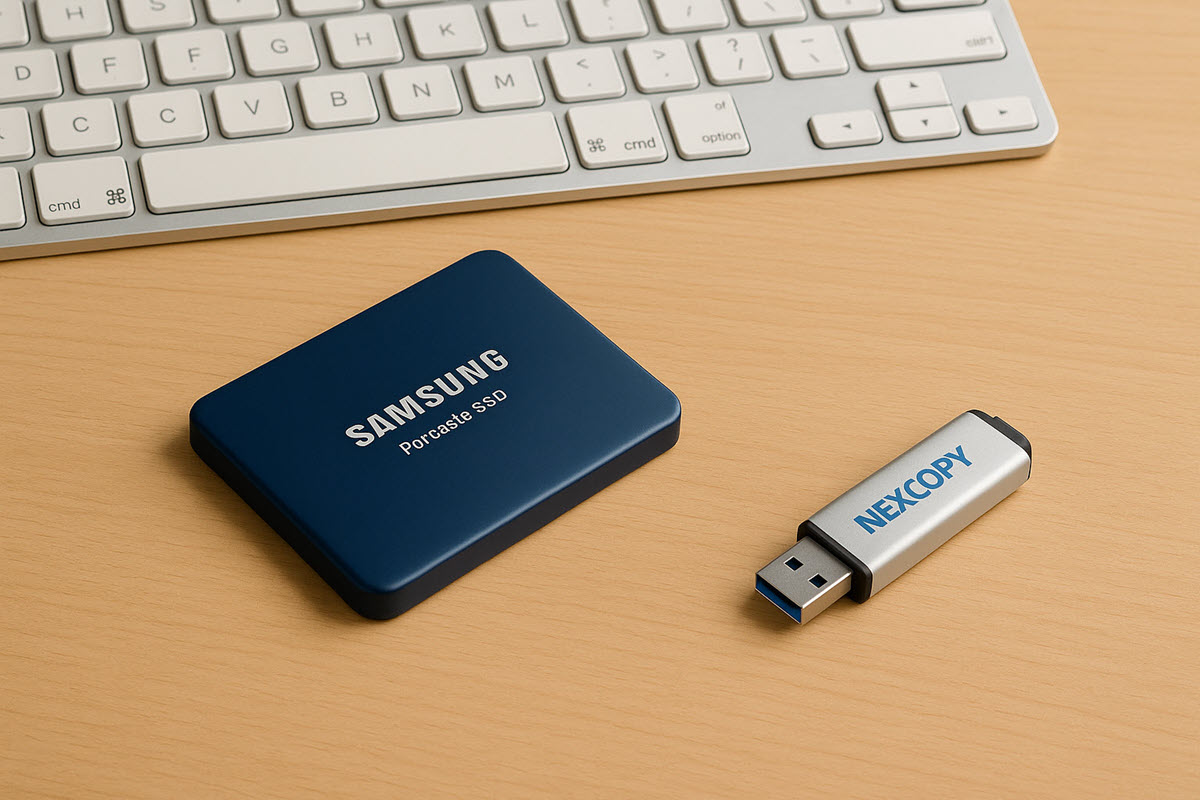
Nexcopy USB HDD Fixed Disk Could Bypass Removable Drive Restrictions

usb fixed disk flash drive by Nexcopy

Nexcopy’s USB HDD “Fixed Disk” appears to act like a local hard drive, which can help teams operate in environments where removable drives are restricted.

In high-security environments, USB drives can be good and bad. What I mean is, the flash drive is essential for information deployment, imaging, and data transfer, but we’ve also heard time and time again how USB flash media can be a potential security risk. Many organizations address this by implementing Removable Storage Restrictions through Group Policy or endpoint security tools.

The problem? Those same policies that protect against unauthorized USB usage can also block your legitimate workflow.

The Common Roadblock

Let’s say your IT guys did crack down on Group Policy USB control. If your USB drive shows up to the operating system as “Removable Media,” it can be locked out entirely. That means:

  • Imaging tools like Acronis True Image or Symantec Ghost refuse to write to it.
  • Windows To Go won’t install or boot from it.
  • Multi-partition booting won’t work in legacy BIOS environments.
  • Secure facilities simply won’t let you plug it in at all.

The Nexcopy Solution

The USB HDD Fixed Disk is different. It’s configured at the hardware controller level to report itself as a Local Disk (Fixed Disk), just like an internal hard drive.

Why does this matter? Because most removable drive restrictions don’t apply to fixed disks. Did we crack the code?

  • IT policy still holds for unsafe removable drives.
  • Your approved, Nexcopy-issued Fixed Disk USB will mount and operate without special permissions.
  • You can continue your deployment or service work without IT needing to rewrite policy rules.

Where This Helps Most

Continue Reading

Copyright

Copyright © 2006 +

USB Powered Gadgets and more...

All Rights Reserved

Advertise with us

GetUSB Advertising

This is a high value website providing great exposure to your product and brand. Visit our advertising page to learn specifics.

For more information
Visit our advertising page.

Nexcopy Ad

Nexcopy Provides

USB copy protection with digital rights management for data loaded on USB flash drives.

Contact us learn more

Resources and References Page

Resources and References Page