
How To: Make Bootable USB For Any Windows OS
GetUSB.info has reported on making a bootable USB with nt60 boot sector, and here is another post about bootable USB, but this time for making the boot device for any Windows OS…or should I say from any Windows OS.
WinToFlash is a slick little tool I came across which allows you to make a bootable USB from any source Windows installation CD or DVD.

WinToFlash will slurp out the boot sectors required to make a bootable USB from your source CD or DVD. Simply pop in the Windows disk, get a 4GB stick [8GB is better] that can read/write faster than a promo give-away drive, and run WinToFlash.
Here is a list of items you can perform using WinToFlash for bootable USB devices:
- Windows XP/2003/Vista/2008/7 to a USB drive transfer
- WinPE (BartPE based on Windows XP/2003, WinPE based on Windows Vists/2008/7 and so on) to a USB drive transfer
- USB media erasing full or quick
- Create a USB drive with emergency bootloader for Windows XP/2003
- MS-DOS to a USB drive transfer
- Create a USB drive with Windows XP/2003 Recovery Console
You certainly don’t need a lot of power to run the utility, that’s for sure. But if not sure, here are the min specs:
- Pentium 233-megahertz (MHz) processor or faster
- At least 64 megabytes (MB) of RAM
- At least 20 megabytes (MB) of available space on the hard disk
- Keyboard and a Microsoft Mouse or some other compatible pointing device
- Video adapter and monitor with Super VGA (800 x 600) or higher resolution
- Windows XP/2003/Vista/2008/7
WinToFlash is asking for dontations if you find the tool helpful. Good luck! [ https://tinyurl.com/ovfetq ]
Can USB Flash Drives Autorun From Windows?
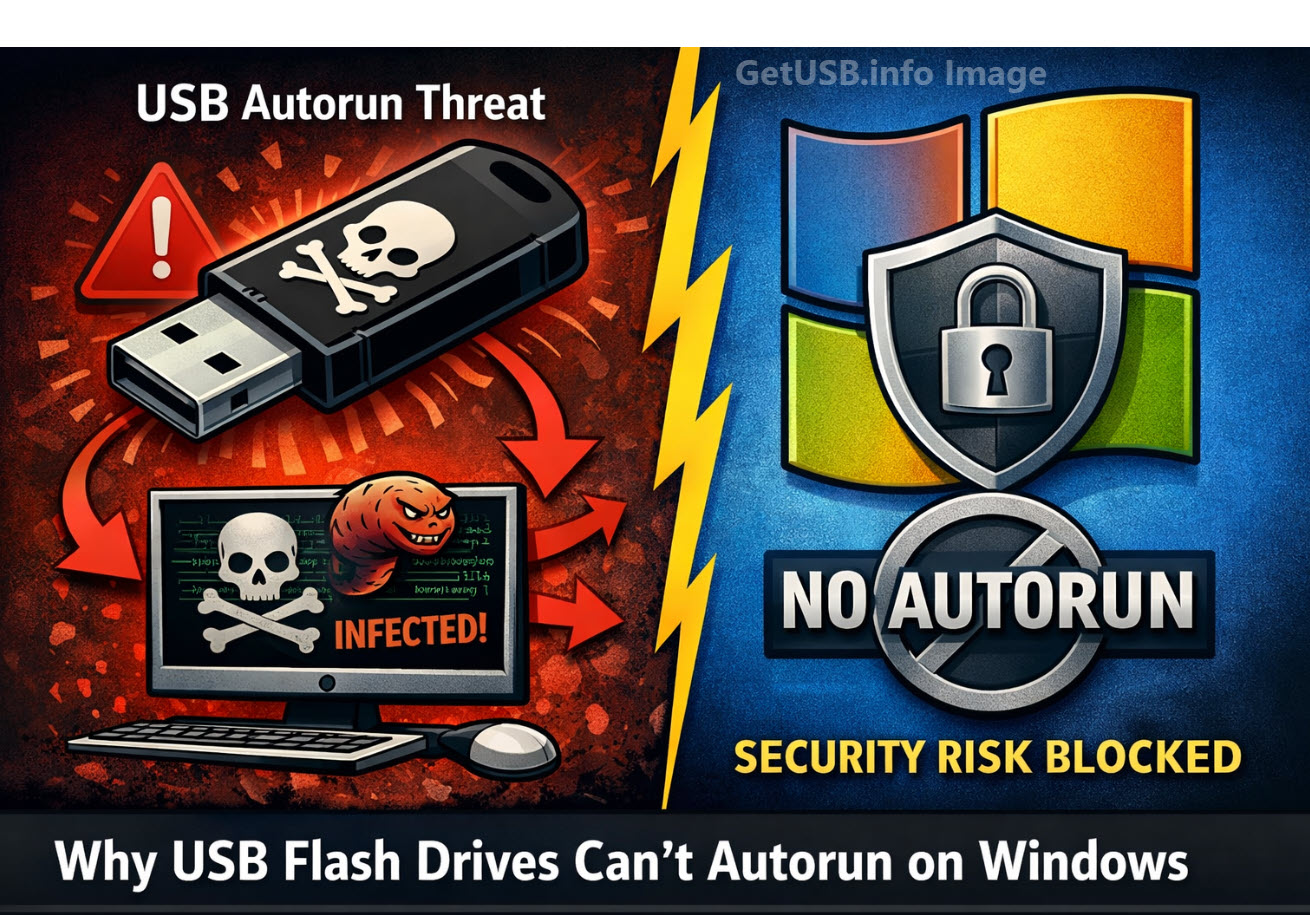
Why Doesn’t Microsoft Allow USB Flash Drives to Autorun Programs?
Can USB Flash Drives Autorun From Windows? The short answer is NO. Microsoft disabled USB autorun functionality on standard USB flash drives primarily for security reasons, following several high-profile malware outbreaks that exploited this feature. Here’s why this change was necessary:
Autorun Was a Major Malware Vector
Before 2011, when a USB drive was inserted, Windows’ autorun feature could automatically execute files (like autorun.inf) stored on the drive. Malware creators exploited this by placing malicious executables on USB drives that would launch automatically when inserted into a computer. This made it easy for viruses and worms, such as the infamous Conficker worm, to spread rapidly between systems without user interaction.
USB Drives Are Easily Shared and Untrusted
Unlike CDs or DVDs, which are typically read-only and distributed from trusted sources, USB flash drives are read-write devices. They are frequently passed between multiple users and computers, making them a prime target for malware. Any infected computer could unknowingly weaponize a USB stick, allowing malicious code to spread instantly upon insertion.
Security Patch KB971029 Disabled Autorun
In 2011, Microsoft released security patch KB971029, which permanently disabled autorun for USB flash drives on Windows XP, Vista, and later versions to match Windows 7’s safer behavior. After this patch:
- USB sticks no longer autorun programs automatically.
- The system only shows a menu to “Open folder to view files” or “Play media.”
- Autorun for CDs and DVDs was not changed because these media types are generally considered safer and are typically read-only.
CD-ROM Emulation Still Allows Autorun
USB drives that emulate a CD-ROM device can still trigger autorun because Windows treats them like optical media. This is useful for software distribution, marketing content, or protected applications that need an autorun experience.
A professional solution for this is the Nexcopy Disc License USB drive. These drives feature a permanent, hardware-based CD-ROM partition that allows autorun to function exactly like a traditional CD, while maintaining a second partition for standard flash storage. Because the CD-ROM portion is read-only, it is safe from malware infections and trusted by the Windows autorun process.
So what does this all mean?
Microsoft removed autorun from standard USB flash drives to stop self-spreading malware and worms that thrived on this feature. If you need legitimate autorun capabilities for distributing software or presentations, using a Nexcopy Disc License USB drive is a secure and reliable solution.
Why Does Windows Allow Autorun from a USB CD-ROM Device?
Windows allows autorun from a USB CD-ROM device because the hardware identifies itself as an optical disc drive, and Windows is designed to trust read-only media. Here’s a detailed explanation of why this behavior exists and how it works:
1) Windows Trusts Optical Media by Default
The autorun feature was originally created for CDs and DVDs, which are read-only media. Because the content on a physical disc cannot be modified by malware, it was considered safe for Windows to execute instructions from the autorun.inf file automatically. This design choice made software installations seamless and secure for optical discs.
2) USB CD-ROM Devices Use a Different USB Descriptor
All USB devices report their device type to the operating system through a descriptor. A USB stick configured as a CD-ROM device reports itself as a Mass Storage Device ? Subclass: SCSI Transparent ? Protocol: CD-ROM (0x05). To Windows, this looks identical to plugging in a real optical disc drive.
Because Windows cannot tell the difference, it applies the same rules for autorun as it would for a physical CD or DVD drive. The firmware of the USB device essentially “masks” its true nature and convinces the OS it is optical media.
3) Autorun Works Because the Partition is Read-Only
Windows checks whether the device is read-only before permitting autorun. A properly configured USB CD-ROM emulation device has a hardware-protected, non-writable partition that mimics a pressed CD. This read-only characteristic assures Windows that the autorun.inf file has not been altered or infected by malware, making autorun safe to execute.
4) Using a Nexcopy Disc License USB Drive for Safe Autorun
A professional solution for creating a USB with autorun capabilities is the Nexcopy Disc License USB drive. These drives feature:
- A permanent, hardware-based CD-ROM partition that is read-only and recognized by Windows as an optical disc.
- A second, writable flash partition for storing additional files and content.
- Reliable autorun behavior identical to that of a physical CD or DVD, without malware risks.
Conclusion
Windows allows autorun from USB CD-ROM devices because their firmware tells Windows they are optical discs, and optical media is inherently safer due to its read-only nature. Standard USB flash drives are blocked because they are writable and could easily carry self-propagating malware. If legitimate autorun functionality is required, using a Nexcopy Disc License USB provides a secure and professional solution.
Nest for iPad, iPhone or Any “i” Thing
Nest is a contemporary looking storage slash stand for Apple products. The Nest is a device-stand small enough to prop up your iPhone and sturdy enough to hold up your iPad [via the back door sliding tray]. Very clever indeed. It would be great to see their creative genius make up a solution for multi Apple products as well. As I’ve mentioned before, my house alone has 3 iPhones and one iPad. We are constantly searching for a bulk charge center that will keep the USB power cords organized and the devices available. Back to the Nest – different color insert lining for padded storage. The rubber insert folds over the top so that when an iPad is set flat on the top, it will not slip. Making it easy for the user to read, type and browse the device while in use. The Nest is bargain at just $15.
Site page.
The Nest is bargain at just $15.
Site page.
Leaked PDF From Intel on USB 3.0
To be clear, we are not suggesting Intel has new information on the USB 3.0 SuperSpeed interface, but rather new information on how USB 3.0 technology will play with Intel’s new Panther Point Platform. What this means is that Intel will start native integration with their new chipset in the coming year. An interesting point gleaned from the leaked PDF is that USB 3.0 will not [natively] support Windows XP or Vista operating systems. For those computers, the user will need to purchase a PCI to USB 3.0 adapter controller card [NEC is most popular for that peripheral].
Panther Point will support up to 14 USB ports in total, four of which are USB 3.0 and rest are legacy USB 2.0. Texas Instrument and Renesas have plans for a 4-port USB 3.0 solution but none of their solutions have obtained USB-IF certification approval yet. This may all change once Intel starts shipping Panther Point laptops and desktops in 2012.
Continue Reading
What this means is that Intel will start native integration with their new chipset in the coming year. An interesting point gleaned from the leaked PDF is that USB 3.0 will not [natively] support Windows XP or Vista operating systems. For those computers, the user will need to purchase a PCI to USB 3.0 adapter controller card [NEC is most popular for that peripheral].
Panther Point will support up to 14 USB ports in total, four of which are USB 3.0 and rest are legacy USB 2.0. Texas Instrument and Renesas have plans for a 4-port USB 3.0 solution but none of their solutions have obtained USB-IF certification approval yet. This may all change once Intel starts shipping Panther Point laptops and desktops in 2012.
Continue Reading
Nexcopy First To Market With SuperSpeed USB Duplicator

USB 3.0 is gaining momentum with every new product launch, and millions of PCs and peripherals are expected to ship with the SuperSpeed interface this year. That makes the timing of the Nexcopy SSUSB160PC USB duplicator especially relevant, offering users a high-speed solution to manage modern peripherals without relying on slower legacy USB 2.0 systems.
The SSUSB160PC is a 16-target duplicator designed to take full advantage of USB 3.0 technology, with theoretical transfer rates up to 5 Gbps. However, keep in mind that a USB 2.0 flash drive won’t automatically benefit from faster speeds just by being plugged into a USB 3.0 port—data transfer is always limited by the slowest link in the chain. That said, the SSUSB160PC excels when paired with modern USB 3.0 drives and hard disks, now common in professional environments.
Encased in a lightweight anodized aluminum housing, this duplicator is built for performance and portability. With an integrated 120-watt power supply, active cooling system, and support for data transfer at each device’s max speed, Nexcopy claims it can copy 32GB of data in as little as six minutes.
Who Needs a High-Speed USB Duplicator?
The SSUSB160PC is especially valuable for industries that demand rapid, secure content distribution—such as software publishers, government agencies, media production companies, and IT departments. When time-sensitive firmware, training materials, or confidential files need to be deployed across dozens of devices quickly and reliably, a professional-grade duplicator like this one becomes essential. Unlike cloud distribution, which requires stable internet access and setup on each machine, USB duplication delivers instant, offline access with full data integrity and copy protection options.

Released in the early 2010s, the SSUSB160PC quickly became one of the most trusted PC-connected USB duplicators for government agencies, publishers, and tech manufacturers. It ships with Nexcopy’s proprietary Drive Manager software and supports features like binary copy, write protection, data streaming, and USB CD-ROM emulation (in the Pro version). These capabilities, combined with its durable design, helped Nexcopy earn a leading position in the USB duplication market.

Source: UberGizmo
About Ubergizmo: Ubergizmo is a consumer technology news website founded in 2005 by Silicon Valley tech veterans Hubert Nguyen and Eliane Fiolet. Known for visually rich coverage and an accessible tone, the site gained recognition for product reviews, previews, and global tech event coverage, especially at trade shows like CES and MWC. Ubergizmo carved a niche by blending user-oriented design analysis with insightful reporting on innovation and usability.
Corsair Drops Drawers On USB 3.0 Pricing
Corsair has always gotten good reviews about the speed and performance of their USB 2.0 flash drives, so it is no surprise to see Corsair enter the market of USB 3.0 sticks.

As we said years ago, USB 3.0 will start to catch on, and the price points Corsair is publishing for the 8, 16, and 32GB drives proves the point.
The USB 3.0 Flash Voyager looks like all their others, and comes in at a price of:
- 8GB = 19.95
- 16GB = 29.99
- 32GB = 69.99
These seem like great prices for individuals. The next question becomes: how does a corporate company that bought a pallet full perform the data load function? Maybe this USB 3.0 duplicator by Nexcopy would help.
Here is the company line from their press release:
The new Flash Voyager USB 3.0 models bring SuperSpeed USB 3.0 performance to the Flash Voyager family, and share the same durable rubber housing and stylish looks that have made the Flash Voyager family a favorite of consumers looking for fast, reliable, and portable data storage. All Flash Voyager USB 3.0 models are shockproof, water-resistant, backward compatible with USB 2.0/USB 1.1, and provide easy plug-and-play compatibility with most operating systems.
Source: Legit Reviews.
Will Thunderbolt Replace USB? Short Answer: Yes
 Thunderbold, LightPeak and their magical 10Gpbs transfer rate have been the talk for some time. Well, at least the LightPeak version. Thunderbolt is just Apple’s spin on the technology. So will these new fangled technologies replace USB one day? Yes, I think so. Anytime soon? No way.
LightPeak and Thunderbolt are currently designed off copper wire and provide an estimated 10Gbps transfer rate in both directions. Of course that is spec, and we have yet to see a working product. But never-the-less, the LighPeak technology has the ability to cap at 100Gpbs if they ever switch to Fiber Optics as the transfer hardware.
But lets be clear, a lot must happen before the momentum of a market switches from one technology to another. Heck, just for Dell to make a change from USB 2.0 to USB 3.0 took them nearly 9 months…and that was just an upgrade.
Are we scared over here at GetUSB.info – no. I could see DisplayPort USB drives in the future, after all, it’s just another means of connection…and if it gets me more speed and more done in less time. I welcome it with open arms.
Continue Reading
Thunderbold, LightPeak and their magical 10Gpbs transfer rate have been the talk for some time. Well, at least the LightPeak version. Thunderbolt is just Apple’s spin on the technology. So will these new fangled technologies replace USB one day? Yes, I think so. Anytime soon? No way.
LightPeak and Thunderbolt are currently designed off copper wire and provide an estimated 10Gbps transfer rate in both directions. Of course that is spec, and we have yet to see a working product. But never-the-less, the LighPeak technology has the ability to cap at 100Gpbs if they ever switch to Fiber Optics as the transfer hardware.
But lets be clear, a lot must happen before the momentum of a market switches from one technology to another. Heck, just for Dell to make a change from USB 2.0 to USB 3.0 took them nearly 9 months…and that was just an upgrade.
Are we scared over here at GetUSB.info – no. I could see DisplayPort USB drives in the future, after all, it’s just another means of connection…and if it gets me more speed and more done in less time. I welcome it with open arms.
Continue Reading
NES Cartridges as USB Storage Devices
If you have a geeky love one, the following NES USB storage cartridges might stike that cord to make a perfect Valentine gift. Etsy dealer 8BitMemory is doing a fantastic job of mod jobs for NES hard drives like the Zelda cartridge below: Some live, eat and sleep SuperMario, or at least did when they where younger will enjoy this small USB flash drive cartridge:
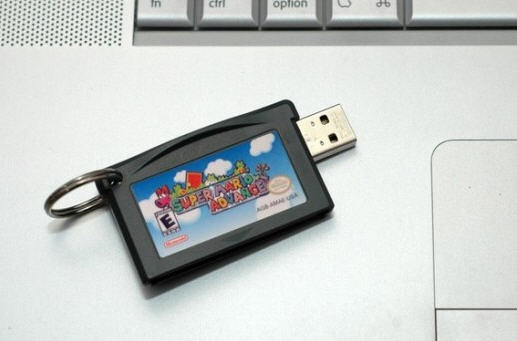 Or for the hard cord geek who needs a boat load of extra storage you can pull out all the stops for this 1TB hard drive,
Continue Reading
Or for the hard cord geek who needs a boat load of extra storage you can pull out all the stops for this 1TB hard drive,
Continue Reading
The USB Missile Launcher Is Back
Everyone loves a good USB missile launcher and Thanko has released yet another version. The first thing you will notice is the cosmetic change to look more like an Army missile launcher, but Brando reports hardware changes as well. The new missile launcher was retooled to have more power for longer distance and the software was updated to be less buggy. As with all previous models, you get four foam missiles, software which controls the cannons up, down, left and right. You have the option to go into stealth mode and turn off the sound effects and of course, all this powered via USB. Software includes support for Windows 7, although not sure about 32bit verse 64bit. Priced right at $36 + shipping.
Continue Reading
Software includes support for Windows 7, although not sure about 32bit verse 64bit. Priced right at $36 + shipping.
Continue Reading
Share The Love Plug-Less USB Outlet Connector
I’m sure you had to read the title once or twice. Well, you know what they say…a picture is worth a thousand words. Doubt I’ll drum up a thousand words for this post, but you get the point. The FlipIt is a slick little piece of plastic which fits between your wall prongs and the outlet itself. This way you can high-jack some power off the outlet, while still sharing it with other electronics. The FlipIt then redirects the juice to a USB port where you can plug any device which uses USB for recharging. It’s a brilliant idea. It’s $15. After seeing it, don’t you wish you thought of it? Source: Those guys
Continue Reading
Source:Â Those guys
Continue Reading
Wireless USB 3.0 Monitor Is Really Proximity Monitor
Samsung has a new Central Station WLED monitor system in 23 inch or 27 inch format. The wireless solution is very unique in that it automatically detects your devices with in the 1 meter range. So as you approach with your laptop, the monitor will automatically sync up with your PC. In additional the Samsung WLED includes USB ports on the monitor so as your PC approaches, those peripherals hanging off the side will also become usable with your laptop. I should actually re-edit this post and mention netbook as those screens are way too small and something like this would be ideal.
Samsung didn’t get a change to post lag-time between user input on the PC and the reaction of the monitor for said input, but I’d venture to say it’s minimal – Samsung doesn’t cheat corners.
Continue Reading
In additional the Samsung WLED includes USB ports on the monitor so as your PC approaches, those peripherals hanging off the side will also become usable with your laptop. I should actually re-edit this post and mention netbook as those screens are way too small and something like this would be ideal.
Samsung didn’t get a change to post lag-time between user input on the PC and the reaction of the monitor for said input, but I’d venture to say it’s minimal – Samsung doesn’t cheat corners.
Continue Reading