Case Study | Corporate Sponsored Tech Article
When someone asks how to copy protect files on a USB drive, the answer isn’t always as simple as installing software or adding a password. Sometimes the challenge isn’t just keeping unauthorized people from opening files. It’s making sure the original files cannot be changed, deleted, or overwritten after the USB drive has been distributed.
That distinction becomes especially important when the files contain legal evidence.
A government agency in the United States recently shared how it uses secure USB technology to distribute digital discovery materials to defendants and attorneys. The organization handles sensitive case information, including documents, audio recordings, and video evidence, where access must be controlled and the original contents must remain unchanged.
The solution? A combination of password-controlled access and permanent hardware write protection.
It sounds simple enough, but there is more happening behind the scenes than most people realize.
The Problem With Distributing Legal Evidence on USB Drives
USB flash drives remain a practical way to distribute large collections of digital files. They are inexpensive, portable, and don’t require an internet connection to access the information.
For legal discovery, however, a standard USB drive presents a couple of problems.
First, anyone who gets possession of an ordinary USB drive may be able to open the files. Second, the recipient can potentially delete, rename, overwrite, or modify the information stored on the device.
For everyday file transfers, those capabilities are expected. For legal evidence, they create unnecessary risk.
The government agency involved in this case distributes discovery materials to attorneys as well as defendants representing themselves, commonly referred to as pro se defendants. Some recipients are in custody, while others are not.
The information being distributed can include PDF documents, Microsoft Word files, Excel spreadsheets, MP3 audio recordings, and MP4 video evidence.
The agency needed a repeatable process that allowed authorized recipients to access these files while protecting the original information stored on the USB drive.
And that’s where the difference between file access and file modification becomes important.
Two Layers of USB Security Working Together
The agency implemented a solution using Nexcopy Copy Secure technology, combining two separate security functions.
The first layer is password-controlled access.
Before the recipient can view the discovery materials, the correct password must be entered. This creates an access requirement for sensitive files rather than leaving the contents immediately available to anyone who plugs in the USB drive.
The second layer is permanent hardware write protection.
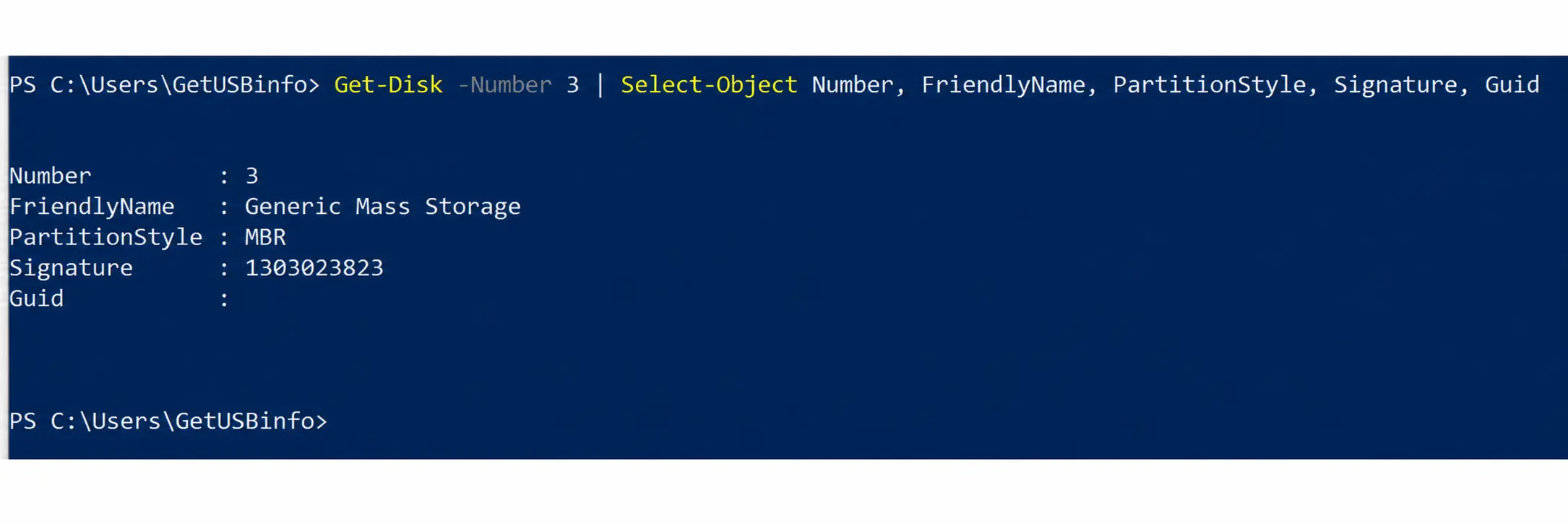
Once the USB drive has been prepared and finalized, the flash memory controller is configured to prevent further changes to the stored information.
This isn’t the same as selecting a file in Windows, opening Properties, and checking the Read-only box.
A software-level read-only setting depends on how the operating system handles file permissions. Hardware write protection operates at the USB controller level, preventing normal host operations from writing new information, deleting files, or formatting the protected storage.
In other words, the recipient can access the authorized files, but the original USB contents remain protected against modification.
One important clarification: hardware write protection does not automatically prevent someone from copying an accessible file onto another computer. Preventing unauthorized copying is a different security requirement.
For readers interested in that distinction, GetUSB.info previously covered the subject in USB Copy Protection vs. USB Encryption.
Protecting the Original Evidence After Distribution
Consider a USB drive containing several hundred legal documents, audio recordings, and video files.
Once that drive leaves the organization, the person receiving it may use any number of computers to review the contents.
On a standard USB drive, files can be accidentally deleted, overwritten, or changed. A recipient might also unknowingly introduce modifications simply by using software that writes information back to the storage device.
With permanent hardware write protection, the original files stored on the USB remain unchanged through normal computer operations.
This provides a consistent reference copy of the information originally distributed.
It is worth pointing out that write protection alone does not establish a complete legal chain of custody. Tracking who prepared, handled, and received evidence still requires appropriate procedures and documentation.
What the technology does provide is a way to prevent the original USB contents from being modified after the device has been finalized.
For organizations distributing sensitive information, that’s a meaningful difference.
The Agency’s Experience With Secure USB Distribution
According to the organization, implementing the secure USB process made a significant difference in its business practices and IT cybersecurity operations.
Rather than treating USB distribution as a basic file-copying task, the agency now incorporates password authorization and permanent write protection into its established discovery preparation process.
The approach allows the same general workflow to accommodate different file formats and recipients, including attorneys and defendants both in and out of custody.
It also provides a more consistent method of preparing discovery media while protecting the original contents against changes.
The agency did not provide specific performance measurements or time-savings figures, so the reported benefits are operational rather than numerical.
Still, the underlying advantage is straightforward: authorized recipients can review the information, while the original files on the distributed USB drive remain protected.
Copy Protect Files on USB: The Right Solution Depends on the Goal
One interesting takeaway from this application is that the phrase “copy protect files on USB” can mean several different things.
Some organizations want to prevent someone from duplicating their intellectual property. Others want to restrict who can open confidential information. Still others need to ensure the files on a USB drive cannot be modified after distribution.
Those are different problems, and they don’t necessarily require the same technology.
In this government application, the priority was controlling access to legal discovery materials and preserving the original files on the physical USB device.
Password-controlled access addressed the first requirement. Permanent hardware write protection addressed the second.
Together, the two functions provided a practical method of distributing sensitive information without relying entirely on software permissions.
A Practical Example of USB Security Beyond Legal Discovery
Although this particular application involves legal discovery, the underlying security requirements aren’t unique to government agencies.
Medical organizations distributing patient documentation, companies delivering financial records, and businesses providing finalized technical documentation may face similar challenges.
In each situation, the goal is to give authorized recipients access to information while maintaining a protected original copy.
USB flash drives are not going away anytime soon, and neither is the need to control what happens to the information stored on them.
Sometimes the most effective solution isn’t replacing physical media with another delivery platform. It’s making the physical media behave exactly the way the application requires.
In this case, that means allowing the right people to read the files while preventing changes to the original USB contents.
Editorial Note / Sponsored Content: This article is sponsored by Nexcopy and is based on a documented, real-world application of its Copy Secure USB technology. The government organization has been intentionally anonymized to protect customer confidentiality. Technical descriptions are based on the implementation details provided in the original case study. No independent security testing or quantitative performance measurements were conducted by GetUSB.info.
About the Technology: Nexcopy develops specialized USB flash memory solutions, including password-controlled access and controller-level hardware write protection for supported media. Additional information is available at Nexcopy.com.
Let GetUSB.info keep you updated.
Receive article notifications about USB storage, flash memory, and duplication updates in your preferred language. We average a couple of articles per week.