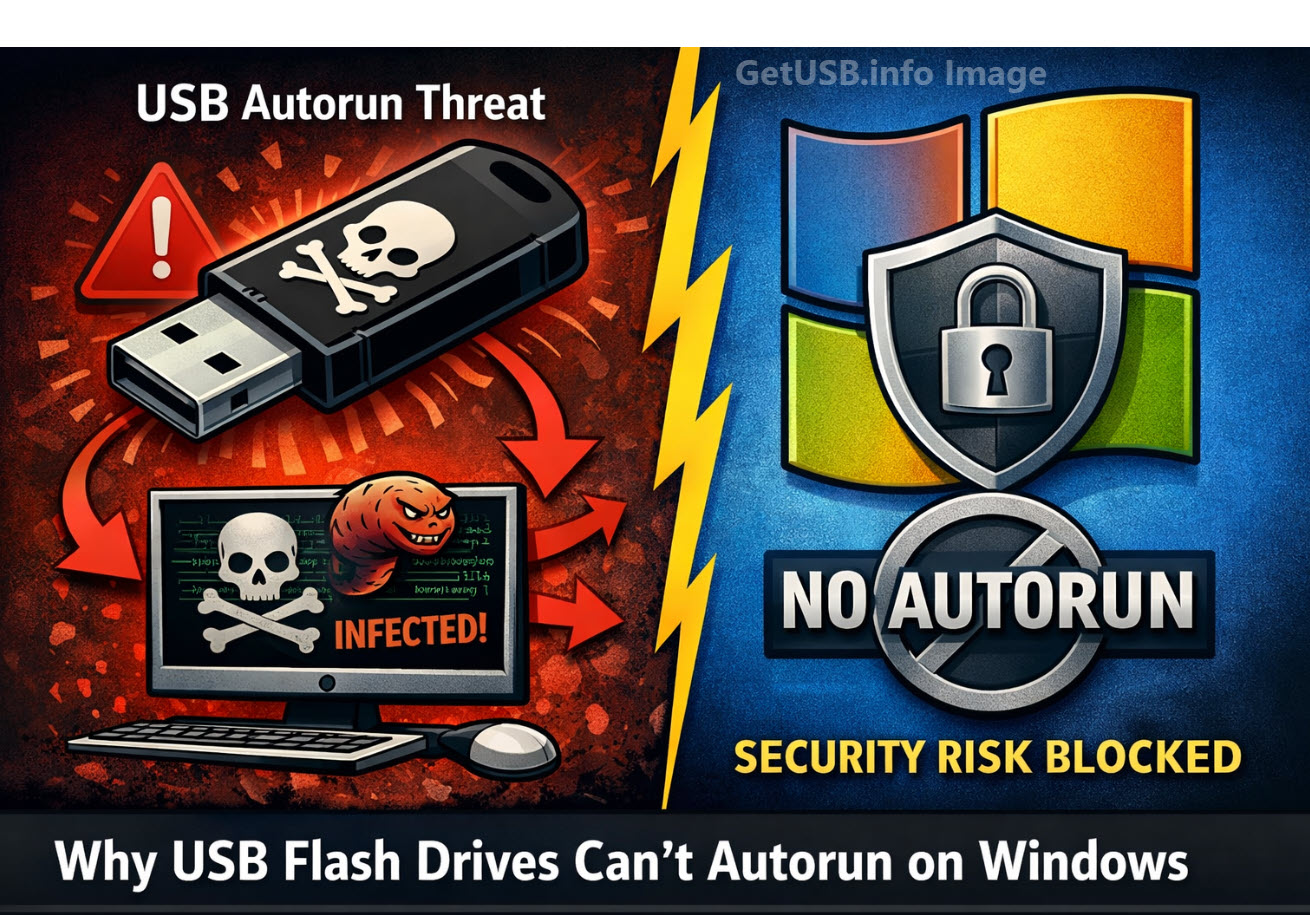
Why Doesn’t Microsoft Allow USB Flash Drives to Autorun Programs?
Can USB Flash Drives Autorun From Windows? The short answer is NO. Microsoft disabled USB autorun functionality on standard USB flash drives primarily for security reasons, following several high-profile malware outbreaks that exploited this feature. Here’s why this change was necessary:
Autorun Was a Major Malware Vector
Before 2011, when a USB drive was inserted, Windows’ autorun feature could automatically execute files (like autorun.inf) stored on the drive. Malware creators exploited this by placing malicious executables on USB drives that would launch automatically when inserted into a computer. This made it easy for viruses and worms, such as the infamous Conficker worm, to spread rapidly between systems without user interaction.
USB Drives Are Easily Shared and Untrusted
Unlike CDs or DVDs, which are typically read-only and distributed from trusted sources, USB flash drives are read-write devices. They are frequently passed between multiple users and computers, making them a prime target for malware. Any infected computer could unknowingly weaponize a USB stick, allowing malicious code to spread instantly upon insertion.
Security Patch KB971029 Disabled Autorun
In 2011, Microsoft released security patch KB971029, which permanently disabled autorun for USB flash drives on Windows XP, Vista, and later versions to match Windows 7’s safer behavior. After this patch:
- USB sticks no longer autorun programs automatically.
- The system only shows a menu to “Open folder to view files” or “Play media.”
- Autorun for CDs and DVDs was not changed because these media types are generally considered safer and are typically read-only.
CD-ROM Emulation Still Allows Autorun
USB drives that emulate a CD-ROM device can still trigger autorun because Windows treats them like optical media. This is useful for software distribution, marketing content, or protected applications that need an autorun experience.
A professional solution for this is the Nexcopy Disc License USB drive. These drives feature a permanent, hardware-based CD-ROM partition that allows autorun to function exactly like a traditional CD, while maintaining a second partition for standard flash storage. Because the CD-ROM portion is read-only, it is safe from malware infections and trusted by the Windows autorun process.
So what does this all mean?
Microsoft removed autorun from standard USB flash drives to stop self-spreading malware and worms that thrived on this feature. If you need legitimate autorun capabilities for distributing software or presentations, using a Nexcopy Disc License USB drive is a secure and reliable solution.
Why Does Windows Allow Autorun from a USB CD-ROM Device?
Windows allows autorun from a USB CD-ROM device because the hardware identifies itself as an optical disc drive, and Windows is designed to trust read-only media. Here’s a detailed explanation of why this behavior exists and how it works:
1) Windows Trusts Optical Media by Default
The autorun feature was originally created for CDs and DVDs, which are read-only media. Because the content on a physical disc cannot be modified by malware, it was considered safe for Windows to execute instructions from the autorun.inf file automatically. This design choice made software installations seamless and secure for optical discs.
2) USB CD-ROM Devices Use a Different USB Descriptor
All USB devices report their device type to the operating system through a descriptor. A USB stick configured as a CD-ROM device reports itself as a Mass Storage Device ? Subclass: SCSI Transparent ? Protocol: CD-ROM (0x05). To Windows, this looks identical to plugging in a real optical disc drive.
Because Windows cannot tell the difference, it applies the same rules for autorun as it would for a physical CD or DVD drive. The firmware of the USB device essentially “masks” its true nature and convinces the OS it is optical media.
3) Autorun Works Because the Partition is Read-Only
Windows checks whether the device is read-only before permitting autorun. A properly configured USB CD-ROM emulation device has a hardware-protected, non-writable partition that mimics a pressed CD. This read-only characteristic assures Windows that the autorun.inf file has not been altered or infected by malware, making autorun safe to execute.
4) Using a Nexcopy Disc License USB Drive for Safe Autorun
A professional solution for creating a USB with autorun capabilities is the Nexcopy Disc License USB drive. These drives feature:
- A permanent, hardware-based CD-ROM partition that is read-only and recognized by Windows as an optical disc.
- A second, writable flash partition for storing additional files and content.
- Reliable autorun behavior identical to that of a physical CD or DVD, without malware risks.
Conclusion
Windows allows autorun from USB CD-ROM devices because their firmware tells Windows they are optical discs, and optical media is inherently safer due to its read-only nature. Standard USB flash drives are blocked because they are writable and could easily carry self-propagating malware. If legitimate autorun functionality is required, using a Nexcopy Disc License USB provides a secure and professional solution.

 In addition to the cost of replacing software, areas of business that need this software cannot function until the replacement package is received and reinstalled on the computer.
Now there is a solution available to alleviate concerns and mitigate risks – the USB Dongle Lockbox.
The Dongle Lockbox Kit consists of a secure ABS plastic enclosure, 6 foot USB Extender, combination lock with steel locking cable, and Flex Foot & Cable Nut to use as an anchor point.
Dongle Lockboxes are available in 2 styles:
In addition to the cost of replacing software, areas of business that need this software cannot function until the replacement package is received and reinstalled on the computer.
Now there is a solution available to alleviate concerns and mitigate risks – the USB Dongle Lockbox.
The Dongle Lockbox Kit consists of a secure ABS plastic enclosure, 6 foot USB Extender, combination lock with steel locking cable, and Flex Foot & Cable Nut to use as an anchor point.
Dongle Lockboxes are available in 2 styles:
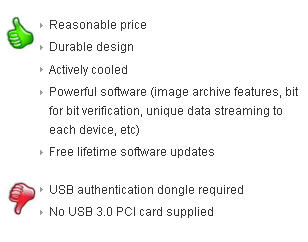 EverythingUSB posted a review of the Nexcopy 3.0 USB Duplicator with a bunch of “thumbs up” marks. Let’s take a closer look.

 Thunderbolt is the copper wire version of Intel’s Lightpeak technology. Thunderbolt will produce transfer rates equal to 10Gbps which is about double of what USB 3 will offer. Apple convinced Intel to create a “cut-back” version of their optical light solution with an additional caveat of being the exclusive personal computer manufacturer to offer Thunderbolt. And this is where the problem lies.
As with USB 1 verse Firewire [Apple] the speeds of Firewire where faster than USB 1, but FireWire equipment was more expensive, Apple charged what was considered a substantial royalty per part, and with Macs in general holding much less of the market, meanwhile the Windows-side controllers and drivers for Firewire ran the gamut from lousy to terrible.
Intel and Apple jointly developed Thunderbolt, which may actually be part of the problem. As of June 2011, Apple is the only company committed to using Thunderbolt. HP has officially selected USB 3 and we suspect Dell will not be far behind. After all, these guys don’t like to support a technology to a competitive company which holds
Thunderbolt is the copper wire version of Intel’s Lightpeak technology. Thunderbolt will produce transfer rates equal to 10Gbps which is about double of what USB 3 will offer. Apple convinced Intel to create a “cut-back” version of their optical light solution with an additional caveat of being the exclusive personal computer manufacturer to offer Thunderbolt. And this is where the problem lies.
As with USB 1 verse Firewire [Apple] the speeds of Firewire where faster than USB 1, but FireWire equipment was more expensive, Apple charged what was considered a substantial royalty per part, and with Macs in general holding much less of the market, meanwhile the Windows-side controllers and drivers for Firewire ran the gamut from lousy to terrible.
Intel and Apple jointly developed Thunderbolt, which may actually be part of the problem. As of June 2011, Apple is the only company committed to using Thunderbolt. HP has officially selected USB 3 and we suspect Dell will not be far behind. After all, these guys don’t like to support a technology to a competitive company which holds
 With the increased sales volume of Apple products, this new connector type could become an industry standard – oh wait – it can’t – because Apple wont license their female part of the connector. This means tablets like the Motorola Zoom and others could not pivot off the 30 pin design. But rather stay with traditional power pins and USB interface. This gives Apple the edge up on keeping their products slimmer and thus more light weight.

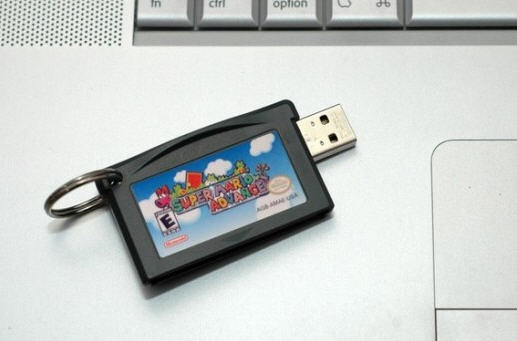
 Some live, eat and sleep SuperMario, or at least did when they where younger will enjoy this small USB flash drive cartridge:
 Or for the hard cord geek who needs a boat load of extra storage you can pull out all the stops for this 1TB hard drive,
 What this means is that Intel will start native integration with their new chipset in the coming year. An interesting point gleaned from the leaked PDF is that USB 3.0 will not [natively] support Windows XP or Vista operating systems. For those computers, the user will need to purchase a PCI to USB 3.0 adapter controller card [NEC is most popular for that peripheral].
Panther Point will support up to 14 USB ports in total, four of which are USB 3.0 and rest are legacy USB 2.0. Texas Instrument and Renesas have plans for a 4-port USB 3.0 solution but none of their solutions have obtained USB-IF certification approval yet. This may all change once Intel starts shipping Panther Point laptops and desktops in 2012.
What this means is that Intel will start native integration with their new chipset in the coming year. An interesting point gleaned from the leaked PDF is that USB 3.0 will not [natively] support Windows XP or Vista operating systems. For those computers, the user will need to purchase a PCI to USB 3.0 adapter controller card [NEC is most popular for that peripheral].
Panther Point will support up to 14 USB ports in total, four of which are USB 3.0 and rest are legacy USB 2.0. Texas Instrument and Renesas have plans for a 4-port USB 3.0 solution but none of their solutions have obtained USB-IF certification approval yet. This may all change once Intel starts shipping Panther Point laptops and desktops in 2012.


 In additional the Samsung WLED includes USB ports on the monitor so as your PC approaches, those peripherals hanging off the side will also become usable with your laptop. I should actually re-edit this post and mention netbook as those screens are way too small and something like this would be ideal.
Samsung didn’t get a change to post lag-time between user input on the PC and the reaction of the monitor for said input, but I’d venture to say it’s minimal – Samsung doesn’t cheat corners.
In additional the Samsung WLED includes USB ports on the monitor so as your PC approaches, those peripherals hanging off the side will also become usable with your laptop. I should actually re-edit this post and mention netbook as those screens are way too small and something like this would be ideal.
Samsung didn’t get a change to post lag-time between user input on the PC and the reaction of the monitor for said input, but I’d venture to say it’s minimal – Samsung doesn’t cheat corners.
 NZXT introduced the Bunker which is a 5.25 inch bay with 4 USB ports neatly placed behind a locking front door. Now you’ve got physical security against USB abuse. Granted it still wont stop those with access to spread a virus, intentionally or not, or perform some IP data slerping, but at least it’s a strong deturant.
EverythingUSB made a
NZXT introduced the Bunker which is a 5.25 inch bay with 4 USB ports neatly placed behind a locking front door. Now you’ve got physical security against USB abuse. Granted it still wont stop those with access to spread a virus, intentionally or not, or perform some IP data slerping, but at least it’s a strong deturant.
EverythingUSB made a  The Intel based standard for