Even with the inexpensive USB fans available sometimes it’s just more fun to build one yourself. Here is a quick video tutorial whereby you need two CDs, a motor, some cable a lighter and a little time and you’ll be cool (although not looking) at the click of a USB connection.
Source: Click here if you can’t view the video: YouTubeContinue Reading
I received the iPod FM Transmitter from Hannah over at Proporta and today had a chance to play around with it.
The iPod FM Transmitter is a compact, light and simple product to use. Using the iPod connector you click the FM transmitter into your iPod Nano (also supports iPod mini, Photo, 4 & 5GB pods and video iPod – but today tested with Nano) which is nice to have the direct connect because no extra cables or wires are needed to make your iPod work with a 3rd party radio.
Upon connection you get a confirmation the FM transmitter is sending a signal on FM frequency 88.8Mhz channel. This is the default setting, however, you have 9 memory channels to set the FM transmitter to.
The Proporta FM transmitter has three buttons. A memory button to select one of nine preset channels, a scroll up button and scroll down button to navigate through the radio frequencies. It’s simple. It’s easy.
Using the iPod FM transmitter I had mixed experience. Overall a good product – this is what I found:
Using the iPod FM transmitter without a power connection I had decent reception.
Using the iPod FM transmitter indoors gave much better reception to the radio than using the transmitter in the car. I can attribute the poor performance in the car due to many other electrical disturbances. The same results where found on different frequency settings. I did find the best reception was having the iPod close to the radio itself to boost signal strength over distance.
Using the iPod FM transmitter with a power connection did yield slightly better performance.
When the Proporta iPod FM transmitter is connected it’s best to set it and leave it. I found the connection between the two devices didn’t like being moved around and upon picking up and moving there would be static across the radio. This isn’t a big deal to me as I figure most users would set it and forget it. If you plan on walking around with your iPod forget the FM transmitter and use your headphones.
Bottom Line: For the $24 price tag it’s a good product for getting your tunes to a radio; however, we’d like to see some more signal strength to make the music clear in all situations.
Continue Reading
UPDATE: YouTube has reworked their site in response to this article. If you get an error when trying to download a YouTube video, please try some of the plug-ins and scripts listed in step #3.
YouTube.com is a great resource. Not many sites allows users to freely upload, view, and share video clips like YouTube does. YouTube even lets users easily post videos on their blogs and personal web sites. But because anyone can upload a video clip on YouTube, copyright violations are rampant.
In an effort to prevent the widespread distribution of illegal copied video files, YouTube encodes its video files in the Macromedia Flash format, which prevents viewers from downloading files and making digital copies.
Here’s a step-by-step MethodShop.com tutorial on how to rip video files off YouTube and convert them for an iPod Video, Apple TV, iTunes or iPhone. This trick will work on Mac or PC using Firefox, Safari or Internet Explorer.
BeSocial: digg story | methodshop.comContinue Reading
Following the no-button design of the iPhone, Grundig is launching their MPixx 7000 FineArts series PMP player. Brushed aluminum holds in the button less screen and with a 2.4 inch TFT display there is plenty to look at.
Two models are available; 2GB and 4GB. Both Grundig FineArts models support all the audio and video formats along with FM radio support. If these guys could figure out how to get my satellite radio stations in there we’d be set! The MPixx 7000 also comes with a microSD slot for expanded memory, integrated loudspeaker (how loud is another question) double earphone connection and USB connection for download and power charging.
Due out in October at $200 and $240 respectively.
Source: Grundig via Audio JunkiesContinue Reading
USB web cameras seem creepy but it’s one of those things you just don’t know about until you try it. Once you get past the idea of seeing yourself on screen, as you chat away the afternoon, you begin to realize how nice web cameras are.
Sometimes words can’t describe the idea or thought – this is especial true in business. Sometimes it’s just nice to see the person you are talking to.
Well, whatever it is the majority of us aren’t ready. Over 40% of our visitors doen’t have a webcam and over 30% thought it would be creepy – putting it all together the minority are USB webcam fans.
Frank, a Colorado visitor, ended up winning the set of USB cables for this poll. Congrats! He visits GetUSB a couple times a month (I’ll have to work on that) and has a variety of flash drives – largest being 8GB. Frank is anxiously awaiting the cut-the-cord with his USB devices and drop some coin on a wireless hub. They’re out for the taking.
Continue Reading
After some USB YouTube browsing I came across this little number. This walking robot has one hell of a show. Check it out.
If you cannot view the video click here.
Continue Reading
Apple is motivated to introduce an ultra portable laptop and according to their calculations one of the biggest limiting factors is the port connectors. With that in mind, Apple submitted a patent for a collapsible USB connector (and other connectors like FireWire and RJ-45) to aid in the ultra slim effort.
After reading a summary of the report here it’s clear Apple is looking to create a “highly tapered chassis shape.” (although the picture in that report does show it).
So how does this collapsing port work? Without to much detail the idea is this: When the ultra portable laptop is closed so are the ports. When the laptop is opened those ports expand and allow connectivity using traditional sized cables.
Seems to me this methodology is asking for trouble, unless the only thing being connected are low speed peripherals like mouse or scanner.
Source: AppleInsiderContinue Reading
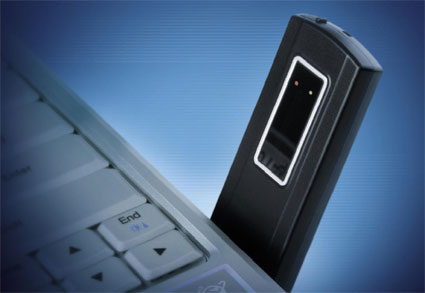
Franklin Wireless is churning out their smallest EVDO USB Modem so you can be your own hotspot – whether you’re hot or not.
EVDO or Evolution Data Only/Evolution Data Optimized provides fast wireless broadband (3G) internet service directly to your [I’m assuming] laptop [or any computer really]. All this access is now portable and available via Franklin’s USB CDU680 modem. You can take the internet with you and surf the web in your car, on the train, in the airport, at your Starwars technology convention or in your Luv Bus RV.
Some exceptional features too. 64MB flash drive – okay maybe THAT’S not impressive, built-in GPS, antenna port for external signal boost, pre-configured for PC/ Mac and swivel base USB connector.
No this isn’t me; and my office doesn’t look like this. Not unless GetUSB came to life and ran me out of house and home.
Frank’s Cubicle is not a demo room, but an absolute time killer (in a good way). So if your boss stepped out and you have some time check out Frank’s Cubicle.
On a more serious note, the USB Implementers Forum runs the site and Frank’s Cubicle is a tribute to all the gadgets we’ve come accustomed to love.
The USB Implementers Forum drives certification testing and logo awareness for Hi-Speed USB, Hi-Speed USB On-The-GO and Wireless USB technologies. We developed Frank’s Cubicle to show the ubiquity and proliferation of the most successful interconnect technology in the world, with more than 2 billion implementations to date. Today consumers demand interoperability and ease-of-use. I’d like to think the USB technology has those benefits mastered. Now when consumers think USB we’d like them to remember the associated brands.
The latest technology we are supporting is Wireless USB, in which the first five certified products were introduced a few weeks ago from Lenovo, Dell, IOGEAR and D-Link. Set to perform like USB 2.0 sans the cables. Consumers can expect to see more products arrive on the retail shelves before the holiday season.
(read that headline again) Grundig is doing dictation digital style. The DigtaSonic xMic is all professional and hard to call a typical dictation gadget. None-the-less, it’s out there with elegance and style. The design has a “soft touch” texture for … wait for it … long lasting pleasure comfort.
Using USB connectivity the DigtaSonic takes control of any PC application via Grundig’s Track Point mouse technology. For custom integration (medical applications) the Grundig mic comes with SDK tools for 100% software compatibility.
Digital quality is claimed to be top shelf with integrated sound card and dynamic speaker for optimal recording and play-back.
Clearly not a dictation tool for the common office executive but would make a great item for that afternoon rant.
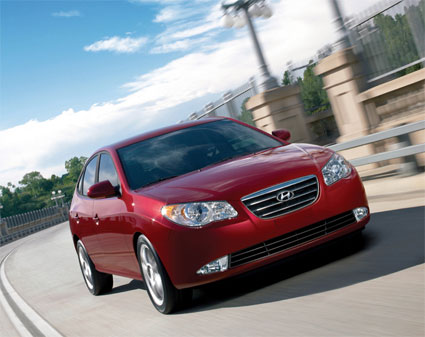
Hyundai Motors will place a USB port into their 2009 Elantra car for stereo connectivity and support of the Microsoft automotive initiative Blue&Me.
Given the fact you’d find yourself in a Hyundai it’s not clear on how you can actually use the USB port, although it’s obvious the USB port would give you access to sync GPS devices, access the stereo for flash based music libraries and display contact information from your PDA on the upgraded nav station.
A company called Suck UK is about to launch this UFD cleverly disguised as a cassette tape. Nothing more than some creative packaging. So why am I writing about this? Because the other products on their website are absolutely classic for a good laugh. Such as Suck UK’s Smoking Mittens, Razorblade Mirror, Cardboard Mini Arcade and the list wouldn’t be complete without the Emergency Money Box. More fun stuff, check them out.
As for the USB stick in a cassette box, it’s available end of September and sizes are yet to be announced. If by chance you have a library of cassette tapes needing to be digitized than check out our post from the other day on a USB Cassette Archiver.


 Upon connection you get a confirmation the FM transmitter is sending a signal on FM frequency 88.8Mhz channel. This is the default setting, however, you have 9 memory channels to set the FM transmitter to.
The Proporta FM transmitter has three buttons. A memory button to select one of nine preset channels, a scroll up button and scroll down button to navigate through the radio frequencies. It’s simple. It’s easy.
Using the iPod FM transmitter I had mixed experience. Overall a good product – this is what I found:
Using the iPod FM transmitter without a power connection I had decent reception.
Using the iPod FM transmitter indoors gave much better reception to the radio than using the transmitter in the car. I can attribute the poor performance in the car due to many other electrical disturbances. The same results where found on different frequency settings. I did find the best reception was having the iPod close to the radio itself to boost signal strength over distance.
Using the iPod FM transmitter with a power connection did yield slightly better performance.
When the Proporta iPod FM transmitter is connected it’s best to set it and leave it. I found the connection between the two devices didn’t like being moved around and upon picking up and moving there would be static across the radio. This isn’t a big deal to me as I figure most users would set it and forget it. If you plan on walking around with your iPod forget the FM transmitter and use your headphones.
Upon connection you get a confirmation the FM transmitter is sending a signal on FM frequency 88.8Mhz channel. This is the default setting, however, you have 9 memory channels to set the FM transmitter to.
The Proporta FM transmitter has three buttons. A memory button to select one of nine preset channels, a scroll up button and scroll down button to navigate through the radio frequencies. It’s simple. It’s easy.
Using the iPod FM transmitter I had mixed experience. Overall a good product – this is what I found:
Using the iPod FM transmitter without a power connection I had decent reception.
Using the iPod FM transmitter indoors gave much better reception to the radio than using the transmitter in the car. I can attribute the poor performance in the car due to many other electrical disturbances. The same results where found on different frequency settings. I did find the best reception was having the iPod close to the radio itself to boost signal strength over distance.
Using the iPod FM transmitter with a power connection did yield slightly better performance.
When the Proporta iPod FM transmitter is connected it’s best to set it and leave it. I found the connection between the two devices didn’t like being moved around and upon picking up and moving there would be static across the radio. This isn’t a big deal to me as I figure most users would set it and forget it. If you plan on walking around with your iPod forget the FM transmitter and use your headphones.

 UPDATE: YouTube has reworked their site in response to this article. If you get an error when trying to download a YouTube video, please try some of the plug-ins and scripts listed in step #3.
YouTube.com is a great resource. Not many sites allows users to freely upload, view, and share video clips like YouTube does. YouTube even lets users easily post videos on their blogs and personal web sites. But because anyone can upload a video clip on YouTube, copyright violations are rampant.
In an effort to prevent the widespread distribution of illegal copied video files, YouTube encodes its video files in the Macromedia Flash format, which prevents viewers from downloading files and making digital copies.
Here’s a step-by-step MethodShop.com tutorial on how to rip video files off YouTube and convert them for an iPod Video, Apple TV, iTunes or iPhone. This trick will work on Mac or PC using Firefox, Safari or Internet Explorer.
BeSocial: digg story | methodshop.com
Continue Reading
UPDATE: YouTube has reworked their site in response to this article. If you get an error when trying to download a YouTube video, please try some of the plug-ins and scripts listed in step #3.
YouTube.com is a great resource. Not many sites allows users to freely upload, view, and share video clips like YouTube does. YouTube even lets users easily post videos on their blogs and personal web sites. But because anyone can upload a video clip on YouTube, copyright violations are rampant.
In an effort to prevent the widespread distribution of illegal copied video files, YouTube encodes its video files in the Macromedia Flash format, which prevents viewers from downloading files and making digital copies.
Here’s a step-by-step MethodShop.com tutorial on how to rip video files off YouTube and convert them for an iPod Video, Apple TV, iTunes or iPhone. This trick will work on Mac or PC using Firefox, Safari or Internet Explorer.
BeSocial: digg story | methodshop.com
Continue Reading