GetUSB.info Logo

Author Archive

Matt LeBoff

Kicking around in technology since 2002. I like to write about technology products and ideas, but at the consumer level understanding. Some tech, but not too techie.

Antibacterial Flash Drive From Verbatim – Microban Technology

Although the Covid pandemic is officially over, from that time, people are paying more attention to the cleanliness of things they come in contact with. Because this website is dedicated to USB technology, it’s probably worth a mention about the Microban Technology used with USB flash drives from Verbatim.

Microban technology is a type of antimicrobial technology that is incorporated into products during the manufacturing process to provide continuous antimicrobial protection against a range of microbes such as bacteria, mold, and mildew.

Microban works by disrupting the vital life processes and biological functions of microbes that come into contact with the treated surface. This disruption helps to prevent the growth and proliferation of these microbes.

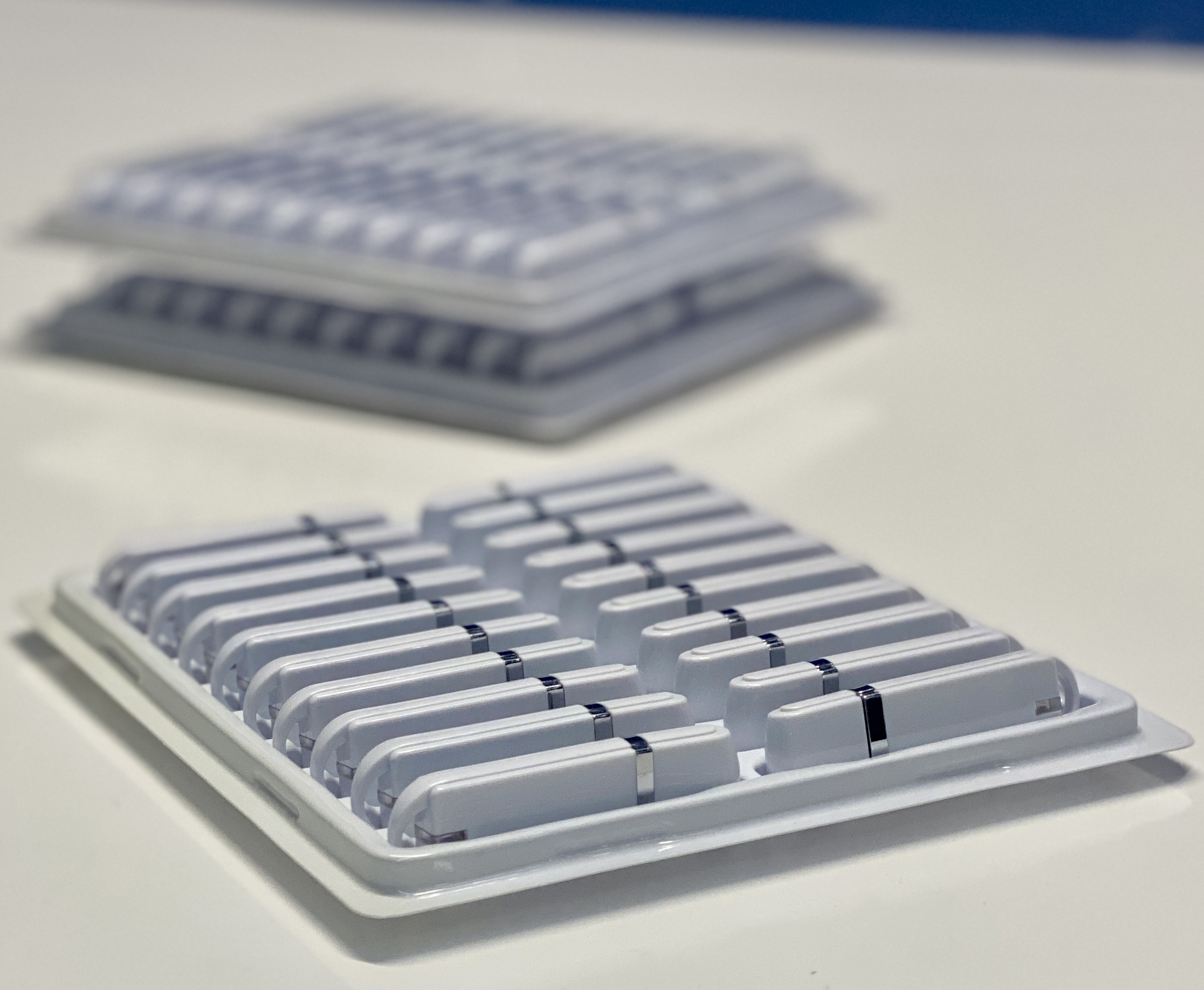
Verbatim is now incorporating some of their USB flash drive products with this Microban technology. Consider the following:

If someone handles a flash drive with unwashed or unclean hands, they can transfer bacteria or other microbes onto the surface of the drive. Common bacteria from hands could include Staphylococcus aureus or Escherichia coli (E. coli).

Flash drives are often carried in pockets, bags, or purses where they can pick up dirt, dust, and other contaminants that may contain microbes. Pockets and bags are not always the cleanest environments, especially if food, tissues, or other items are stored alongside the flash drive.

microban technology explanation

The Verbatim flash drives are available from Amazon in 16GB, 32GB and 64GB capacities. The “Pinstrip” drive uses the Microban technology.

Microban technology was developed by a team led by Dr. John H. McConnell in the mid-1960s. Dr. McConnell, along with his colleagues at Microban Products Company (formerly known as Microban International), pioneered the use of antimicrobial additives for various applications, including consumer products, textiles, and industrial materials.

Continue Reading

Maximum Single File Size for FAT32 Format File System

Maximum Single File Size for FAT32 Format File System

The maximum file size for a single file on a FAT32 file system is not exactly 4 GB, but rather slightly less than that. FAT32 uses a 32-bit file allocation table, which means it can theoretically support file sizes up to 4,294,967,295 bytes (which is 4 GB minus 1 byte).

However, in practical terms, the maximum file size is usually constrained by the operating system or the software used to create or manipulate the file. Some operating systems or software may impose additional limitations, such as a maximum file size of 2 GB or 4 GB.

Furthermore, while FAT32 technically supports file sizes up to 4 GB minus 1 byte, it may not be the most efficient or reliable choice for handling very large files due to its limitations. For handling larger files, other file systems like NTFS (New Technology File System) or exFAT (Extended File Allocation Table) are typically more suitable.

Microsoft did not explicitly stop supporting FAT32 for formatting 64GB drives, but rather the limitations of the FAT32 file system itself led to practical considerations. FAT32 has inherent limitations in terms of maximum volume size and file size.

FAT32 has a maximum volume size limit of 32 GB when formatting drives in Windows. While there are ways to format larger drives with FAT32 (e.g., using third-party utilities or command-line tools), it’s not officially supported by Windows due to compatibility and stability concerns.

Given the limitations, Microsoft and other operating system developers have shifted towards file systems like NTFS (New Technology File System) and exFAT (Extended File Allocation Table) for handling larger drives and files. NTFS, in particular, provides better performance, security features, and support for larger volumes and files compared to FAT32.

Therefore, while FAT32 remains useful for smaller drives and compatibility with older systems and devices, its limitations make it less suitable for modern storage solutions, especially when dealing with larger capacities like 64GB or more.

Related: Why did Microsoft drop the feature to format 64GB flash drives as FAT32?

Continue Reading

IKEA Recalls 3 Port USB Hub

IKEA has issued a recall for thousands of its ASKSTORM 40W USB Chargers in the United States and Canada due to potential burn and electric shock hazards. The recall, prompted by the Consumer Product Safety Commission, addresses concerns that the chargers’ cables may break or become damaged over time, posing risks to users.

Internationally, there have been 17 reported incidents related to these chargers, including five instances of burns and four reports of electrical shock. However, no such incidents have been reported in the United States.

These gray chargers, bearing model number ICPSW5-40-1, were sold both online and in IKEA stores between April 2020 and December 2023.

Contact the IKEA recall center to find out how to swap out the product or receive a refund for the purchase.

In its journey to becoming a household name, IKEA has a rich history that dates back to 1943 when founder Ingvar Kamprad started selling pens, wallets, and other goods. The company’s name is an acronym formed from Ingvar Kamprad’s initials along with those of the farm where he grew up (Elmtaryd) and the nearby village (Agunnaryd) in Sweden. From these humble beginnings, IKEA gradually evolved, introducing its first furniture piece in 1947 and opening its first store in 1958. Over the decades, IKEA’s innovative approach to design, affordability, and sustainability has propelled it to global success, making it a beloved brand for millions of customers worldwide.

Continue Reading

IronKey USB Flash Drive – Hacks – $235M of BitCoin

IronKey is the bell-weather for encrypted flash drives. The company, owned by Kingston Digital, a Southern California based private company, uses hardware encryption chips with their USB flash drives which provide the highest level of security known to mass storage devices.

GetUSB.info came across an amazing story by Wired Magazine about how one of the authors at Wired sent an IronKey to a hacking company called Unciphered in Seattle Washington to see if they could access the drive. The did.

This is not an easy task to accomplish. IronKey uses encryption to safeguard important data with FIPS 140-2 Level 3 certified, FIPS 197 certified and XTS-AES 256-bit encryption. The solution allows for 10 tries before the USB controller wipes the device clean of any data. So there is a big risk-reward for using the device and losing the password to the device.

However, Unciphered developed a method to allow more attempts than just 10. It is not entirely clear how many attempts Unciphered is able to apply, but it’s more than 10.

Why is this significant, other than the fact IronKey may now have a security issue on their hands? It is well known in early 2021, a report of just over 7,000 Bitcoin were stranded in an IronKey flash drive due to a forgotten password. The owner, Programmer Stefan Thomas, did not utilize the Enterprise Management Service for password recovery. The 7000 bitcoin is currently (as of Oct 2023) worth over $235 million dollars.

To give Wired Magazine their due credit, read the full story by Andy Greenberg.

Continue Reading

Disable USB Flash Drive Pop Up Messages in Windows 10

Users can turn disable USB flash drive pop up messages in Windows 10 by performing a very simple step in Settings. While it may seem counterproductive to turn off USB notifications in Windows 10, once you’ve been using Windows for a while you will likely want to reduce the number of pop-up messages.

There are two ways to disable USB flash drive messages in Windows. Performing a RegEdit or modifing a Settings feature in the Windows GUI

Disable the USB flash drive pop up message via Windows Registry Edit

  • Open RegEdit by typing “regedit” in the Search bar
  • Navigate to: HOKEY_LOCAL_MACHINE\SOFTWARE\Miscrosoft\Shell\USB
  • Click the USB folder on the left of the screen to highlight the registry entries for \USB\
  • On the right side of screen select “NotifyOnUsbErrors” by clicking on it
  • Right click and select “Modify”
  • Set the value to “0” (zero). Zero is off, One is on

Disable USB message Windows 10, regedit

NOTE: Most users will receive a message saying they do not have privileges to modify the registry value. That is meant by design, and please see the comments at the end of this article for why.

Disable the USB flash drive pop up message via Settings

  • Type “settings” in the Seach bar of Windows
  • Select “Devices”
  • Select the USB tab near/at the bottom on left
  • Uncheck “Notify me if there are issues connecting USB devices

Disable USB message Windows 10, Settings

The second method via Settings is the preferred method because changing registry entries is not recommended unless the user is very experienced with computers. Windows 10 does a good job of not allowing users make registry changes that would crash their computer or brick the operating system, but the risk is still there.

If you received some sort of permissions message when attempting our regedit method, I would stay away from trying to resolve that security message. The reason Miscrosoft locks downt he registry in certain areas is to provide a more secure computer system for the user and reduce potential risk of malware or hackers getting control of your computer.

Over the years, numerous reports have come out about how hackers will expose certain USB protocols to insert malware or take control of a system. The registry is the main point of focus for hackers.

If you are persistent about changing the registry entries the first thing you can try is running RegEdit as Administrator. If that doesn’t resolve your issue then you may Google search for your specific error message and see if another website offers up a solution.

Continue Reading

Caravan That Rotates Like a USB Swivel Drive

caravan swivel design reminds us of a USB swivel flash drive

The Romotow T8 is an great conceptual caravan that has taken the world of mobile homes by storm for it’s sleek design and create form. One of the most intriguing features of the Romotow is its swiveling design which reminds us much of USB swivel drives you’ve seen so on this website.

It was created by the renowned New Zealand architecture firm W2, and it is unlike any other RVs you you’ve ever seen. With its unique design, advanced technology, and luxurious features, the Romotow T8 offers a unique camping experience for those looking to flex their muscles by owning the latest and greatest RV designs.

The caravan is built on a fixed chassis with a curved side, and the inner section can rotate up to 90-degrees. This totally new design allows the caravan to expand and contract, offering indoor and outdoor living spaces as required. When the caravan is in its open position, it offers a spacious decking area, where you can sit back and enjoy nature. The large doors open up to a sheltered living space, providing you with a comfortable and luxurious living experience.

Apart from its eye-catching design, the Romotow T8 boasts a range of features that will impress anyone. You can order the caravan with wall-mounted TVs, an outdoor projector, a pumping audio system, and a bedroom with either a single bed or a double bed. The caravan also runs off a 200-Ah lithium battery that’s charged by solar panels on the roof, making it eco-friendly and perfect for those who want to reduce their carbon footprint.

Despite its advanced features and unique design, the Romotow T8 may pose some challenges in certain camping sites. Some campers have noted that the caravan’s size and shape may not fit well in certain campgrounds. Specifically, many camping spaces are long and narrow, which could make it impossible to open up the Romotow T8 without damaging the RV of your neighbor. In fact most camping sites use slim parking stalls for the RVs, camper vans and caravans. The Romotow is probably best suited for wide-open camping spaces, rather than RV park.

While the Romotow T8 is a luxurious and innovative caravan, it does come with a hefty price tag. At $266,000 USD, it is undoubtedly one of the most expensive caravans on the market. Additionally, if you live in the United States or any other country, you may have to pay extra fees to import the caravan, which can add to the overall cost.

romotow t8

Continue Reading

One Fix For: Windows Doesn’t Boot. Black Screen.

Windows doesn’t boot and all I’m seeing is a black screen after turning on via the power button.

If this sounds familiar, read on.

Given this website is dedicated to USB (Universal Serial Bus) technology, then let us provide a tip, which is USB related, as to the possible cause of your black screen upon boot up.

Check your computer to make sure a USB flash drive is not connected at the time of power up. If you have a USB drive connected, disconnect it and try again. If upon this recommended tip, things work, then you have a bootable USB flash drive which is causing the problem. In addition, your BIOS is setup to boot from a USB flash drive. Both of these things can easily be corrected.

Of course the simple solution is removing the flash drive. But if you want to FIX the problem, there are a couple steps you can perform to get things resolved.

First, you can remove the boot code from your flash drive. Unfortunately, you cannot do this with a simple format or even a full format. What you’ll need to do is clean the flash drive via disk part. What this function does is wipe the flash drive clean of boot code so you have a simple Mass Storage Device, not a bootable Mass Storage Device.

Do the following: (note: doing this step will remove all data from being accessed because we are cleaning out the file allocation table)

Continue Reading

Why Does TLC Memory Write Slower Than MLC Memory

TLC memory writes slower than MLC memory because it stores three bits of data per cell, rather than the one bit stored by SLC and the two bits stored by MLC. Writing three bits of data to a single cell requires more complex programming than writing a single or two bits of data, resulting in slower write speeds and shorter endurance levels. Additionally, the number of program and erase cycles that TLC memory can endure is significantly lower than SLC and MLC memory, further reducing its overall write performance.

More complex programming is required because eash cell can hold three bits of data (with TLC memory) and because of this trait, when new data is added to the cell, the original data must be erased, remembered, and then re-written back to the same cell, in addition to the new bit of data being added to the three layer cell. The speed at which a memory block gets erased depends on the type of memory being used. Generally, Single Level Cell (SLC) memory gets erased the quickest, while Multi Level Cell (MLC) and Triple Level Cell (TLC) memory take longer due to their increased layers. As a side note, the size of the memory block, as well as the type of controller being used, can also affect the speed of erase operations.

The five steps when writing to memory space in TLC memory are as follows:

  • Erase – The existing data in the memory cell must be erased before new data can be written.
  • Program – The new data is programmed into the memory cell.
  • Verify – The new data is verified to ensure it was written correctly.
  • Refresh – The memory cell is refreshed to prevent data corruption due to charge leakage.
  • Read – The data is read from the memory cell to ensure it was written correctly.

If additional data is to be written to another bit of the same cell in a TLC memory, the existing bit must be erased first and then added back in. The overhead in processing slows down the overall speed of the device and directly affects the performance.

Why Does TLC Memory Write Slower Than MLC Memory

To get a bit more information about SLC memory, please visit our original post about this back from 2006.

Continue Reading

Press Release: Orange County IT Services and Cyber Security Consulting by Forza Tek

orange county cyber security computer consulting

Orange County, CA – December 2022Forza Tek offers a range of computer services including Cyber security solutions, software consulting and software development services.

Forza Tek provides a broad variety of IT services and advice, including the creation and deployment of business applications as well as the setting up and upkeep of business infrastructure, so management can concentrate on expanding the company.

Cyber Security

Computer security, cyber security, or information technology security (IT security) is the protection of computer systems and networks from malicious actors who may cause unauthorized information disclosure, theft or damage to hardware, software, or data, as well as disruption or misdirection of the services they provide.

Because of the increased reliance on computer systems, the Internet, and wireless network standards such as Bluetooth and Wi-Fi, as well as the proliferation of smart devices such as smartphones, televisions, and the various devices that comprise the Internet of things, the field has grown in importance (IoT). Due to the complexity of information systems and the societies they support, cyber security is one of the most significant challenges of the modern world.

Software Development

The process of conceiving, specifying, designing, programming, documenting, testing, and bug fixing that goes into creating and maintaining applications, frameworks, or other software components is known as software development. Software development entails writing and maintaining source code, but it also encompasses all processes from the conception of the desired software to its final manifestation, typically in a planned and structured process. [1] Research, new development, prototyping, modification, reuse, re-engineering, maintenance, and any other activities that result in software products are also included in software development.

Technology Services

Technology services are delivered in the IT industry in accordance with business or enterprise requirements. Services range from basic Internet access to enterprise application software (EA). Internet service providers (ISP), application service providers (ASP), cloud providers, and developers are examples of technology service providers.

  • Software development, integration, and maintenance are examples of technology services.
  • Hardware Integration, management, and upkeep of networks
  • Information safety (IS)
  • Management consultants in information technology
  • Services for mobile phones
  • Web-based applications

Software Consulting

Continue Reading

USB Speeds Shown in MBs – Picture Graph

Most USB specification speeds are shown in Mbps or Megabits per second, but nearly all users reference data storage in MB (Megabytes) or GB (Gigabytes) so this post converts the Mbps rate to MB/second and presents them in a picture graph. Scroll down to see the image.

In the year 1995 seven companies came together to develop USB or Universal Serial Bus. The overall goal was making a uniform way storage devices would connect to computers. (Seven companies are: Compaq, DEC, IBM, Intel, Microsoft, NEC, and Nortel)

  • USB 1.0 was introduced in 1996.
  • USB2.0 was introduced in 2000.
  • USB 3.0 was introduced in 2008 with the next generation of USB 3.0 called 3.1 introduced in 2013.
  • USB 3.2 was released in 2017.
  • USB 4.0 specification was released in 2019.

USB speeds shown in MB per second is shown below as a picture graph. The graph below shows the MB/second in relationship to the USB version. In addition, the USB connector type is highlighted for the versions which are available.

USB Speeds Shown in MBs - Picture Graph

The adoption rate of USB specifications to enter the market typically has a 2 year delay from the time of specification release to products becoming available. The duration for those technologies to become fully saturated in the market takes even longer. For example, the USB 4.0 specification may take another four years before the majority of products available will support those transfer speeds.

The data transfer speeds of USB 4.2 will be welcome as moving 10,000 MB/s will easily satisfy the human expectation of “is it done yet!”

Two things to consider however when it comes to our expectations and reality.

  1. The transfer speeds from these specifications (or any specification like PCI or SCSI) are always the theoretical speeds. Actual, real life speeds will be less.
  2. Although USB 4.2 sounds incredible fast, the possibility of files increasing in size is about as exponential as Moore’s Law anyway. Meaning our MP4 video file of today that is 100MB in size… will be higher resolution and better sound a year or two down the road and will balloon in size to 500MB or more.

The device market for all USB technologies in the year 2021 was valued at an estimated $35.3 Billion US Dollars.

The growing use of consumer electronics such as smartphones and laptop computers in developed and developing countries is primarily due to rising disposable income, population growth, and increased Internet penetration. Significant technological advancements have resulted in an increase in the penetration of these devices across several economies. According to the Consumer Technology Association (CTA), smartphone sales in the United States will total 152 million units in 2020.

USB devices have emerged as a dominant interface for meeting the growing demand for fast data transfer between end devices such as laptops, smartphones, PCs, and digital cameras. As a result of the increasing demand for consumer electronics and data transmission products, global USB device market players are focusing on launching new products in order to achieve sustainable growth and differentiate themselves from competitors, thereby contributing to market growth.

Continue Reading

Copyright

Copyright © 2006 +

USB Powered Gadgets and more...

All Rights Reserved

Advertise with us

GetUSB Advertising

This is a high value website providing great exposure to your product and brand. Visit our advertising page to learn specifics.

For more information
Visit our advertising page.

Nexcopy Ad

Nexcopy Provides

USB copy protection with digital rights management for data loaded on USB flash drives.

Contact us learn more

Resources and References Page

Resources and References Page