Author Archive
Matt Laboff
GetUSB.info On Facebook
GetUSB.info now has a page on Facebook. Become a fan and you’ll get bennies. First off, you can get our daily articles streamed to your Facebook page [if you have one]. Second, you may comment on the bits of technology news we through out each day. Lets us know if you like it, hate it, or it’s just BS. By choice, GetUSB.info has keep our comments Off for years. To much spam. To many link baiters. However, with GetUSB.info on Facebook everything changes. It gives you the ability to post notes on articles and let your voice be heard. Finally. If you subscribed to our RSS feed, or get our our news in your email InBox, please click the link [or picture] and become a Facebook Fan. Kindest Regards, Gmo – GetUSB.info Editor Continue ReadingUSB Hack: Run USB Cable Through Phone Line
TinkerNut ran a great video on how to turn a typical phone line into an extended USB cable. Excellent DIY project for a security camera at the front door. Home brew a video baby monitor system or just extended some USB devices past the range of that 15 foot $30 USB cable you got at BestBuy. Source: YouTube. Continue ReadingexFAT – No More Limitations For FAT32 – USB Rejoice
USB stick manufacturers will rejoice with this news. No longer will their flash memory be limited with the FAT32 file system, but rather an unlimited size of storage space.
Up to this point FAT file systems had a limitation of 4GB for a single file size and up to 32GBs for an entire volume. But no more. Microsoft has released a new exFAT file system. This means our USB sticks will become supersized and no longer need to worry about dynamic file structures of NTFS. With USB memory getting bigger each year, this is great news for mobile storage.

The exFAT file system is the successor to FAT32 in the FAT family of file systems. The exFAT file system is a new file format system to address the growing demand and size of mobile storage like USB sticks, PDAs, and solid state hard drives. What’s nice about the exFAT file system
Custom Flash Drive With Post-It Note Dispenser
This should really be a post about a DIY project. This custom flash drive stores your data and gives you a post-it note dispenser to write down what’s on the drive. You can buy the official version for about $30 overseas [here] or you could spend a few hours this weekend and create your own. What you need: Flash drive, wood, post-it note pad.
Plantronics USB Phone For Social Butterfly
Skype has been a great resource for those social butterfly’s who must talk 24/7. It allows them to speak with anyone in the world at an extremely low price. Well, the new Plantronics USB phone would be a great addition to those talk-a-holics.
USB Tutorial: Home Brew USB Popcorn Maker
Here is a guy with a bit too much time on his hands and clearly in the need for a healthy meal. Check out this USB tutorial on making a USB popcorn maker: Source: YouTube. Continue ReadingUSB Birthday Cake – Best Surprise Ever
Engadget reported on this just a few minutes ago, “USB cake design worst birthday surprise in history” but I beg to differ…at least for a guy like me.
USB For Kids – Construction Site
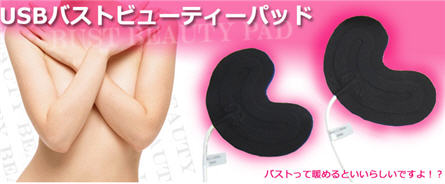
GetUSB.info has a category called “Useless Novelty” and it’s used for those gadgets that really don’t make sense, or just ridiculous. Scrolling through just the first two pages we have items like: USB Breast Warmers, USB Volcano or USB Cabbage.
USB Hack: Turn a USB Stick Into a Hard Drive or Local Disk
USB Tutorial: Turn a USB stick into a Hard Drive or Local Disk
NOTE: The original article can be found at the bottom of this page — jump there now.
UPDATE (2025): USB “Local Disk” without the XP-era driver hack
The old method on this page uses an XP-friendly INF/registry trick to flip the removable bit. It was clever, but on modern Windows 10/11 it’s brittle (driver signing, updates) and many tools/policies now check the device’s hardware class, not a label you force with a file edit.
What changed
- Windows storage stack + signing tightened; spoofed drivers are fragile after updates.
- Backup/imaging/installers increasingly verify true fixed disk at the controller level.
- Enterprise policies often block anything enumerating as “removable,” regardless of UI text.
What works now
Use hardware that natively enumerates as a fixed disk. The device tells Windows “I’m a hard drive,” so Disk Management, BitLocker, and picky installers behave accordingly—no per-PC driver editing.
Product we tested
Nexcopy USB HDD Fixed Disk appears as a Local Disk on any host (controller/firmware set). No utilities, no INF edits, just plug in. It’s suited for tools that require “Local Disk,” imaging, BitLocker, or multi-partition workflows.
Quick self-check
- Just need multiple partitions? Windows can create multiple partitions on many USB sticks. They won’t enumerate as “fixed,” but the partitions work—standard USB is fine.
- Need true “Local Disk” behavior? Choose fixed-disk hardware (e.g., Nexcopy) for installers that refuse “removable,” full-disk imaging, BitLocker parity, or corporate environments that block removable-class media.
Bottom line
The legacy hack is useful history, but for real-world deployments start with hardware that already identifies as a hard drive. For a full, modern walkthrough, see our new article covering 2025-ready options and workflows.
Original Article Starts Here
This is a very valuable tutorial, especially if you are looking to partition a USB stick. Another application for turning a removable drive into a local disk, is that now many software programs can be loaded directly to a USB drive. The first program which comes to mind is iTunes. I know you need My Documents and a Local Disk to install it, so after this tutorial, I’ll try installing iTunes and share the results.
The process of turning a USB stick into a hard drive is fairly easy. However, there are limitations. For example, this works best with Windows XP operating systems. You also need to update the drivers for the device for any computer you are going to use. Typically, this isn’t a big deal as you can easily do this for your work and home computers. However, this isn’t a great solution if you are trying to create a partitions USB stick for distribution to many possible users [say trade show give-away].
Couple of items you’ll need:
- USB_LocalDisk.zip files [download here]
- Windows XP
- USB stick
What we will do, is connected the USB stick, find the driver code, update the driver code and re-connect the device. Simple.
Here are the details:
iPhone Custom Flash Drive
Gizmodo did an interesting post today, it’s as though they knew I purchased an iPhone over the weekend. Yes, I’m part of the “cool kid crowd.” Giz did a post on a new iPhone custom flash drive. It’s a cute little thang, with two eyes, a red dot mouth where the home button is and two munchkin feet.
Make Your Move: USB Breast Warmers

Ladies, a question: For years I have offered my services as a breast warmer out of what I must now admit was a desire not for the comfort of your more prominent glands, but instead an attempt to put my mittens on your kittens. But unlike my campaign to make sure your bosom is extraordinarily clean by barging into your shower with gallons of frothy soap — motivated purely by Christian hygienic charity — I was not entirely positive that your mams got, you know, chilly. Do they? That Thanko has created a USB-powered breast warming system has turned my world upside down. In fact, I’m getting a bit dizzy. If only there were some warm, soft place to lay my head.Source: BoingBoing via Thanko. Continue Reading