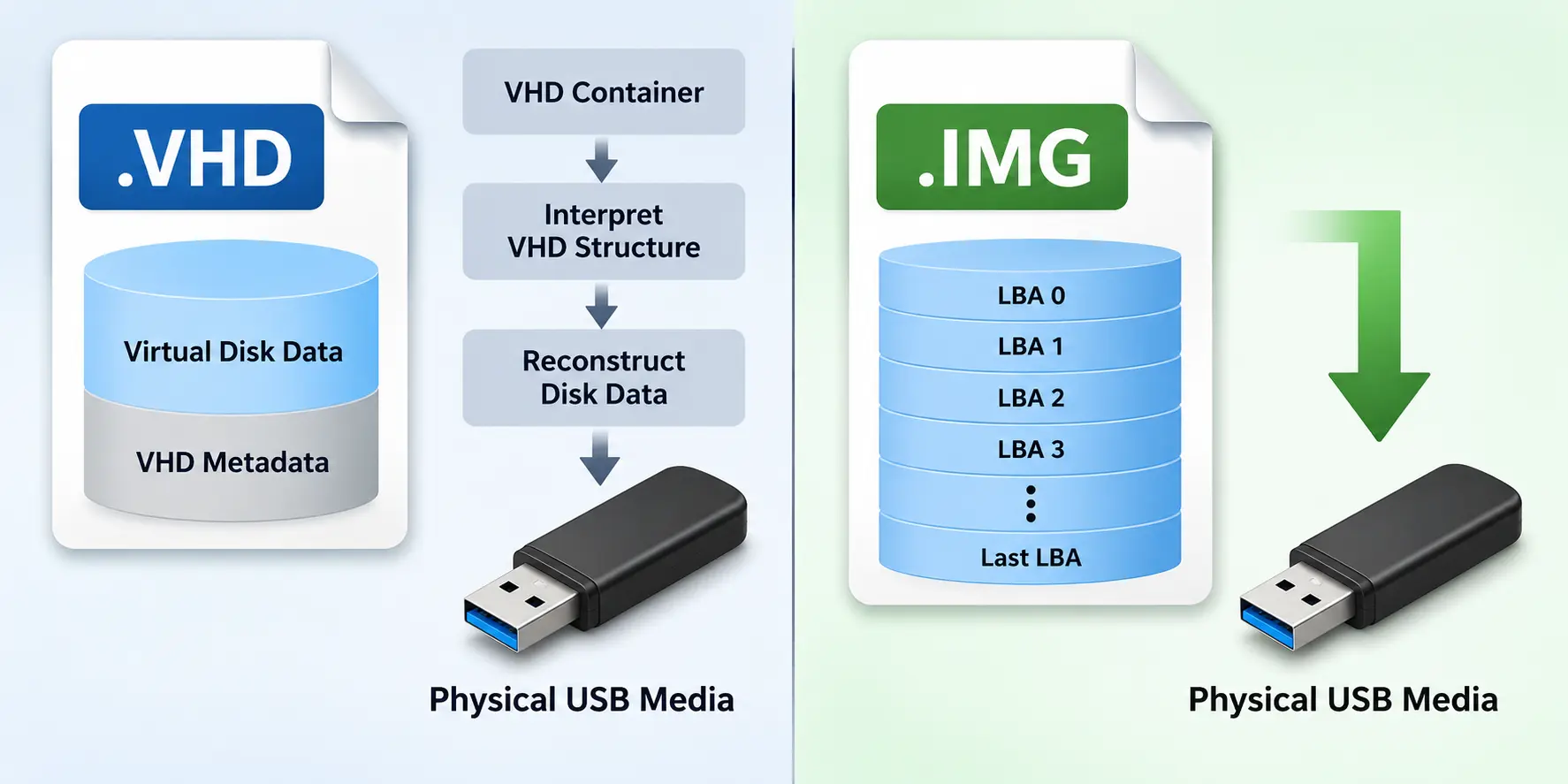
When duplicating USB flash drives, data verification is an important part of the production process. Customers want assurance that the information written to each USB device matches the original source. Two common methods for checking this are MD5 hash verification and bit-by-bit verification. Both can confirm data integrity, but depending on how the duplication software handles disk information, the results may create an unexpected problem.
One example involves the Windows disk signature. A USB flash drive can pass verification and contain an exact copy of the source data, yet create a conflict when multiple duplicated drives are connected to the same Windows computer. This is not necessarily a failure of the verification process. It is a consequence of duplicating information that Windows expects to identify a particular disk.
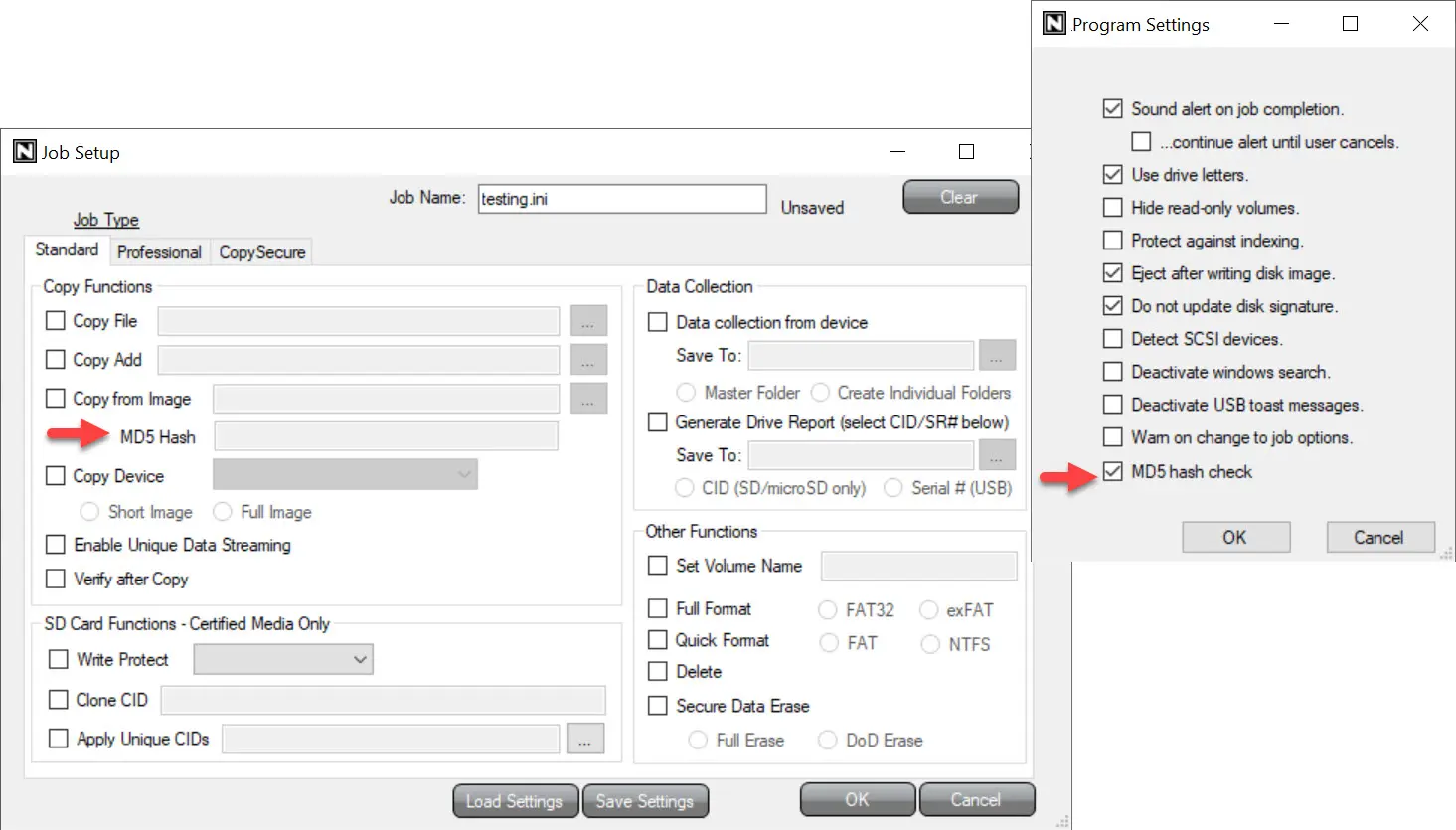
How MD5 Verification Works
MD5 verification calculates a 128-bit hash value from a defined set of data. After the duplication process, the same calculation is performed on the corresponding data read from the target USB drive. If the hash values match, the data is considered successfully verified. Although MD5 is no longer recommended for cryptographic security applications, it remains useful for detecting accidental data corruption during duplication.
For a production environment copying data to 16 or 20 USB flash drives simultaneously, MD5 offers a straightforward method of confirming that each target contains the expected information. The important detail is understanding exactly which data is included in the hash calculation. Verifying individual files is different from verifying an entire disk image, including partition information and disk identifiers.
The Windows Disk Signature Problem
On an MBR-partitioned USB flash drive, Windows uses a four-byte disk signature stored in the Master Boot Record. This identifier helps Windows recognize and manage storage devices. When a full disk image is duplicated, the disk signature can be copied along with the partition table, boot information, file system and user data.
Consider a duplication job where 20 USB flash drives are created from the same master image. If the disk signature is included in the copied data and remains unchanged, all 20 drives will have the same signature. Each device may pass MD5 verification because the duplicated information matches the original source exactly.
The complication appears when several of these drives are connected to the same Windows computer. Windows may detect a disk signature collision and place one or more disks offline, preventing them from appearing normally in File Explorer. The exact behavior depends on the Windows version, disk configuration and how the devices are recognized by the operating system.
From the customer’s perspective, the USB drives appear to have a problem even though the duplication software reported successful verification. The data may be correct, but the duplicated disk identifiers can interfere with normal operation.
Why Changing the Disk Signature Affects MD5 Verification
The obvious solution is to assign a different disk signature to each target USB flash drive. However, changing even one byte of information changes the calculated MD5 hash value. If the verification process requires the entire target image to match the original master image, updating the disk signature will cause the hash comparison to fail.
This is an important distinction. MD5 does not prevent a disk signature from being changed. Rather, a verification workflow requiring an unchanged whole-device hash cannot accommodate that modification unless the software accounts for it. A system could verify the original image before changing the signature, or calculate the expected hash after applying the modification. Both approaches require the verification process to be designed around the intended result.
How Bit-by-Bit Verification Can Handle the Difference
Bit-by-bit verification takes a different approach by directly comparing data read from the target device against the expected source information. Unlike an MD5 comparison, a direct comparison can identify the location of a mismatch, which may be useful when troubleshooting a failed duplication job.
Some professional USB duplication systems from Nexcopy provide both MD5 and bit-by-bit verification options. In supported workflows, the software can also update the disk signature on individual target drives to avoid Windows disk identity conflicts. The verification process can account for these intentional changes rather than treating every difference as an error.
It is worth emphasizing that bit-by-bit verification does not automatically solve disk signature conflicts. A duplicator performing an exact sector comparison without updating the signature can produce the same problem. The advantage comes from how the duplication software combines verification with disk signature management.
Choosing the Right Verification Method
Neither MD5 nor bit-by-bit verification should be considered universally better for every USB duplication job. The correct choice depends on the type of data being copied, whether disk-level information is included and how the finished USB devices will be used.
| Feature | MD5 Verification | Bit-by-Bit Verification |
|---|---|---|
| Verification method | Compares calculated hash values | Directly compares source and target data |
| Detects data mismatches | Yes | Yes |
| Identifies mismatch location | No | Yes, with appropriate software |
| Allows disk signature updates | Requires a compatible verification workflow | Requires a compatible verification workflow |
| Read-back required | Yes, for target data verification | Yes |
| Primary advantage | Compact hash for confirming data consistency | Detailed comparison of expected and actual data |
Data Integrity Is Not the Same as Device Compatibility
A customer requesting 1,000 USB flash drives with MD5 verification may reasonably assume that every device will function correctly because the data has been checked. However, verification only confirms the information included in the comparison. It does not necessarily confirm that the USB drive has the appropriate disk identity, partition configuration or operating system compatibility for its intended application.
This distinction becomes especially important when duplicating bootable USB drives, operating system images or other media containing disk-level structures. MBR disk signatures are one example, while GPT-partitioned media uses disk and partition GUIDs that introduce similar considerations for device identity. Changes to these structures must also be handled correctly when verification and duplication workflows are designed.
The purpose of USB duplication verification is to deliver reliable data, but the finished device must also function correctly in the environment where it will be used. Understanding what is being verified, and which disk-level information should remain identical or be made unique, is just as important as receiving a successful verification result.
Technical Note: This article is based on established USB storage duplication methods, Windows disk identification behavior and practical considerations for multi-target USB production. Verification results depend on the duplication method, data range, partition structure and software implementation. MD5 verification and direct byte comparison are both valid approaches for detecting accidental data mismatches when used appropriately. Image is a screen shot of working USB duplication software by Nexcopy.
Let GetUSB.info keep you updated.
Receive article notifications about USB storage, flash memory, and duplication updates in your preferred language. We average a couple of articles per week.