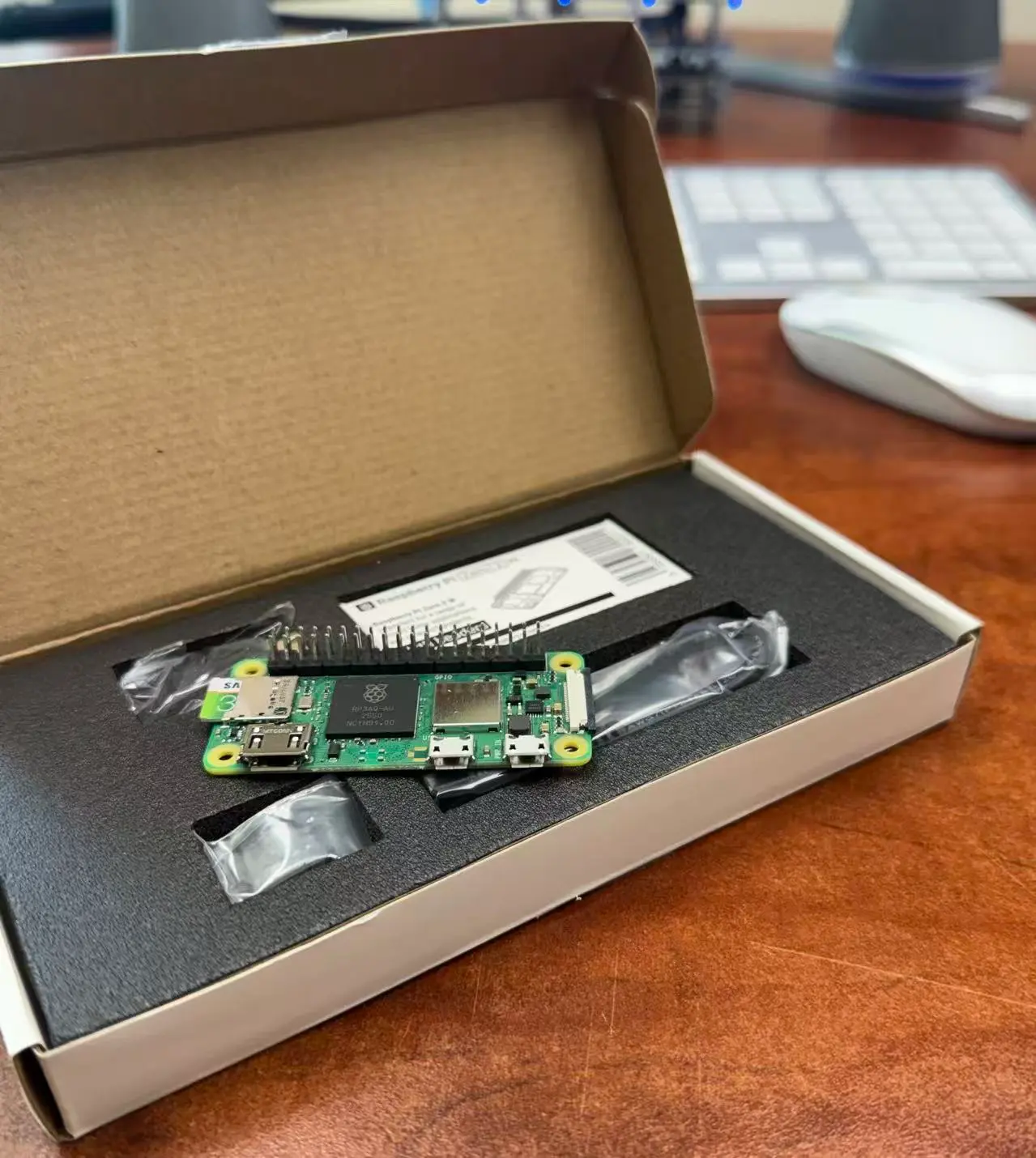
Every once in a while a project comes along that reminds us why the maker community continues to push technology in directions manufacturers never anticipated. This week we came across an excellent Raspberry Pi Zero project by Nick Lewis at How-To Geek that transforms a tiny Raspberry Pi Zero 2 W into both a wireless Network Attached Storage device and a traditional USB Mass Storage drive.
What makes the project so interesting is not that it replaces the USB flash drive. It does not. Instead, it demonstrates how USB and networking can work together to create something surprisingly capable in a package that fits into your pocket.
At its core, the project uses a Raspberry Pi Zero 2 W, a high-capacity microSD card and Raspberry Pi OS Lite. When connected directly to a computer through USB, the Pi presents itself as a standard USB storage device using USB Mass Storage Gadget mode. Disconnect it from the computer and power it from a USB battery or wall adapter, and it automatically becomes a wireless access point allowing phones, tablets and computers to browse and transfer files over Wi-Fi.
That flexibility is what caught our attention. A normal USB flash drive excels at moving files quickly between two devices. This Raspberry Pi project takes a different approach by allowing multiple devices to access the same storage without physically passing a drive around the room.
More Than Just a USB Drive
The project is especially useful for hobbyists, photographers, field technicians or anyone who frequently shares files among different operating systems. Windows, macOS, Linux, Android and even iPhones can all connect wirelessly using supported network tools or a browser-based file manager.
Of course there are tradeoffs. A Raspberry Pi Zero 2 W uses USB 2.0 hardware, so transfer speeds are nowhere near a modern USB 3.2 flash drive or portable SSD. Likewise, the onboard 2.4GHz Wi-Fi was not designed for massive file transfers. If your goal is to copy 100GB as quickly as possible, a quality USB flash drive remains the better choice.
However, speed is not the point. Convenience is.
The ability to walk into a meeting, power up a pocket-sized server and have several people access the same files at the same time is something a conventional flash drive was never designed to do.
How the Pocket NAS Works
The clever part of Nick Lewis’s project is the way the Raspberry Pi changes personalities depending on how it is powered and connected. When a computer is detected through the data-capable USB port, the Pi releases control of the storage image and presents that image to the host computer as a removable USB drive. From the computer’s point of view, it behaves much like any other mass-storage device.
When the computer is disconnected, the Raspberry Pi takes control of the storage again, mounts it locally and makes the files available over its own Wi-Fi network. The result is one storage area that can be reached in two very different ways without the user manually changing settings each time.
This automatic handoff is important because two operating systems should not write to the same filesystem at the same time. Doing so would be a good way to corrupt the storage. The switching script makes sure the Raspberry Pi unmounts the storage before giving control to the USB hostA device that controls USB communication and manages connected USB devices., then safely reclaims it after the host is gone.
The hardware itself is fairly ordinary. The software is what makes the arrangement practical.
A NAS That Fits in Your Pocket
Network Attached StorageA dedicated storage device connected to a network that allows multiple users and devices to access and share data. normally brings to mind a box sitting next to a router with two or four hard drives inside. That is still the right kind of system for long-term backups, large media libraries and business data. A Raspberry Pi Zero with one microSD card is not competing with a full-size NAS appliance, and pretending otherwise would be silly.
What it offers instead is portability. The Pi can create its own wireless network, so it does not need access to a home or office router. Give it power and nearby devices can connect directly. That could be useful while traveling, at a job site, in a classroom, during a meeting or anywhere several people need access to the same collection of files.
It could also become a useful family photo transfer device. Several people in the same household could connect their phones and upload pictures to one shared location without searching for the correct cable or adapter. The limitation is that automatic photo backup, especially from an iPhone, depends heavily on the software used to manage the process. The hardware can provide the storage and network connection, but the experience still needs to be simple enough that people will actually use it.
Why This Is Better Than Building a NAS From Old Flash Drives
We previously looked at whether it makes sense to build a NAS out of old USB sticks. The problem with that approach is not that USB storage is bad. The problem is that combining a pile of unrelated flash drives does not automatically create reliable network storage.
Different controllers, different NAND types, uneven write performance and varying endurance can make a collection of old drives difficult to manage. You also need a host controller, power management, network connectivity and software that knows how to organize everything.
The Raspberry Pi project takes the more sensible route. It uses the Pi as the controller and network server, while a single microSD card provides the storage. It is still a DIY project with limitations, but the design is cleaner and easier to understand.
Security Should Not Be an Afterthought
Any device creating its own Wi-Fi access point should be configured with a strong password. The same applies to SMB shares or any browser-based file manager installed on the Pi. An open wireless share might be convenient in your living room, but it becomes a different story in a hotel, airport or crowded conference center.
It is also worth remembering that a single microSD card is not a complete backup strategy. If the card fails, is lost or becomes corrupted, the files may be gone. Important data should still exist in at least one other location.
This device is better viewed as portable storage, a transfer tool or one layer of a backup routine. It should not become the only home for irreplaceable family photos or work files.
Why We Like Projects Like This
At GetUSB.info we have covered USB technology since 2006. One reason USB has remained successful is because it continues to adapt. USB started as a practical way to connect peripherals, then became the standard for flash drives, external SSDs, charging, video output and countless embedded devices.
Projects like this continue that tradition. They do not replace USB. They build on it.
The Raspberry Pi Zero uses USB as both a power source and a data connection, while Wi-Fi extends access to devices that may not have the correct physical connector. Each technology handles the job it does best. USB provides the direct connection and mass-storage compatibility, while wireless networking allows several devices to reach the files without taking turns with a cable.
That combination is the real strength of the project. It is not trying to prove that one connection method is better than another. It simply uses both.
Could This Become a Commercial Product?
Portable wireless storage products have existed before. SanDisk offered wireless flash storage products years ago, and several companies have experimented with battery-powered drives and travel routers containing USB ports. Some worked reasonably well, while others disappeared after their companion applications stopped receiving attention.
That history tells us something important. Building the hardware is only part of the challenge. A commercial version would need reliable iPhone and Android applications, automatic photo backup, duplicate detection, simple user accounts, encryption and an interface that does not require the customer to understand SMB, mount points or Linux services.
The Raspberry Pi community is comfortable with setup files and command-line scripts. The average household is not. For a commercial product to succeed, the technical work has to disappear behind one large button that says something like “Back Up Photos.”
The idea is still compelling. A small device with local storage, Wi-Fi, USB connectivity and no required monthly cloud subscription could appeal to families, photographers and travelers. Whether it becomes a successful product would depend much more on the software experience than the electronics inside the case.
Before You Go
One thing this project quietly demonstrates is that modern hardware has become remarkably inexpensive and capable. A tiny single-board computer, a microSD card, Wi-Fi and USB connectivity can now be combined into something that would have required a much larger and more expensive system only a decade ago.
Yet the most valuable part of this project is not the hardware. It is the software.
The intelligence that automatically switches between USB Mass Storage mode and a wireless file server is what transforms a handful of common components into a genuinely useful device. The Pi, cable and memory card provide the raw capability, but the switching logic is what makes the system feel like one product instead of a box of unrelated parts.
As hardware continues to become more affordable, it will increasingly be software, not silicon, that determines which ideas become everyday products and which remain interesting weekend projects. Great hardware may get people’s attention, but good software is what keeps them using it.
E-E-A-T Note: This article was inspired by a Raspberry Pi Zero project created and documented by Nick Lewis for How-To Geek. Readers interested in the original implementation, switching script and setup details can review Nick Lewis’s original project article. The accompanying Raspberry Pi photograph used with this GetUSB.info article was taken by GetUSB.info using our own hardware.
Let GetUSB.info keep you updated.
Receive article notifications about USB storage, flash memory, and duplication updates in your preferred language. We average a couple of articles per week.