Backing up your data is probably the #1 item most computer users neglect, ignore or simply don’t pay attention to. Most times it’s because the software is too difficult or you don’t have the right storage device to back up your data [sat DVD, DLT tape etc]. Well, this article should change your mind.
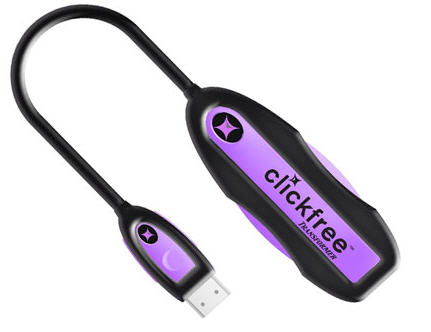
ClickFree has a very unique and convenient solution for data backup. Using their USB cable and embedded backup software [embedded on the cable] you can backup any computer to your USB hard drive, USB stick or anything else USB.
No software to install or setup. Works right out-of-the-box. Just plug the Clickfree Transformer into the computer, then plug any external USB hard drive into the other end of the Transformer and it converts the external hard drive into a Clickfree backup drive. Automatically starts, finds, organizes and backs up all of your data onto the external hard drive.
The ClickFree software is robust enough to support over 400 file types. Here is the category breakdown for you:
Photos
Music
Video
Word, Excel, PowerPoint files
Financial data files
E-mail and E-mail attachments
Favorite websites
The great thing about ClickFree is that upon connection of the USB cable, the software will automatically search our your computer for the files needed to backup and begin the process.
So don’t let those older hard drives go to waste. Don’t spend extra money on new hard drive backup systems. Just grab a ClickFree USB cable backup solution and make use of what you’ve already got.
Source:Â EverythingUSB.
Kicking around in technology since 2002. I like to write about technology products and ideas, but at the consumer level understanding. Some tech, but not too techie.