GetUSB.info Logo

Posts Tagged ‘usb-c’

Why My USB-C Isn’t Working – Microsoft Is Cleaning Things Up

Why My USB-C Isn't Working - Microsoft Is Cleaning Things Up

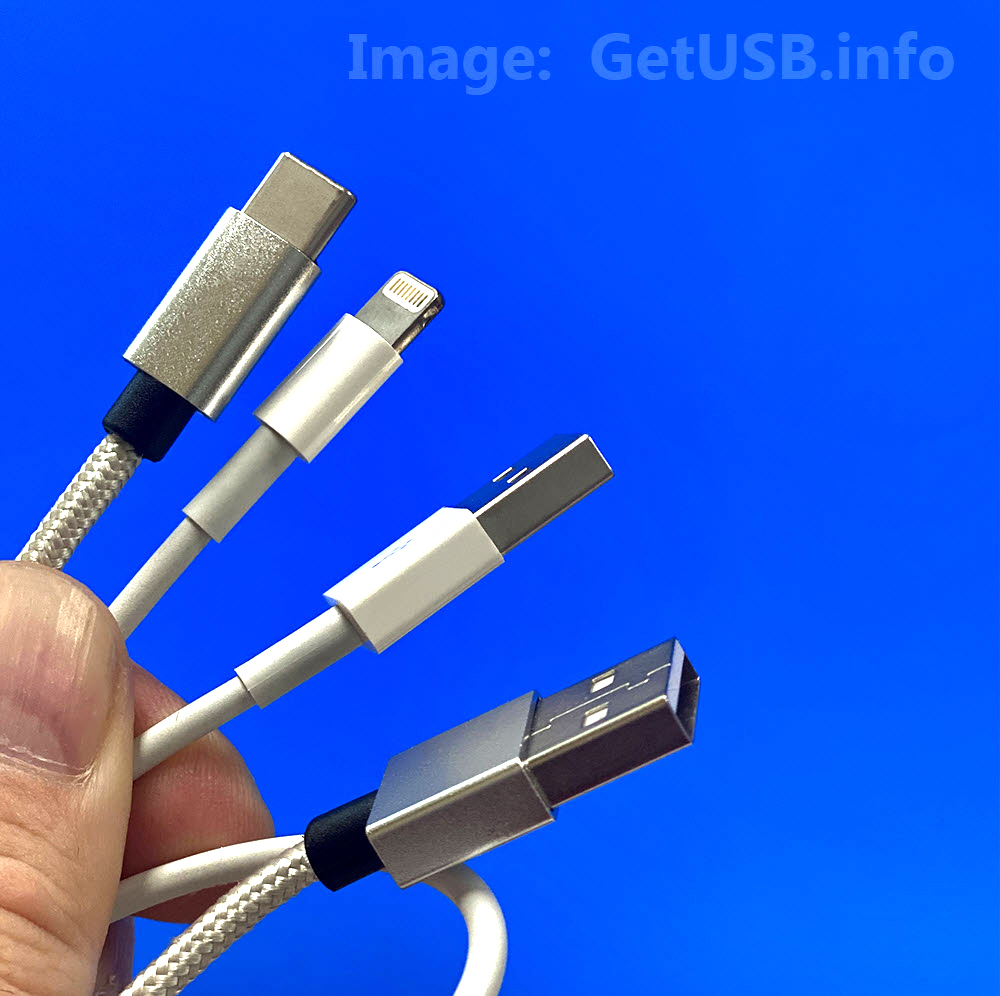
Microsoft is trying to ending USB Type-C port confusion by addresses the user issues they face with USB-C ports on Windows 11 devices. Even though USB-C is ‘supposed to be’ universal the ports themselves do not offer the same functionalities – leading users to confusion and frustration.

To combat this, Microsoft has implemented new standards through the Windows Hardware Compatibility Program (WHCP) to ensure consistency and reliability across USB-C ports on certified Windows 11 devices.

Understanding the Problem

Continue Reading

Test USB-C Cable For USB 2.0 and USB 3.0x Standards

USB-C cable tester board for USB 2.0 and USB 3.x verification

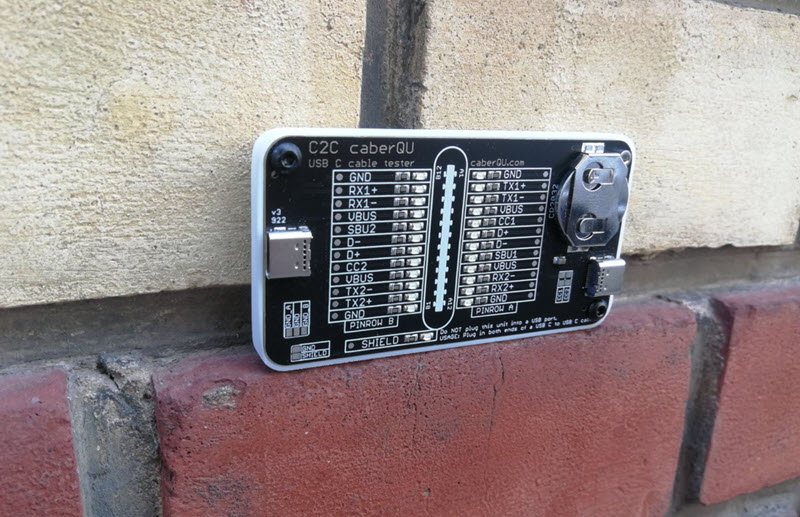
The C2C caberQU is a compact USB-C cable tester board designed to validate USB-C to USB-C cables across a wide range of configurations and use cases.

This tool is particularly useful for IT professionals who need to verify cable quality beyond basic connectivity. It applies voltage to individual pins and detects continuity on the opposite end. With 25 LEDs, the board displays pin behavior across multiple modes, including USB 2.0/1.1, USB Power Delivery, USB 3.0/3.1/3.2, Alternate Mode, Debug Accessory Mode, and Audio Adapter Accessory Mode. A detailed manual is included to explain connectors, operating modes, and pin layouts.

Examples for IT managers:

  1. USB cable verification — An IT manager dealing with a pile of USB-C cables can quickly test each one and identify its capabilities. This helps ensure the correct cables are used for specific devices, reducing performance issues and compatibility problems.
  2. Hardware troubleshooting — In environments such as data centers or technical workspaces, cable faults can cause unpredictable behavior. Using the C2C caberQU board helps isolate issues like broken pins or incorrect wiring and reduces diagnostic time.
  3. Inventory management — Managing stock of USB-C cables can be difficult due to inconsistent labeling. The C2C caberQU board allows verification of cable specifications before deployment, helping teams avoid purchasing or distributing unsuitable cables.

V1 vs. V3 — Which one to choose?

Comparison of C2C caberQU V1 and V3 USB-C cable tester boards

There are two versions of the C2C caberQU board available, V1 and V3, with minor differences:

  • V1 includes a standard battery; V3 uses a higher-quality branded battery
  • V3 supports use with a protective case
  • V1 does not include hanging holes for storage
  • V1 features slightly different printed graphics on the PCB

Functionally, both versions perform the same task. They include the same manual and provide identical LED behaviors for testing.

Why was this board created?

USB-C cables exist in many variations, which makes it difficult to determine what a specific cable actually supports. Using the wrong cable can result in slow data transfer, charging issues, or device incompatibility. USB-C also requires precise pin mapping, grounding, and resistor configurations, which increases complexity.

Why is this a better way to test cables?

Determining whether a cable supports a specific use case can be difficult without specialized tools. Broken pins make troubleshooting even harder because failures are inconsistent. The C2C caberQU simplifies this by visually displaying pin behavior. By flipping the USB-C connectors, corresponding LEDs illuminate according to USB-C specifications. The package includes the PCB, a CR2032 battery, and a detailed manual. The USB-C cable itself is not included.

No external power source is required. The included CR2032 battery powers the board when a cable is connected and should last for an extended period under normal use.

Please note that this product is considered a prototype, is not certified, and is intended primarily for development and testing purposes. Minor quirks or unexpected behavior are possible and are part of its experimental nature.

The USB Implementers Forum (USB-IF) was established in 1995 by companies including Intel and Microsoft to develop and promote USB standards. USB 3.0 (later branded as USB 3.1 Gen 1) was introduced in 2008 and increased data transfer speeds to up to 5 Gbps, while maintaining backward compatibility with USB 2.0 devices.

There is no affiliation or affiliate relationship with this product, but it can be sourced here: C2C caberQU USB-C cable tester, typically priced around $30 USD.

Continue Reading

Official (nearly) – Apple Dropping Thunderbolt for USB-C

Apple switching Thunderbolt to USB-C

We love to hear the big and small wins for USB technology. After 10 years, USB-C will win the battle as the connection socket of choice for iPhone products.

Why?

It is estimated the value of charging cables to be sold in 2022 is $2.6 billion dollars. If you estimate cable to be $10 USD, that is 260 million physical cables made. Yes, this is an estimated number, but that is a lot of potential waste given most already have charging cables.

The fundamental problem are the different cables needed for different devices. This is why USB is such a lovely technology. It is designed to be universal. Really, all electronic devices which can charge or communicate should connect via one physical method. We vote USB-C!

Who started it?

The EU started the push to codify the use of a single connector type for all electronic devices starting in 2018. The EU started this process in order to eliminate waste associated with one cable being shipped with every electronic device. Their goal is to reduce the number of charging cables manufactured to get the world closer to a carbon neutral position. EU wants all devices to use the same connection type by 2030.

Who tipped us off?

Today we learn from a well known parts analyst who covers Apple products. Ming-Chi Kuo is an analyst who surveys different parts suppliers related to the supply chain of products manufactured for Apple. Through forecasting surveys and supplier questions, Kuo is able to accurately predict many upcoming trends and changes related to Apple products.

When will this start?

Based on parts forecasting and the ramp up of USB-C components, Kuo believes the change will happen in 2023.

Continue Reading

Port Hub for MacBook Connects via USB from Satechi

Port Hub for MacBook

Port Hub Provides Six Connection Options via USB

The Satechi Port Hub adapter extends the functionality of your M1 MacBook Pro laptop. It has all of the necessary ports, including a USB4 port, Gigabit Ethernet, a USB-C data port, two USB-A data ports, and an audio jack port. The Pro Hub Mini is the only adapter you need, with a wide range of options for fast data transfer and a modern aluminum design.

Designed to complement your MacBook ports, it includes two USB-A 3.0 data ports, one USB-C data port capable of up to 5 Gbps, Gigabit Ethernet, and a 3.5mm audio jack.

The port hub features next-gen USB4 technology and can charge your devices at up to 100W. You can also benefit from data transfer speeds of up to 40 Gbps and video output resolutions of up to 5K/60Hz.

By connecting the hub to the Thunderbolt ports of your MacBook Pro 14 and 16 inch (2021), you will have access to all ports. The MagSafe 3 port is still usable and recommended for fast charging. An audio jack port clip is also included and is designed to fit into the MacBook Pro 14 and 16 inch (2021) chassis to help stabilize the hub.

Having designed multiple technology products, this product does raise a question about the physical connection between the port hub and the MacBook. From the image (as this unit has not been tested here), it appears the audio jack and dual USB-C connectors provide a reasonably durable mating.

However, accidents happen. If the combined unit were to be dropped (for example, slipping off a desk edge) and landing on the hub, there is a reasonable concern about potential stress or damage to the laptop’s internal ports.

Given that these ports represent the only external digital connection for this model, repairs could be costly. Food for thought.

Port Hub connected via USB-C

Consider buying this MacBook port hub from Amazon if this article helped inform your buying decision.

Important

  • To achieve 5K video output, you’ll need a compatible computer, Thunderbolt cable, and a 5K monitor
  • The MacBook Pro (16 inch, M1 Pro/Max, 2021) MagSafe 3 port can charge up to 140W
  • The USB4 port can only charge up to 100W
  • Use the MagSafe 3 port directly on the computer for faster charging
  • Charging and CD drives are not supported by USB-A ports
  • The audio jack port clip is only compatible with MacBook Pro 14 and 16 inch models released in 2021
  • The hub can be used with older MacBooks with USB-C, but the audio jack clip will not fit

The original manufacturer product page can be found here on the Satechi website.

Continue Reading

The Swiss Army Knife of USB-C Hubs

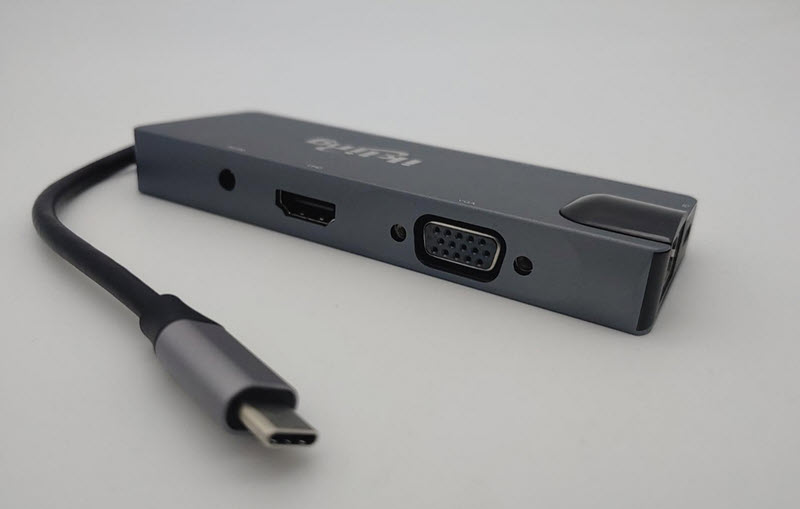
Did you buy one of those ultra-thin laptops and fall in love with the lightweight design, sleek form factor, and powerful processor—only to realize you can’t use its full potential because it lacks the ports you need? A 9-in-1 USB-C hub solves that problem, giving your laptop desktop-like connectivity.

A USB-C hub allows you to connect a monitor, speakers, headphones, SD cards, and even a 10Base-T Ethernet cable at home. A hardwired Ethernet connection is especially useful, but the ability to connect a spare VGA monitor for a second screen is equally valuable.

USB-C hub with multiple video, USB, and network ports

The 9-in-1 hub is compact, lightweight, and well built. It consists of a wedge-shaped aluminum tube, with the taller side housing the video ports. A circuit board is suspended inside using plastic inserts that also align and cover the port openings. The two end caps are press-fit into the aluminum body without adhesive. If the device were dropped and came apart, it would be easy to snap back together.

USB-C hub 9-in-1 angled view showing aluminum enclosure

Evaluating product quality often requires taking it apart. This hub disassembles easily by removing the plastic cap over the Ethernet port, allowing the internal board to slide out effortlessly. The cap on the cable end can also be removed, though it is not required for board access. The USB-C cable is connected via a displacement-style connector and secured with adhesive. The cable shielding is ungrounded, which adds minimal functionality, but the short cable length helps preserve signal reliability.

Most major components, aside from the DAC, are older parts from reputable manufacturers. Two of the four USB-C high-speed lanes are assigned to USB data, while the remaining lanes are allocated to DisplayPort. As a result, USB operates without compromise, but DisplayPort bandwidth is limited to two lanes. This means higher-bandwidth modes such as 4K at 60Hz are not supported. The onboard 3A DC converter should provide sufficient power for all components, assuming only low-power USB devices are connected simultaneously.

Internal PCB of USB-C hub showing chipset and port layout

  • The USB hub supports up to 2.4A fast charging for a single device; however, the hub is limited to 3A total, so charging multiple devices at high speed is not possible.
  • The HDMI output is limited to HDMI 1.4, but all non-3D display modes within the specification are supported.
  • VGA output supports both widescreen 1080p (16:9) and UXGA (4:3).
  • The card reader supports simultaneous use of microSD and full-size SD cards.
  • The 2-channel DAC requires HDMI audio input and converts HDMI audio to analog stereo output.
  • Ethernet supports link detection and Energy Efficient Ethernet (EEE) to reduce power consumption when idle and during operation. Shorter Ethernet cables may also reduce heat. Wake-on-LAN features are supported.

When compared to the OEM Microsoft Surface Dock, which typically costs around $200, the value difference is significant. This USB-C hub offers strong value at around $30 at the time of this post.

View all articles related to USB hub products published by GetUSB.info.

Continue Reading

Power Over Ethernet to USB-C From Far Away

USB-C is a great technology, offering ultra-fast data transfer rates close to 10Gbps and increased power delivery for charging laptops, monitors, and TVs. However, the power advantage of USB-C diminishes over longer cable lengths. According to the USB-C (USB 3) specification, optimal power and transfer rates are maintained only when the cable length is under two meters (about six feet).

Power over Ethernet (PoE) is a proven way to deliver both data and power over long distances via cable. PoE Texas has introduced a product that extends USB-C connections using this technology.

“As a standard, USB-C offers amazing speed and power delivery. Unfortunately, USB-C can only transmit power less than ten feet (three meters), and the cable infrastructure comes at a cost premium. Ethernet cable, nearly ubiquitous in modern construction, can transmit power and data up to 328 feet (100 meters). USB-C power and data transmitted over Power over Ethernet significantly lowers the cost of adopting USB-C by eliminating the need for new electrical infrastructure.”

Extending USB-C Connections with Power over Ethernet

Real-World Example of PoE USB-C in Use

A user has a workstation located about 30 feet away from the production unit it needs to communicate with. The production unit is a USB-C duplicator by Nexcopy. The workstation manager controls the data to be loaded onto USB-C flash drives, while the production manager physically connects and disconnects the USB sticks during the duplication process.

Because a standard USB-C cable cannot cover the required distance, the user can employ the USB-C Power over Ethernet solution to deliver both power and data effectively to the remote device.

  • Conference Room Setup: A USB-C monitor is mounted 40 feet away from the docking station. Using PoE to USB-C allows both video data and charging power to reach the display over a single Ethernet cable.
  • Security Camera Installation: A USB-C powered 4K security camera is installed 80 feet from the control room, receiving both power and data via PoE without additional electrical wiring.
  • Point-of-Sale Terminal: Retail stores can power USB-C tablets located 50–75 feet from the main server rack using PoE, avoiding the need for extra outlets and USB hubs.
  • Industrial Automation: A USB-C duplicator or machine placed 60 feet from the workstation uses PoE adapters to maintain stable power and high-speed data transfer without costly long USB cables.

Product Page: POETexas.com

Reference: Power over Ethernet (Wikipedia)

Continue Reading

Copyright

Copyright © 2006 +

USB Powered Gadgets and more...

All Rights Reserved

Advertise with us

GetUSB Advertising

This is a high value website providing great exposure to your product and brand. Visit our advertising page to learn specifics.

For more information
Visit our advertising page.

Nexcopy Ad

Nexcopy Provides

USB copy protection with digital rights management for data loaded on USB flash drives.

Contact us learn more

Resources and References Page

Resources and References Page