GetUSB.info Logo

Posts Tagged ‘nexcopy’

Press Release: USB Write Protect Switch Has Been Replaced With Better Technology

usb-write-protect-switch-replacement

Lake Forest, CA – [June 24, 2025] — Nexcopy introduces the Lock License USB drive as a secure, modern alternative to the USB write protect switch — offering firmware-level data protection with no physical toggle. A leading provider of advanced USB technology solutions, Nexcopy is emphasizing that the Lock License USB flash drive is a groundbreaking replacement for the traditional USB write protect switch flash drive. Built on a hardware-firmware architecture, the Lock License flash drive offers unmatched security, automation, and deployment capabilities for modern business and industrial use.

For years, one USB flash drive option was a manual write protect switch for basic read-only data protection. However, in today’s threat landscape, this physical toggle is not only antiquated but also vulnerable to human error and physical tampering. Nexcopy’s Lock License USB drive redefines secure data transport and storage by offering firmware-level, controller-enforced read-only protection which is always active from the very first use.

“The USB write protect switch is simply outdated technology,” says Greg Morris, President of Nexcopy. “Lock License is built from the ground up with enterprise-level features like automatic re-locking, password-protected access, command-line scripting, and zero backdoor access — something the switch could never provide.”

Why Lock License Leads the Industry

Continue Reading

Is it worth buying a USB 3.1 Flash Drive?

Is it worth buying a USB 3.1 USB flash drive?

The tech industry, tech nerds and tech blogs will definitely say that buying a USB 3.1 flash drive is worth it. After all, these blogs need something new to write about and new links to generate for affiliate advertising, but are these blogs reporting back valuable information before someone spends their hard earned cash?

Let us compare the write speed difference between a USB 3.1 flash drive and a USB 3.0 flash drive to see what information we can uncover.

Universal Serial Bus (USB) has different transfer speeds based on the version of technology, we did a write about that earlier. The USB 3.1 specification has a transfer rate which taps out at 1,250 MB/second (Megabytes per second). The USB 3.0 specification has a transfer rate which taps out at 625MB/second. Of course this is the theoretical maximum transfer speed. When anyone says “theoretical transfer speed” they are implicating all conditions are ideal. For example, the host computer has the horsepower and bandwidth to push that much data and the receiving device (in this case, flash drive) has equal throughput to receive that data. But is that the real world – is it worth buying a USB 3.1 USB flash drive?

Below are some images and here is the general order of what you will be reading:

  • Screen shots of the USB device type (USB 3.0 and USB 3.1)
  • Screen shots of benchmark software testing both USB technologies
  • Screen shots of a real-world copy jobs using a Windows computer

From the screen shots below you can see a USB 3.0 flash drive and USB 3.1 flash drive. Both flash drives use an SMI controller for the USB 3.0 and 3.1 technology. These are the same high quality and higher performance controllers seen in iPhones and NAND memory used from Micron Technology. The NAND memory type is MLC (multi-layer cell memory) is slower than SLC NAND memory (single layer cell). Note: USB flash drives do not use SLC memory because the NAND memory price is too expensive and the SLC supply is very small. Flash drives are produced at mass scale and meant to be a low cost data transfer and storage tools – speed is not the #1 priority, despit all the marketing we read online.

USB 3.0 flash drive specifications

USB 3.1 flash drive specifications

Here are benchmark speed tests for both USB devices in discussion today.

The program has two test settings for benchmarking a speed test. One test setting is for the theoretical maximum speed of the device and writes data directly to memory without accounting for operating system and device overhead for were the data is stored. Think of this as a random write test to any available sector on the flash drive.

The second test setting is a write sequence which includes the operating system and device overhead cache for placing files in the file allocation table. This means extra time is spend during the data transfer to log where each sector is written along with the calculation required to write the next bit of data. This second test setting is more like a real-world experience.

Speed benchmark software is designed to provide a relatively quick summary of the device capability. So the first test setting is designed to show the theoretical maximum write speed or “burst” write speed. The second test setting is designed to show a more “sustained” write speed. Any benchmark software is designed to provide a quick and easy snap-shot of what the device can do – but can the device do it?

Readers can download the USB Scrub software for speed benchmarking their flash drives. The software is 100% free, no installation or sign-ups, and includes other cool features like registry cleaning and making image files of flash drives. USB Scrub download link
Continue Reading

Maintenance for USB Flash Drive Duplicator

USB flash drive duplicators are typically in production type environments because the equipment is being used to make hundreds or thousands of flash drives. Maintenance for USB flash drive duplicators is key to keeping the equipment operating at peak performance.

As with any flash memory duplicator system, there are no moving parts. This certainly makes it easier on keeping the gear in tip-top shape. Although there are no moving parts there are still cleaning steps one can take. There are three areas to consider for maintenance for USB Flash Drive Duplicator.

Maintenance for USB Flash Drive Duplicator, usb 3.0, super speed

The USB socket of a USB duplicator receives the most wear-and-tear. The standard USB socket has a specification of 100,000 connection cycles. During that time, it’s possible dirt and dust can get into the USB socket. However, more likely will be plastic shavings form the USB stick itself found inside the socket. If a user connects a USB stick at a slight angle and with a bit of force, it’s possible some of the plastic inside the USB stick connector is shaved off and falls into the USB socket of the flash drive duplicator.

If this happens the quick, simple and effective solution is applying compressed air into the USB duplicator socket to blow out any debris, dust or dirt. By cleaning out the sockets you will insure a better point of contact between the pins of the USB flash drive and the pins of the USB socket.

Another common issue with USB duplicators are the sockets themselves getting lose from all the connection cycles during the production process. Inside each USB socket there are metal tongs which provide tension as the USB stick is connected to the socket. Over time, these tongs lose some of their elasticity and thus result in less tension. When there is less tension between the socket and device, it is possible a good connection is not made. By taking apart the duplicator and adjusting the tongs of the USB socket you can create good, strong tension.

Here is a close up picture of a USB socket from a USB flash drive duplicator made by Nexcopy. The red arrow points the tension tong. Using some sort of sharp mechanical tool, push the tension tong down towards the inner part of the USB socket. Do not push or bend the tong too much, but enough to create good tension when a USB flash drive is inserted into the socket. Apply this technique to all sockets of the duplicator.

Maintenance for USB Flash Drive Duplicator, tension thongs on usb socket

The last bit of maintenance for a USB flash drive duplicator would be the internal fan and components. As with any computer, the internal fan will pull or push dust into the chassis and cover the components. The dust itself will not damage the components, but the dust will cover the components on the inside and make them run hotter than what is ideal. For this reason, it is a good maintenance step to open the duplicator unit and apply compressed air to the inside of the unit.

By thoughtfully and methodically applying the above maintenance steps your USB flash drive duplicator will continue to run for many years.

Continue Reading

Press Release: Nexcopy Introduces Default State USB Write Protection Flash Drive – Lock License

“The fundamental change towards how our flash drive works should draw attention for those looking for USB write protection for flash drives” says Greg Morris, CEO of Nexcopy Inc.

What is unique about the Lock License approach is whenever power is cut to the device, for example disconnection, the USB is automatically write protected. This is the strongest first line defense against malicious software or virus jumping onto a flash drive without the user knowing. It is impossible to infect a USB drive if the device is write protected.

Lock License flash drives require a password upon first use. This password is used to unlock the write protection and make the USB a read/write device. This feature provides a personalized solution for each business which uses the Lock License technology. There is no need to set the write protection after being unlocked because simply cutting power to the device will put the USB into its default state: A read-only device.

USB write protection, Nexcopy Press Release

The Nexcopy Lock License USB flash drive has the following features:

  • Default state of drive is read-only, a.k.a write protected
  • User assigned password to remove write protection
  • No password is required to read from the drive, acts as normal WORM device
  • Graphical User Interface (GUI) to set password and remove write protection
  • Command line utility for custom integration to remove write protection
  • No back door password or feature from Nexcopy to unlock the drive
  • Available in USB 2.0 and 3.0 technology and ranging from 2GB through 128GB capacities

Stan McCrosky, head of Sales, comments, “System Control manufacturers for waterworks, electrical utility and petroleum companies need a solution like this. The ability to load software or firmware to a hardware based USB read-only device gives system control companies an incredible amount of security for in-field deployment via USB. More importantly, the command line utility gives the manufacturers a secure way to unlock the drive and update the content remotely without the worry of the drive remaining read/write. It’s simply impossible for the drive to remain writable.” McCrosky concludes.

The Lock License USB flash drive is simple to implement. Steps include:

  • Connect USB to a Windows computer
  • Open either GUI or command line utility to remove write protection
  • Assign a password to be used when removing the write protection
  • Data load the drive as needed
  • Eject drive from computer once copy process is complete
  • At this point the USB is write protected at the hardware controller level
  • The Lock License drive can be read (used) by any device on any platform
  • Password not required to read data from the drive
  • Password is only used when removing write protection to make the USB read/write

Nexcopy Lock License media is available in USB 2.0 and USB 3.0 technology and range it capacity from 2GB through 128GB. Nexcopy offers six body styles for the Lock License media with a wide range of body colors available for each stye, all available for custom branding. The six body styles include Oxford; a capless swivel style drive. Newport; a classic rectangular shape with cap. Lexington; a classic rectangular style with rounded edges and cap. Augusta; a shorter style drive with large lanyard loop. Huntington and Geneva which uses an aluminum body for more durability and also better suited for laser etch branding.

The Oxford style swivel drive is the in stock media Nexcopy carries for same day printing and shipping. Nexcopy inventories USB 2.0 media of 2GB and 4GB capacity and in stock USB 3.0 media of 8GB, 16GB, 32Gb, 64GB and 128GB capacities. The in stock Oxford media is a black body with white swivel clip with full color printing via the Nexcopy Logo-EZ USB flash drive printer.

The Lock License utility is available for download off the Nexcopy support page. The utility requires a Nexcopy licensed USB flash drive. The Lock License USB write protection is not a universal solution for any thumb drive, a Nexcopy drive is required in order to take advantage of the increased security the technology offers.

Official press release:

Read more about Nexcopy on this website.

Continue Reading

USB Firewall For Connecting USB Devices

The average user inserts a USB stick into their computer from a trusted source. However, there are companies and situations who receive USB flash drives or USB hard drives and they are not certain if the device is infected. Some information to help with USB firewall for connecting USB devices.

Globotron is a company based in New Zealand who designed the product. The product is called Armadillo and is an open-source USB firewall.

Some research has shown, as many as 29 different types of USB attacks can happen from plugging in mass storage devices (like USB flash drives and USB hard drives) or also HID devices (human input devices like keyboards and mouse).

The USB stack which is the low level code used in the host computer, is very complex and over time researchers and hackers have discovered ways to compromise a computer system through these vulnerabilities.

The Armadillo is an open-source device which is a firewall between a USB device and computer. The firewall isolates the firmware of the USB device so as not to infect your PC if the device has been infected with malicious firmware. You just need to plug in Armadillo between your computer and the USB device using the provided micro-USB cable. Armadillo is an upgrade over USG, the original or first-generation USB hardware firewall device.

USB Firewall For Connecting USB Devices

The Armadillo has bot detection. This means if the USB firewall device detects malicious codes are being entered via keyboard or mouse (HID devices) the device will block transmission and a red LED indicator light will turn on.

The Armadillo has the ability to temporarily make your USB read only. This is valuable if the computer is infected and you need pull information (recovery software) from the USB stick and want to insure virus’ do not infect the flash drive. The USB is read-only, but it is read/write when not connected to the Armadillo.

Note: If you need a USB stick that is always write protected at the controller level, yet need to temporarily turn off the write protection for data changes, the Lock License drive from Nexcopy is your solution.

This last point about the Armadillo is a bit strange, but we like it. The body is sealed with glitter epoxy so it is easy to identify if the box itself was tampered with. Very creative!

The Armadillo USB Firewall is available from Globotron for $150 USD and ships from New Zealand.

Continue Reading

New mini Size USB Duplicator from Nexcopy

LAKE FOREST, CA, USA, November 20, 2019 /EINPresswire.com/ — Lake Forest, CA – November 20, 2019 – Nexcopy Inc. introduces an all-new mini-size USB duplicator, the USB104SA, a 4-target standalone USB flash memory duplicator specifically designed to be lightweight and portable.

USB104SA mini USB duplicator by Nexcopy

The USB104SA USB Duplicator has a list of features which pivot from the larger, award-winning Nexcopy standalone duplicators. Features include:

  • Asynchronous copy mode, all the time
  • Binary copier will copy any format: FAT, FAT32, exFAT, NTFS, HFS, Ext2, Ext3, Ext4, Proprietary
  • Binary CRC verification algorithm
  • Quick Erase and Full Erase for disk sanitization
  • Four language modes in LCD menu
  • USB speed benchmark utility
  • Firmware upgradeable

“With the lack of optical drives in computers and laptops, the USB stick continues to grow in popularity,” reports Greg Morris, President of Nexcopy. “What we have seen is a demand for both small configuration systems for those transitioning from optical media to USB media and large production systems which we’ve serviced for years. The USB104SA is a great stepping stone for those coming from the optical duplication industry.”

Stan McCrosky, Head of Sales, comments, “What we have seen are small organizations and businesses requesting something low cost and low volume for data duplication. Our main focus is still business-to-business, but the growing demand for low-volume duplication equipment justified the development of a product like the USB104SA.”

The USB104SA is a portable solution and ideal for trade shows or speaking events. The unit weighs less than one pound and has a footprint of about six inches by one inch tall. The unit can easily fit into your computer bag, which is ideal for carry-on luggage at the airport.

The USB duplicator is powered by a microUSB cable which can be connected to your laptop’s USB port. A USB power block is also provided for powering from an outlet.

Nexcopy firmware is a code technology which has evolved since 2008. This system is backward compatible with USB 1.0, 2.0, and 3.0 flash memory. The system will accept SD card reader adapters, microSD and CF card reader adapters. The firmware may be used to speed test flash memory, which is a great tool for understanding the quality of flash memory a supplier has provided.

EIN PressWire official news release

Continue Reading

Power Over Ethernet to USB-C From Far Away

USB-C is a great technology, offering ultra-fast data transfer rates close to 10Gbps and increased power delivery for charging laptops, monitors, and TVs. However, the power advantage of USB-C diminishes over longer cable lengths. According to the USB-C (USB 3) specification, optimal power and transfer rates are maintained only when the cable length is under two meters (about six feet).

Power over Ethernet (PoE) is a proven way to deliver both data and power over long distances via cable. PoE Texas has introduced a product that extends USB-C connections using this technology.

“As a standard, USB-C offers amazing speed and power delivery. Unfortunately, USB-C can only transmit power less than ten feet (three meters), and the cable infrastructure comes at a cost premium. Ethernet cable, nearly ubiquitous in modern construction, can transmit power and data up to 328 feet (100 meters). USB-C power and data transmitted over Power over Ethernet significantly lowers the cost of adopting USB-C by eliminating the need for new electrical infrastructure.”

Extending USB-C Connections with Power over Ethernet

Real-World Example of PoE USB-C in Use

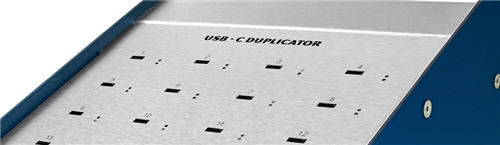
A user has a workstation located about 30 feet away from the production unit it needs to communicate with. The production unit is a USB-C duplicator by Nexcopy. The workstation manager controls the data to be loaded onto USB-C flash drives, while the production manager physically connects and disconnects the USB sticks during the duplication process.

Because a standard USB-C cable cannot cover the required distance, the user can employ the USB-C Power over Ethernet solution to deliver both power and data effectively to the remote device.

  • Conference Room Setup: A USB-C monitor is mounted 40 feet away from the docking station. Using PoE to USB-C allows both video data and charging power to reach the display over a single Ethernet cable.
  • Security Camera Installation: A USB-C powered 4K security camera is installed 80 feet from the control room, receiving both power and data via PoE without additional electrical wiring.
  • Point-of-Sale Terminal: Retail stores can power USB-C tablets located 50–75 feet from the main server rack using PoE, avoiding the need for extra outlets and USB hubs.
  • Industrial Automation: A USB-C duplicator or machine placed 60 feet from the workstation uses PoE adapters to maintain stable power and high-speed data transfer without costly long USB cables.

Product Page: POETexas.com

Reference: Power over Ethernet (Wikipedia)

Continue Reading

Will The Optical Drive Survive Another Year?

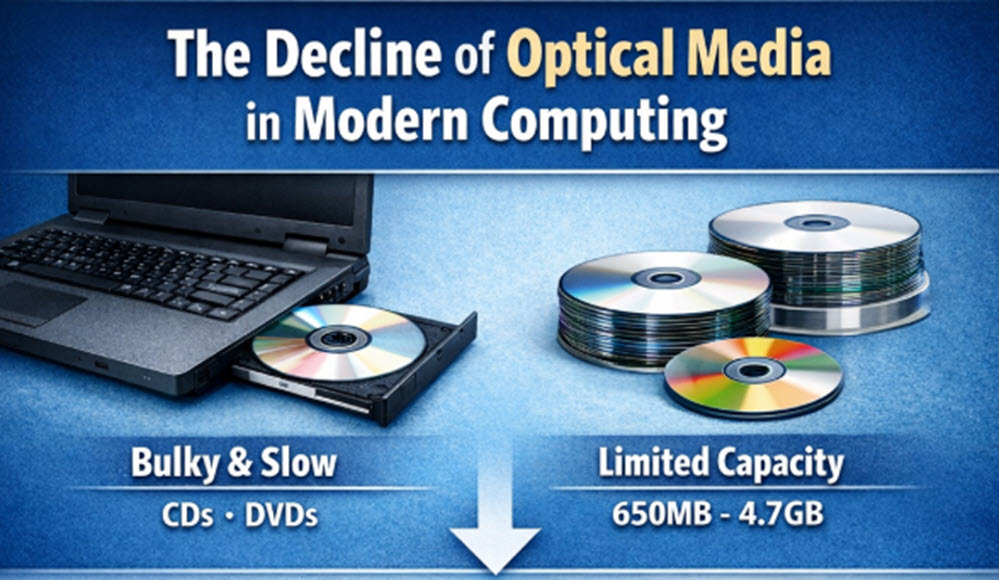
The decline of optical media in modern computers

The Decline of Optical Media in Modern Computing

Let’s face it, optical discs are large and bulky. At nearly five inches in diameter, they feel oversized compared to modern laptops and tablets. Even though optical drives have been reduced in size over the years, many laptop manufacturers have eliminated them entirely to save space and power.

Beyond the size factor, space once used for an optical drive could be better allocated. It could house a larger battery for extended runtime, a faster solid-state drive for improved performance, or a more powerful graphics solution for design work or gaming.

When CD-R drives first entered the market, they offered massive storage compared to traditional magnetic media of the time. With 650 MB of capacity, they outperformed most hard drives of that era. DVDs expanded this further, offering 4.7 GB on recordable discs.

While optical media grew steadily, it never matched the exponential growth of hard drives and USB flash drives. Optical storage remains limited to gigabytes, while modern hard drives now store terabytes of data. Using CDs, DVDs, or Blu-ray discs for storage has become impractical—the write speed is slow, and retrieval times are equally sluggish. Hard drives and portable USB flash drives have become the dominant solution.

USB Duplicators: The Modern Replacement for Optical Disc Copiers

Given these points, it’s easy to see why optical media is fading out. CD-R and DVD-R may survive for a few more years, but USB drives and hard disks have already taken over. The next logical question is: how do you efficiently load data onto USB drives? In the optical era, you had CD/DVD tower duplicators, often with robotics and printers for disc labeling. These systems are now rare.

The solution today is USB duplicators. These are high-speed flash memory copier systems designed to load content onto USB drives quickly and efficiently. Similar to how optical duplicators had different burning methods, USB duplicators support multiple copy modes—file copy, binary copy, and duplication from ISO or IMG files.

Will The Optical Drive Survive Another Year

It’s important to choose a USB duplicator that supports all these functions. Some models offer up to six copy modes, making them highly versatile. Options may include file copy, copy add, unique data streaming, copy from a physical device, and image-based duplication from IMG or ISO files. This flexibility ensures compatibility regardless of how the source content is provided.

Continue Reading

Hynix Enters US Market With Ultra-Fast SSD Drive

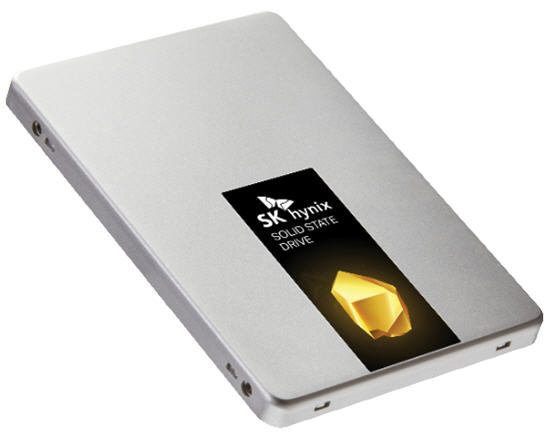
Today, Hynix put out a press release on their Gold S31 solid-state drive (SSD). The SATA III, first generation, is the first of their SuperCore series of products.

With a 560MB/s read speed, this device becomes an ideal SSD for high-demand users such as gamers. What’s also somewhat unique about the new Gold S31 drives is that they are entirely built in-house.

“All key components in Gold S31, from NAND flash and built-in controller to DRAM and firmware, were designed and produced by SK Hynix. The in-house components are built for robust performance and reliability,” SK Hynix says.

SK Hynix G31

What’s more interesting, at least for us right now, is the history of SK Hynix we uncovered while researching the company.

I always wondered what happened to Maxtor, an optical media giant in the early 2000s. It turns out SK Hynix acquired them. Today, SK Hynix is the third-largest conglomerate in South Korea.

Hynix is the world’s second-largest memory chipmaker (after Samsung) and the world’s third-largest semiconductor company. Founded as Hyundai Electronic Industrial Co., Ltd. in 1983, the company has continued to grow steadily ever since.

Hynix memory is well known for quality and is used in products made by Apple, Asus, Google, Dell, Nexcopy, and Hewlett-Packard.

The company also merged with LG Semiconductors in 1999.

These guys reported an operating income of $18 billion for 2018, so this is a company with serious capital and a willingness to spend it to stay competitive. We say good luck with your SSD product in the United States.

Press release source

Source for company history

Continue Reading

Features to Consider When Buying a USB Duplicator

Came across an article today that I thought was a very good read. It’s a niche topic, but for anyone who deals with flash drives or media distribution, it’s worth checking out.

From the article:

The optical drive is nearly dead — no longer found in laptops and only rarely included in desktop PCs. As a result, the trend for distributing data has shifted toward USB flash drives instead of CDs or DVDs. Because of this shift, many companies are taking a closer look at purchasing a USB duplicator.

There are several factors to consider before spending thousands of dollars on duplication equipment. The article breaks the most important considerations into four categories. After reviewing these areas, you should have a much clearer understanding of which type of duplicator best fits your organization.

USB Duplication Speed

Speed is the first area to evaluate. This isn’t just about raw copy speed. It also includes the number of USB sockets, the user interface, and how much operational feedback is available during a copy session. Questions worth asking include:

# How many USB drives will you need to copy in a day or week?

# How large is the data load in MB or GB?

# What turnaround time is required between request and completion?

# Is printing or branding required on the USB devices?

# Do you need proof of performance via log files or reports?

Answering these questions helps define the type of USB duplicator you should be looking at: how many ports, what performance level, and what software features are necessary for your workflow.

Buy USB Duplicator

Your Production Crew

The next step is understanding who will actually be running the equipment. Will the system be operated by non-technical staff, or by IT professionals? Does the organization need to restrict access to the system or protect the data content during the duplication process?

This often depends on how the content is delivered. A duplication company might receive physical master drives from clients, while a fulfillment operation might receive files automatically from an online ordering system or internal server.

Another consideration is scale. Will the organization deploy multiple duplicators across different geographic locations? Many global companies standardize on a single manufacturer so the workflow, training, and support experience remain consistent worldwide.

Understanding the people, environment, and operational requirements goes a long way toward narrowing the field.

Read-Only vs. Read-Write

The third category is the final state of the USB media being shipped. Should the drives be read-only, or remain read-write? By default, all standard flash drives are read-write. That introduces risk: files can be deleted, modified, or infected after distribution.

Because of this, many organizations look for USB duplicators that support creating read-only (write-protected) media. With this approach, files cannot be deleted, formatted, or altered, and malware cannot write itself onto the drive. It’s a practical safeguard for training material, software distribution, compliance data, and controlled documentation.

Nexcopy is cited in the article as a world leader in read-only flash drive duplication systems and is used as an example of the type of platform organizations evaluate for secure media production.

Read the full article here

Continue Reading

Off Topic: Interview with Nexcopy CEO, Greg Morris

Nexcopy is a classic entrepreneurial story—starting out in a home garage with a sale on the very first day of business. What began as a small, focused operation has steadily grown into a globally recognized manufacturer in the flash memory duplication and USB technology space. It’s the kind of company story built on persistence, product knowledge, and an unwavering focus on solving real-world production problems for customers.

Tech Company News spent time with the owner of Nexcopy, Greg Morris, to learn more about the company’s origins, its technology, and how the business evolved from a single product idea into a specialized hardware manufacturer serving enterprise, government, and industrial clients worldwide.

Here is a short snippet from that interview.

Question: What kind of technology does Nexcopy offer?

Greg Morris of Nexcopy Answer: Nexcopy has a specific focus on flash memory duplication, printing, and production needs. The business started out with one product geared toward USB duplication. From that single product, Nexcopy’s business expanded into other duplication equipment such as SD card duplicators, microSD card duplicators, CompactFlash duplicators, and more recently, USB Type-C duplicator systems.

During this expansion of hardware platforms, Nexcopy also developed advanced solutions for copy protection of digital files on USB drives and mobile storage devices. These technologies were designed to help organizations protect intellectual property, control distribution, and meet compliance requirements. Several years ago, Nexcopy introduced a USB flash drive printer, which further rounded out the company’s product offering by enabling in-house branding and device customization.

Today, Nexcopy is recognized not just for duplicators, but for a complete ecosystem: devices, duplication systems, controller-level configuration, secure media, and branding equipment. That evolution—from a single garage-built concept to a specialized manufacturer with global reach—reflects a company built on deep technical knowledge and a long-term commitment to its niche.

The full Nexcopy interview is available on the Tech Company News website.

Continue Reading

News: USB-C Duplicator Shows USB-C Product Trending Up

In a recent news press release from Nexcopy Inc., it appears USB Type C is trending up for consumer demand.

Via the EIN News Wire Service, Nexcopy announced a twenty target USB-C Duplicator. Some of the information posted in the release talks about the upward trend manufacturers are seeing with USB type C product. In addition, the production of a mass aggregator, or duplicator, is another indication users are data loading, in bulk, to USB-C product.

usb-c duplicator, nexcopy duplicator

“Apple computers and Iot, or Internet Of Things, are driving the force behind the increased demand for USB-C flash drive consumption. Although the internet is great for many data sharing applications, there is still a great need for data dissemination off line. USB is still the definitive choice among users to share data via flash memory,” states Greg Morris, President of Nexcopy.

Morris continues, “We see the demand of USB-C duplication to only rise in the coming years. In technology, smaller is always better, and as devices get slimmer in size the USB type A socket will eventually phase out and USB type C taking over. The transition is slow, but it is inevitable; and with that said, we are ready – today.”

nexcopy, usb-c duplicator, usb-c200pc

Nexcopy is also well known for the PRO series duplicators that perform advanced functions to flash drives, such as USB write protection (USB read-only), partitions at the controller level, and serial number control for UFD identification. From the press release, these advanced functions will also be available on the USB-C200PC duplicator.

The USB-C duplicator has a list price of $1,299 from what we understand and available now through a list of on-line retails like Amazon and NewEgg. The product is also available through a worldwide network of authorized resellers.

Nexcopy did allude to

Continue Reading

Copyright

Copyright © 2006 +

USB Powered Gadgets and more...

All Rights Reserved

Advertise with us

GetUSB Advertising

This is a high value website providing great exposure to your product and brand. Visit our advertising page to learn specifics.

For more information
Visit our advertising page.

Nexcopy Ad

Nexcopy Provides

USB copy protection with digital rights management for data loaded on USB flash drives.

Contact us learn more

Resources and References Page

Resources and References Page