
Portable AI Accelerators vs Cloud AI: What Small Businesses Should Actually Pick

Portable AI hardware is starting to look practical for small and mid-size businesses — but only if you understand what problem you’re trying to solve first.
If you run a small or medium-sized business and you’ve been paying attention to AI over the past year, you’ve probably noticed something new creeping into the conversation: portable AI accelerators that plug in over USB. They look like flash drives or dongles, but instead of storing data, they run AI workloads locally.
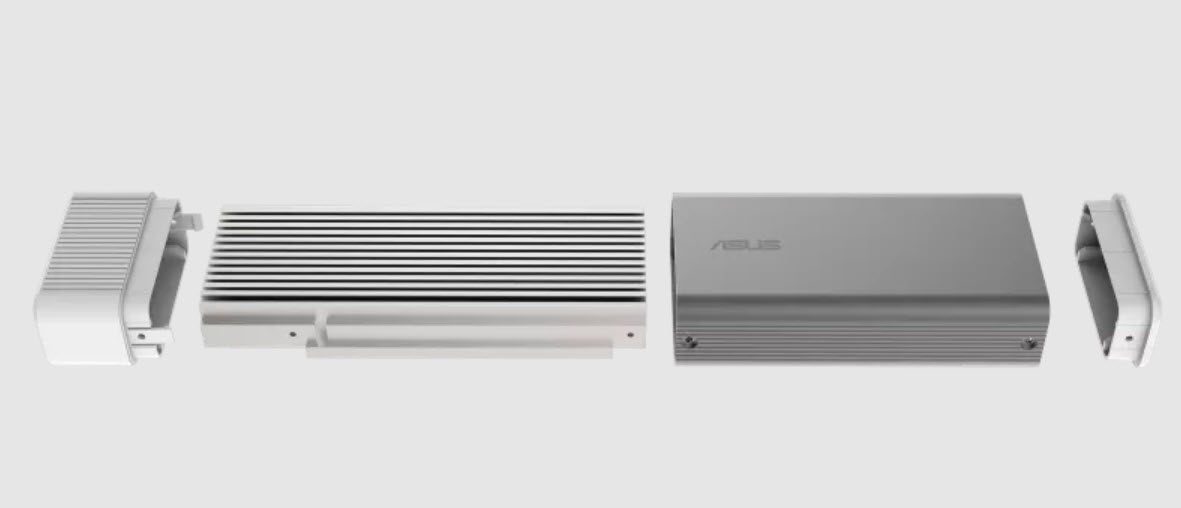
A good example of this new category is the ASUS UGen300, a USB-connected AI accelerator designed to offload inference workloads from the host system and run them locally on dedicated hardware. ASUS positions it as a way to bring AI acceleration to systems that don’t have powerful GPUs or built-in NPUs, and you can see the full technical overview on the official product page here: ASUS UGen300 USB AI Accelerator.
At the same time, most businesses are already using cloud-based AI tools like ChatGPT for writing emails, summarizing documents, brainstorming ideas, and answering questions. That leads to a very reasonable question: why would a small business bother with hardware when cloud AI already works so well?
The short answer is that portable AI accelerators are not trying to replace ChatGPT. They exist to solve a narrower set of operational problems that tend to show up once AI moves from experimentation into everyday business workflows.
What a portable AI accelerator actually is
A portable AI accelerator is not storage. You don’t copy files onto it, and it doesn’t show up like a USB flash drive in your operating system. Instead, it’s a small device with its own AI processor and onboard memory, and the USB connection is used purely for power and communication.
When plugged in, the host computer sends AI workloads to the device, the device runs inference locally, and the results are sent back. From a practical standpoint, it behaves more like a tiny external coprocessor than a thumb drive.
This idea isn’t entirely new to USB. Long before AI entered the picture, companies explored USB-based devices that enforced behavior rather than just storing data. One example was the USB Disk Guard Remora, which focused on controlling how USB storage could be used instead of simply acting as a passive device, as covered in this older post: USB Disk Guard Remora from Essential Skills.
The real reason SMBs even consider local AI
Most small businesses don’t wake up one morning wanting to buy AI hardware. They get there after running into real limitations with cloud-based tools.
In practice, three pressures tend to push companies toward local AI: data control, cost predictability, and operational reliability. If none of those are problems for your business, cloud AI is usually the better and simpler choice.
Use case #1: sensitive or regulated data
This is the most common and most defensible reason to run AI locally. Legal firms, medical offices, accounting practices, engineering consultancies, and manufacturers all deal with information that simply should not leave their environment.
Even when cloud providers offer strong guarantees, some organizations are bound by policy or regulation to keep data fully internal. Running AI locally removes ambiguity. There are no uploads, no third-party processing, and no questions during audits.
This concern mirrors much older USB security conversations. Years before AI was part of daily workflows, businesses were already trying to take global control of company flash drives to reduce data leakage and enforce consistent policy across systems, as discussed here: Take Global Control of Company Flash Drives.
Use case #2: predictable costs instead of subscriptions
Cloud AI pricing is flexible by design, but that flexibility comes with uncertainty. Usage-based billing, token limits, and per-seat subscriptions introduce cost variability that small businesses feel more acutely than large enterprises.
A portable AI accelerator is a one-time hardware purchase. Once it’s deployed, the cost doesn’t change with usage. There are no surprise bills, no rate increases, and no dependency on a vendor’s pricing roadmap.
This matters most for repetitive, high-volume tasks where the output quality doesn’t need to be creative or conversational. In those cases, predictable costs can outweigh raw intelligence.
Use case #3: offline or latency-sensitive environments
Many small businesses operate in places where internet connectivity is unreliable or inconsistent. Warehouses, manufacturing floors, retail locations, and field-service environments are common examples.
Cloud AI assumes reliable connectivity. Local AI does not. When inference happens on the device, response times are predictable and independent of network conditions.
In these environments, AI is usually doing background work rather than interacting with users directly. Visual inspection, speech transcription, and simple classification are typical examples.
Use case #4: narrow, task-specific AI
One common mistake is assuming AI must behave like a general-purpose assistant to be useful. In reality, most business workflows benefit from AI that does one thing reliably and nothing else.
- Document classification and tagging
- OCR and text extraction
- Speech-to-text transcription
- Visual inspection and object detection
- Simple summarization and structured Q&A
These are the kinds of tasks that quietly save time without requiring constant interaction or supervision.
Why SMBs pick portable AI instead of ChatGPT
The comparison below highlights the tradeoffs clearly. This isn’t about which option is better overall. It’s about which one aligns with how your business actually operates.
| Factor | Portable AI Accelerator | ChatGPT / Cloud AI |
|---|---|---|
| Data privacy | Full local control | Data leaves your environment |
| Internet dependency | None | Required |
| Cost model | One-time hardware cost | Ongoing subscription or usage fees |
| Latency | Consistent and local | Network dependent |
| Setup effort | Moderate configuration | Very easy to start |
| Intelligence ceiling | Lower, task-focused | Very high |
| Creativity | Limited | Excellent |
The honest truth
Most small businesses should keep using ChatGPT and other cloud AI tools for general work. They are faster to deploy, easier to use, and far more capable when it comes to reasoning, writing, and open-ended problem solving.
Portable AI accelerators are not magic and they are not private versions of ChatGPT. They are specialized tools designed for environments where control, predictability, and reliability matter more than raw intelligence.
The hybrid model that actually works
- Cloud AI for ideation, writing, research, and strategy
- Local AI for sensitive data, repetitive workflows, and always-on tasks
This hybrid approach keeps creativity and flexibility in the cloud while anchoring operational tasks locally, which is where these devices tend to earn their keep.
How to decide without overthinking it
If your AI usage today looks like conversations, brainstorming, and drafting, stay in the cloud. If it looks like pipelines, workflows, and background processing, local AI is worth evaluating.
The right question isn’t whether a device can run an AI model. The right question is which task you’re trying to remove from your team’s daily workload.
Answer that honestly, and the decision usually becomes obvious.
Tags: AI vs cloud computing, Edge AI for business, Local AI processing, Portable AI accelerators, USB hardware innovation
