GetUSB.info Logo

Skywalker USB Drive Leaves You Speechless

In the beginning of July Engadget posted an article about a new release of Star Wars USB drives, not that we need more, but it was a fun little gallery – yet, not impressive enough to make you buy.  Today that changed with this artist’s rendition of what he thinks a Star Wars USB drive should look like. It should look like Luke Skywalker’s hand just got cut off.

Star Wars USB drive

That’s right, to gain access to your portable storage you need to sever Luke’s hand. What’s more impressive is the detail of this home-brewed USB stick and the agony you can see in Luke’s eyes while you detach his hand just to store the latest collection of Tera Patrick photos. No price as I don’t think these are for sale, but definitely a sweet little project for some bored teen. Continue Reading No Comments

USB Copy Protection verse USB Encryption

There are some fundamental differences between USB Copy Protection verse USB Encryption for data on flash drives. Many companies confuse and muddy the terminology between the two. It’s time to clear things up and explain the difference.

In short: USB copy protection secures a file or set of files so they cannot be copied – thus “copy protection.” USB encryption scrambles the source files so they cannot be read unless you decrypt them. Think about this… there is a BIG difference.

USB Encryption vs USB Copy Protection

Encryption is the process of scrambling files and data so they cannot be accessed unless a password or key is supplied to reassemble the content and put everything back together. This process is known as decryption.

The primary use for USB encryption is to protect files and data in the event the USB stick is lost or stolen.

Where encryption and USB copy protection differ is that with encryption, once you have the password, you can copy the data at will. With USB copy protection, the files and data are locked to the device and cannot be copied off, regardless of the user’s intent.

USB Copy Protection secure flash drive

USB copy protection is similar to encryption with the use of scrambling and unscrambling data; however, USB copy protection adds another layer of security by preventing unauthorized copies. It wraps the data in a specialized algorithm, then uses a customized viewer to decrypt the data for viewing. The viewer requires specific hardware components to run, blocking any ability to copy and play the file elsewhere.

As you can see, USB copy protection is ideal for protecting intellectual property regardless of the user, whereas USB encryption is mainly for protecting data if lost or stolen.

As a side note, a USB stick with encryption can be formatted, thus removing all sensitive data. A USB copy-protected stick, on the other hand, locks content into a Read-Only partition, making deleting or formatting ineffective.

If you need USB encryption, consider using TrueCrypt, a free, open-source encryption tool offering high-level security.

If you need USB copy protection to secure content that must not be copied under any circumstances, visit Nexcopy for professional USB secure flash drive solutions. Their devices also utilize 128-bit AES encryption for maximum protection.

Example: Why a Teacher Should Choose USB Copy Protection Over Simple Encryption

Imagine a chemistry teacher who has spent months creating a comprehensive digital course filled with valuable information, detailed diagrams, and step-by-step video tutorials. The teacher plans to sell this course to students for $1,000 per person.

The Encryption Scenario

The teacher decides to use USB encryption to secure the course material. Each USB drive is password-protected, and only students who purchase the course receive the password. At first glance, this sounds secure – no password means no access.

However, the problem begins after the password is entered. Once a student unlocks the USB drive, they can freely:

  • Copy all course files to their computer
  • Print worksheets, study guides, and full lessons
  • Share the unlocked files online or with friends for free

This means that one paying student can give the entire $1,000 chemistry course to dozens of other people without the teacher earning any additional income. Encryption does not prevent copying – it only delays access until the password is entered.

The Copy Protection Scenario

Now, let’s look at what happens if the teacher uses USB copy protection instead. The teacher provides the same USB course drive, but this time the files are locked with professional USB copy protection technology.

With copy protection:

  • Any student can view the course files instantly – no password required
  • The files cannot be copied to another device
  • The content cannot be printed or uploaded online
  • Even a tech-savvy student cannot bypass the protection because the data is hardware-locked to the USB stick

This ensures that each student must purchase their own USB course drive to access the information, preserving the teacher’s $1,000-per-student revenue and preventing lost sales.

So what do do?

If the chemistry teacher chooses basic encryption, they risk losing thousands of dollars as one student could distribute the unlocked files to an entire class or even upload them online for free. By selecting USB copy protection, the teacher maintains control of the digital course material, protects their intellectual property, and ensures that only paying students benefit from their hard work.

For secure, professional-grade USB copy protection solutions, consider Nexcopy’s secure flash drives which combine 128-bit AES encryption with true copy protection technology.


Continue Reading No Comments

How To: Make Favicon For Flash Drive

How To Make a Favicon for a Flash Drive

In the heat of getting a new site launched over the weekend, I needed an .ico Favicon for the website.  I came across this free on-line tool which made everything a snap.  No software download, no .exe to load…just down and dirty ico creator.  Today I thought it would be a great review [from original post] to go over How To Make a Favicon for a Flash Drive. It’s just several easy steps.  Lets begin.
  1. Using a program to create an image file, make a jpeg for what you want the ico to look like.  You can use something as simple as Microsoft Paint or something as fancy as Photoshop.  When you make the jpeg, make the overal shape square.  Try and keep the logo simple – simple will translate best into an ico file.
  2. Browse to Chamie and click the “Favicon from Pics” link.  Upload your file.  Chami will automatically generate your ico file.  Chami gives you some great options for the USB favicon file.  You can get a static image or an animated .gif file.
  3. Once you have the .ico file, save that image to the root of your USB flash drive.
  4. Next, open Notepad in Microsoft [or any plain text editor] and type the following:
[autorun] icon=favicon.ico
Save this to the root of your USB stick as “autorun.inf

USB favicon - How To Make

Once you’ve done all the above, Continue Reading No Comments

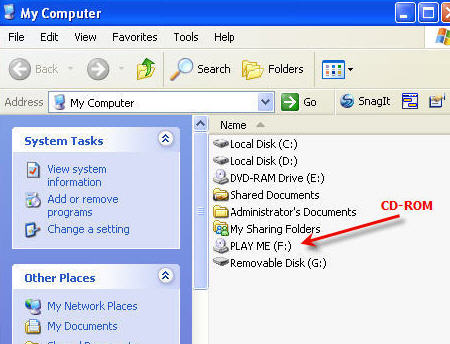
Remove Read Only USB – Remove CDROM USB Partitions

Remove CDROM USB Partitions

Remove Read Only USB – Remove CD-ROM USB Partitions

If you are like me, you’ve done a great bit of searching on the internet to remove Read Only USB partition or to remove CDROM USB partition, and unfortunately the information is very scarce and the information which is out there, isn’t very clear and direct.  The only utility we’ve found, is the one used to remove the U3 platform off a retail USB stick made by SanDisk, but chances are you are dealing with a different vendor or stick. In addition, the U3 platform was killed a long time ago by SanDisk because hackers kept using the auto-run function associated with CD-ROM discs to auto-run USB malware.

remove CDROM USB partition

We found a company that can do this, and they do it in bulk, USBCopier.com is a USB duplication service company that specializes in fixing your problem, like removing a Read Only USB partition.  I’m not sure how they do it, but their services worked for us.

As you know, a simple format or delete attempt to the USB device simply doesn’t work…you get the “This disk is write protected” message. The flash drive is configured this way at the chip level, so it’s not a formatting problem. The chip inside the USB flash drive, called the controller, has a configuration setting so the device will appear as a CD-ROM device. Since the vendor commands are not available to access the USB controller chip, you cannot re-configure the device to work like a normal flash drive.

I spoke with USBCopier.com about the issue, and they can remove a USB partition off all types of drives, like USB sticks with Chipsbank controllers, Alcor, SMI, USBest, Innostor and many others.  They also said the partition type doesn’t matter, it can be either the Read Only or CDROM and they can remove it.  USBCopier also mentioned if they can remove the USB partition, then chances are, they can also recreate it.

The company was a life saver to us and I wanted to pass along the information.  It was much cheaper to pay the service fee to remove the USB partition than it was to re-buy all the USB sticks and start from scratch.

Here is the link to their USB duplication service page.  Here is the link to their contact page.

If you are in a bit of trouble – I wish you luck – these guys could possibly help.

Continue Reading No Comments

USB Hack in Palm Pre Confirms a Sync With iTunes

Palm Pre owners might find a small window of opportunity to sync their device with iTunes for easy music browsing, listening and downloading.  In short, someone figured out how to have the Palm Pre appear as an iPod to iTunes by chancing the VendorID of the Palm.  Meaning – iTunes thinks its an iPod, but it really isn’t.

Palm Pre USB hack

I seriously doubt this was something done by Palm, but rather a hacker out there doing what hackers do. First you have Palm claiming it’s a USB compliant device for a different vendor, I don’t think that will fly.  Second, you have Palm tricking iTunes thinking it’s an iPod – Apple wont be too happy about that. Third, it shows Continue Reading No Comments

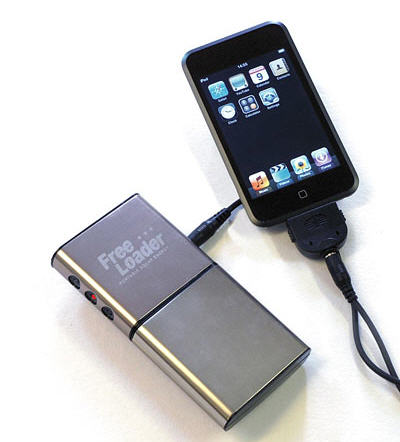
F The DIY Solar Powered iPhone Charger – Just Buy One

Today I was doing some research for a good solar powered iPhone charger.  I went the direction of a DIY [Do It Yourself] project then realized this is all a waste of time.  Maybe there are a select few that would jump on a DIY solar powered iPhone charger project, but considering the complexity of the tutorials I found, very very unlikely my average reader would actually do it. So to save yourself the 30+ minutes of looking for a good tutorial, just spend 3 minutes and buy one that will A) work better, B) look better and C) be cheaper.

solar powered iphone charger

The project directions can be found here and you’ll quickly see it’s a complex project that requires some tools you might not have, plus supplies you’ll surely need to buy.  All in all, it’s about a $70 project, Continue Reading No Comments

USB Tutorial: Charge Any USB Gadget With Your Bike

The world is going Green.  This is your chance to keep those USB gadgets, yet charge them without consuming electricity and leaving your carbon footprint.  The idea behind this USB tutorial is taking the kinetic energy of your bike and turn that into re-powering any USB gadget.

recharge USB

I found this fun little project off the Instructables website.  Apparently the author received some grant funds from Lemelson-MIT program and put together a team of 6 students to create this solution. The team got their idea from shake-up flashlights which are based off the Faraday Principle – which is a type of electromagnetism reaction to generate energy. You will need to get a bread-board and create a small circuit to capture the energy produced by the bike and turn it towards your USB gadget.

USB recharge bike

Next, you’ll need a motor provider that will actually “capture” the energy, feed it through your newly made circuit.  There are many options for this, check Continue Reading No Comments

Sleeptalking USB Stick

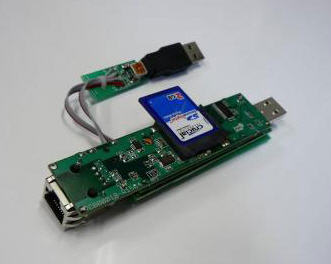
Here is a tricked out USB stick that does the downloading work while your PC is in standby mode.  The sleeptalking USB stick is aptly named, Somniloquy [medical term for talking in your sleep] and provides a great service when you take a closer look.

sleeptalking usb

A team effort between University of California and Microsoft Research came up with the Somniloquy concept to reduce a computers carbin footprint into todays “going green” world.  Many users keep their PCs on for late night syncs, virus software updates, computer hard drive backups, or large data downloads.  The sleeptalking USB stick is designed to allow all of these things to happen while the computer remains in standby mode…meaning reduced power consumption for those critical updates or juice torrent downloads. The Somniloquy is a prototype device that packs an entire low-power PC and embedded operating system onto the USB thumb drive.  It needs only 1/10 the power of a typical PC or laptop. Somniloquy essentially takes over as the computer’s presence on the network while the actual PC is Continue Reading No Comments

No BS – Self Destructing USB Flash Drive By Fujitsu

Don’t get too excited, the flash drive doesn’t blow up and take everyone with it, nor does it spit out harmful bio chemicals for mass destruction.  Rather, the Fujitsu USB flash drive will self destruct using a much less flamboyant method…it will erase itself.

self destructing usb drive

The drive is a prototype design whereby the internal workings include a processor and battery and after a certain amount of time, the data on the stick will erase itself.  Or self destruct. But just incase this method is a bit too hard-core, Fujitsu has an alternate method for data protection.  The second method includes an auto erase feature if the USB flash drive is used to copy files to an unauthorized workstation or server.  Using the Fujitsu re-direct software as the backbone, it can prevent data from  being uploaded to file-sharing networks, sent as e-mail attachments, or printed, according to Fujitsu. Since this is just a prototype you’ll need to wait a bit longer, but for those who are impatient, GetUSB.info knows of one flash drive which already offers USB Copy Protection.  The drive will also Copy Protect PDF files, flash, MPG and a host more multimedia files. Continue Reading No Comments

How To: TV Spy Remote To Wreak Havoc

So lets clarify exactly what I’m talking about here…a TV spy remote is a device that allows you to control someone else’s TV without being around, thus wreak havoc in their life.  After all, what could be more upsetting then turning off the TV at your neighbors house during American Idol or watching Jack Bower kick a$$ in 24?  I don’t think there is a greater pleasure. Since you can’t buy a TV spy remote at buy.com or Amazon, or anywhere else, check out this TV Spy Remote tutorial I found at Instructables.

tv spy remote

The tools and materials you need could be found anywhere, as this hack was done at a college dorm room and you know those kids have not $$ or resources. Required materials include: Continue Reading No Comments

How To: Make USB Volume Name Longer Than 11 Characters

By default the Windows operating system assigns the Volume name of a USB stick as “Removable Disk.”  However, there are times when you need a different Volume name…and many times the USB Volume name needs to be longer than 11 characters. Using the standard Windows “Rename” function, limits you to only 11 characters.  You can’t always get what you want with just 11 characters…so how do you make the Volume name of USB stick longer than 11 characters? It’s easy, with the help of an inf file.  An INF file (or Setup Information file) is a plain text file used by Microsoft Windows for installation of software and/or drivers. Today we are going to use the .INF file to increase the length of our USB Volume name past 11 characters. For those of you who are familiar with .INF files here is the meat of the answer:
[autorun] Label=type whatever you want here
For those of you less familiar with .INF files they are extremely easy to make and use.  For the USB Volume name this is what you do: Continue Reading No Comments

Copyright

Copyright © 2006 +

USB Powered Gadgets and more...

All Rights Reserved

Advertise with us

GetUSB Advertising

This is a high value website providing great exposure to your product and brand. Visit our advertising page to learn specifics.

For more information
Visit our advertising page.

Nexcopy Ad

Nexcopy Provides

USB copy protection with digital rights management for data loaded on USB flash drives.

Contact us learn more

Resources and References Page

Resources and References Page