
USB CD-ROM Emulation Explained: Firmware vs Software Methods
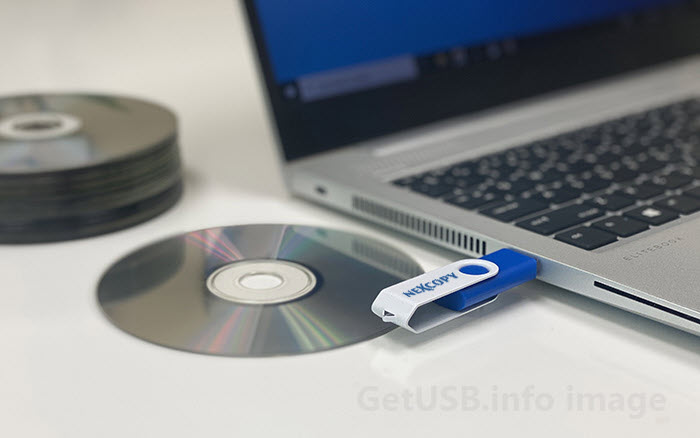
Understanding the Difference Between Firmware Identity and Software Simulation
At some point, almost everyone working with USB media runs into the same question: Can I make a USB flash drive appear as a CD-ROM drive?
The question usually comes up when someone wants something to auto-launch, behave like a software installer, or function in a locked-down environment where USB behavior is restricted. Many assume this must be a Windows setting, a special file, or maybe a hidden configuration trick buried somewhere in Device Manager.
But here’s the key misunderstanding: this is not an operating system trick. It’s not a file trick. It’s not something you toggle in properties.
It’s a peripheral identity setting defined inside the USB device itself.
When you plug in a USB drive, the operating system does not “decide” what it is. The device tells the system what it is. That identity — whether the device reports itself as removable storage, fixed disk, or optical drive — is defined by firmware inside the USB controller.
This classification happens during USB enumeration, before Windows ever reads the file system. By the time the OS mounts the drive and scans for files, it has already assigned the device class based on what the hardware reported.
If you want a deeper dive into how enumeration works at the descriptor level, see our article on USB enumeration fingerprinting.
So when people ask, “Is there a file that tricks Windows into thinking it’s a CD-ROM?” the honest answer is no. Device type is not a file system attribute — it is a hardware-level peripheral descriptor.
To understand USB CD-ROM emulation, we need to separate software-level simulations from firmware-defined device identity.
Why CD-ROM Still Behaves Differently in Windows
In Windows XP, USB drives could execute commands from an autorun.inf file. That made portable software convenient — and malware extremely effective.
After major security incidents during the Conficker era, Microsoft changed course. Starting with Windows Vista and continuing into Windows 7 and later versions, USB autorun for mass storage devices was restricted or disabled.
Optical drives, however, were treated differently.
The reason wasn’t arbitrary. Optical media is inherently read-only. From a security perspective, a CD cannot modify itself after insertion. That makes it far less attractive as a malware propagation method.
Windows applies policy rules based on the USB device class reported during enumeration. If a device reports as mass storage, it follows one rule set. If it reports as optical, it follows another.
The operating system isn’t playing favorites — it’s enforcing policy based on peripheral identity.
What Determines How a USB Device Identifies Itself?
This is the technical core of the topic — and where the real distinction must be understood.
Every USB device is a peripheral with a controller. Inside that controller is firmware. That firmware defines the device’s identity using USB peripheral class descriptors and related reporting structures. These are tiny pieces of data sent during the USB enumeration process that tell the host exactly what type of device is attached.
Specifically, the firmware defines USB device and interface descriptors, peripheral class codes, subclass and protocol values, Vendor ID (VID) and Product ID (PID), SCSI inquiry response fields, and Logical Unit Number (LUN) configuration.
When a USB drive is plugged into a computer, the host immediately initiates USB enumeration and the device reports these descriptors to the operating system. The OS then uses that information to assign a device class — before it ever reads a file system.
If the controller reports Mass Storage Class (MSC), removable media, the OS mounts it as a standard USB flash drive. If it reports Optical Drive Class (CD-ROM), the OS treats it like a CD/DVD drive. If it reports Fixed Disk Class, the OS sees it as a local disk.
This classification is not determined by files or folders. It is set by the firmware inside the USB controller.
To see this in action, consider solutions like a USB flash drive preconfigured to enumerate as a CD-ROM device , where the controller is set up at the hardware level to present an optical profile and accept ISO 9660 files — in other words, the device itself identifies as a CD-ROM rather than as removable storage.
By the time Windows ever looks for a file like autorun.inf or checks what’s inside the storage, the peripheral class has already been assigned.
Device classification happens at the hardware level — firmware defines the identity, and the operating system just accepts it.
Comparison: Software Simulation vs Firmware Identity
| Method | Changes Device Class? | Requires Admin? | Portable? | Reversible? |
|---|---|---|---|---|
| ISO Tool (UltraISO, Rufus, etc.) | No | No | Yes | Yes |
| Registry / Driver Hack | No | Yes | No | Yes |
| Controller-Level (Firmware) | Yes | No | Yes | Often No |
Firmware / Controller-Level CD-ROM Emulation (True Method)
True CD-ROM emulation happens inside the USB controller. Instead of simulating optical behavior through software, the controller firmware itself is configured to report the optical class during enumeration.
When done correctly, the device behaves like optical media from the moment it is inserted. Windows and macOS recognize it as a CD/DVD drive. In some cases, even BIOS or UEFI firmware identifies it as optical media before the operating system loads.
In more advanced implementations, the controller can present multiple logical units. One portion of the device identifies as read-only optical media, while another presents as standard writable storage. If you’ve ever wondered why a USB device sometimes appears as two drives, we explain that architecture in detail here: Why your USB drive shows up as two disks — LUNs vs partitions explained .
This is the only method that truly changes how the operating system categorizes the device.
Modern Reality
In 2026, USB CD-ROM emulation is not about bypassing Windows restrictions. It is about device identity.
Software methods simulate CD structure. Firmware methods redefine peripheral identity.
Only firmware-level configuration changes what the operating system fundamentally believes the device is.
Once that distinction is understood, the question shifts from “Can I trick Windows?” to “How does the USB peripheral define itself at the hardware level?”
Tags: ISO 9660 USB, multi-LUN USB, USB CD-ROM emulation, USB controller firmware, USB device class descriptor
