
ISP-Level Commands: The Hidden Barrier to SD Card CID Reading and Writing
Every few months, it happens.
Someone walks into the IT department holding a microSD card and asks a perfectly reasonable question: “Can we just change the CID on this?”
The IT guy looks at the card. Then at the person. Then takes a slow breath.
It’s not that the question is wrong. It’s just built on an assumption that doesn’t match how the hardware actually works.
From the outside, an SD card looks simple. You plug it in, it mounts as storage, you drag files around. So if there’s something called a “Card ID,” the natural thought is that it must be stored somewhere in there — somewhere you can open, edit, or rewrite.
That assumption is where everything starts to drift off course.
Where the CID Actually Lives
The CID — Card Identification register — is not stored in the part of the card where your files live. It isn’t sitting next to your firmware image or photos inside NAND flash. It exists inside the controller itself, as part of a structured register defined by the SD specification.
When the card is manufactured, that CID value is programmed into the controller. It includes structured information such as manufacturer ID, product name, serial number, production date, and checksum. It’s meant to uniquely identify that specific piece of media.
The key distinction here is simple but important: the CID is controller data, not user data.
Once you understand that separation, the rest of the confusion starts to clear.
The Layer Most People Never See
When you insert a microSD card into a USB reader and connect it to your computer, you are not speaking directly to the SD controller. You are communicating with a bridge chip that translates USB Mass Storage commands into SD protocol commands.
Your operating system sees a block device — a series of logical sectors it can read and write. That abstraction is intentional. USB mass storage was designed to make removable media universal and simple.
But that simplicity hides layers.
The CID register lives below the file system layer and below standard block access. Most consumer USB readers do not expose raw SD protocol commands to the host system. They translate only what is necessary for file access.
So when someone tries to read or modify a CID value using software tools through a generic USB reader, they’re working entirely above the layer where the CID actually exists.
It’s like trying to change your CPU’s serial number by editing a text file. You’re interacting with the operating system, not the silicon that holds the value.
Reading CID vs Writing CID
Reading a CID requires issuing specific SD commands — such as CMD10 — across the native SD interface. That means the host controller must support raw command access. Some Linux systems with direct SD bus access can do this. Most USB readers cannot.
Writing the CID is another matter entirely.
The SD specification does not intend for CID values to be casually rewritten during normal operation. In many controllers, modifying the CID requires vendor-specific command sequences or factory-level programming modes. These are not exposed through consumer interfaces.
This is where the IT guy leans forward and explains:
You’re not editing storage. You’re attempting to reprogram the controller.
Where CID Lives vs Where You’re Actually Working
| Layer | What It Controls | Visible to OS? | Can You Edit It? | Examples |
|---|---|---|---|---|
| File System | Files & folders | Yes | Yes | FAT32, exFAT, NTFS |
| Logical Block Layer | Sectors & partitions | Yes | Yes | Disk Management, dd, imaging tools |
| USB Mass Storage Bridge | Command translation | No | No | Generic USB card reader |
| SD Protocol Layer | SD commands (CMD10, etc.) | Usually No | Sometimes | Linux native SD interface |
| Controller Register Layer | CID, CSD, internal configuration | No | Rarely (factory/vendor commands) | ISP-level access |
That requires a different level of access — sometimes referred to as ISP-level (In-System Programming) command access — where the controller itself accepts low-level instructions outside of standard mass storage translation.
And that layer is intentionally restricted.
Why It’s Designed This Way
CID values are used in environments where traceability and identity matter. Embedded systems bind to specific media. Licensing systems check identifiers. Industrial deployments log media by serial. If rewriting CID were as simple as editing a sector, those mechanisms would collapse instantly.
The barrier isn’t accidental. It’s architectural.
If you want a broader understanding of how microSD media is physically built and why controller design matters so much, we’ve covered that in more detail here:
How microSD cards are built, how they fail, and how professionals manage them
Once you see how much intelligence sits inside that tiny controller, the idea of casually rewriting its internal registers starts to feel less realistic.
Where This Becomes Practical
In hobbyist environments, people sometimes experiment with patched kernels, specific chipsets, or Android devices that expose deeper command layers. Success depends heavily on the exact controller and interface combination. It’s rarely consistent and almost never scalable.
In business or provisioning environments, the question shifts from “Can we hack this?” to “Can we do this reliably across hundreds or thousands of cards?”
At that point, generic USB readers are the wrong tool. You need hardware designed to communicate at the native command layer — not just at the file system layer.
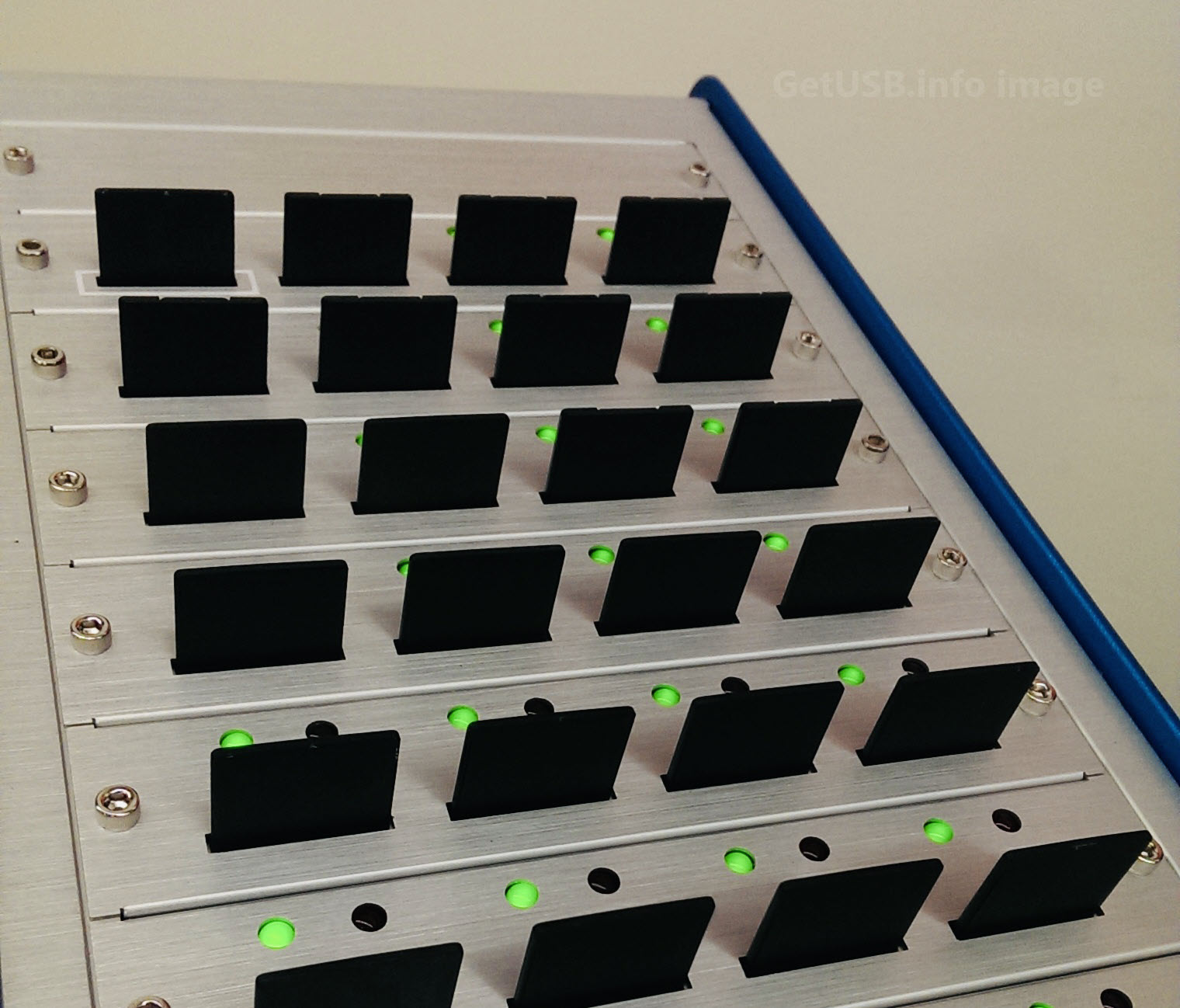
Purpose-built systems such as the Nexcopy mSD160PC microSD duplicator operate at the controller communication level, allowing structured CID reading during duplication and provisioning workflows.
That isn’t about bypassing architecture. It’s about using equipment built for the correct layer of access in the first place.
The Real Takeaway
The reason SD card CID reading and writing feels so difficult isn’t because the value is hidden inside storage. It’s because most people are interacting with the card from the wrong side of the abstraction boundary.
Your computer sees logical blocks.
The CID lives inside controller registers.
Those are different layers of the stack.
Once you understand that, the conversation changes. The sales guy doesn’t stop asking questions. He just starts asking better ones. And the IT guy doesn’t have to sigh quite as loudly next time.
Field Note
The separation between block-level access and controller-level access isn’t just a specification detail — it’s something we’ve encountered repeatedly in real-world provisioning environments. When teams attempt to read or modify CID values using standard USB readers or software utilities, the limitation almost always traces back to layer access, not tool quality. Once you’ve worked directly with native SD command interfaces and controller communication, the boundary becomes obvious: copying data and configuring identity are fundamentally different operations.
Tags: ISP-level programming, microSD CID reading, SD card CID, SD card CID writing, SD controller architecture
