
How To Get Large Videos Off iPhone
There are two popular methods to get large videos off your iPhone.
The most common problem is having a large video on your iPhone that you need on your computer. Email programs usually limit file sizes to around 20 MB, so if the file is larger, what can you do?
Two popular options come to mind: using QuickTime or using a USB flash drive.
Option #1
Use QuickTime. Macs already include QuickTime in the operating system, but Windows users must install it separately. Before choosing this route to transfer large videos off your iPhone, here are a few things to consider:
- You must back up your iPhone through QuickTime before accessing the video
- You need your computer (an authorized computer) to perform the backup
- Windows users must download and install QuickTime
- QuickTime is an invasive program that many Windows users dislike
- This is not a portable way to move videos off your iPhone
- However, this is a free solution
Option #2
Use a flash drive.
Yes, you need to purchase a specific flash drive, but after this one-time investment, it becomes far easier to move videos off your iPhone. Some advantages worth considering:
- Transfer large videos without using a PC
- Share videos immediately with another user’s computer
- Use the drive as external storage for video backups
Point number one is really the value in all of this ?.
While you won’t be able to make the transfer immediately without the hardware, once you have the USB device, the process is quick and repeatable.
Certain USB drives include software that works with iOS, allowing files to be copied directly from the phone to the drive. The device tested here is the SanDisk iXpand flash drive with 128 GB capacity, which typically costs around $40.

The process is very straightforward:
- Download the iXpand app from the Apple App Store
- Connect the flash drive to your iPhone
- Select the files you want to transfer
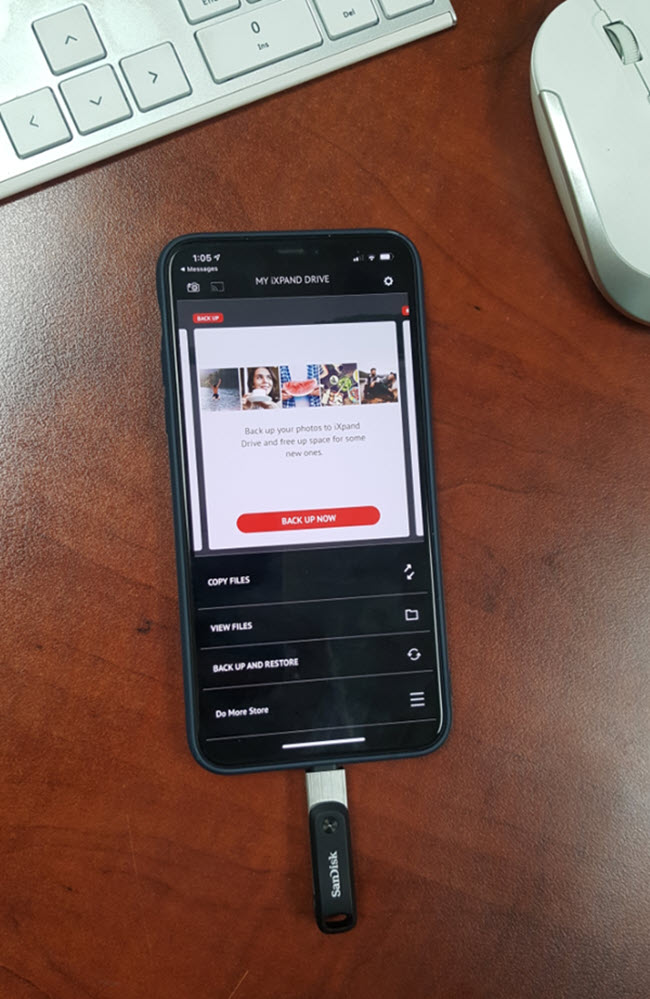
Once the video is on the flash drive, you can use any USB port on a computer to copy it to your desktop.


You can purchase this drive at retailers like Target or Walmart if you need something today. You can also order it from Amazon and get it tomorrow.
Tags: iphone, ixpand, large video, usb
