GetUSB.info Logo

Why “Active Ingredients” Matter (and How to Spot When They Don’t Exist)

Does Nutrafol work analysis of active ingredients and effectiveness

Does Nutrafol Work?

This article is not written to criticize Nutrafol as a company, nor to tell anyone what they should or should not buy. It is written from the perspective of a consumer who used Nutrafol Men alongside the Nutrafol Men DHT Inhibitor consistently for over one year, at a combined cost of roughly $120 per month, and did not experience any measurable or meaningful improvement in hair density, regrowth, or reduced thinning.

When a product requires long-term use and a significant financial commitment, it is reasonable to ask what the active mechanism actually is — and whether the expected outcome aligns with how the product works biologically. That question matters in any industry, whether the product is software, hardware, or a health-related supplement.

At GetUSB.info, our approach is not new. Our work has always focused on explaining how technology actually functions beneath the surface — whether that is USB flash drive controllers, NAND memory behavior, data verification, or professional duplication systems. We routinely separate marketing claims from measurable behavior and documented mechanisms. Applying that same standard of evaluation to an off-topic consumer product may seem unusual, but the underlying principle is identical: if the active mechanism is unclear or indirect, expectations should be adjusted accordingly.

Continue Reading

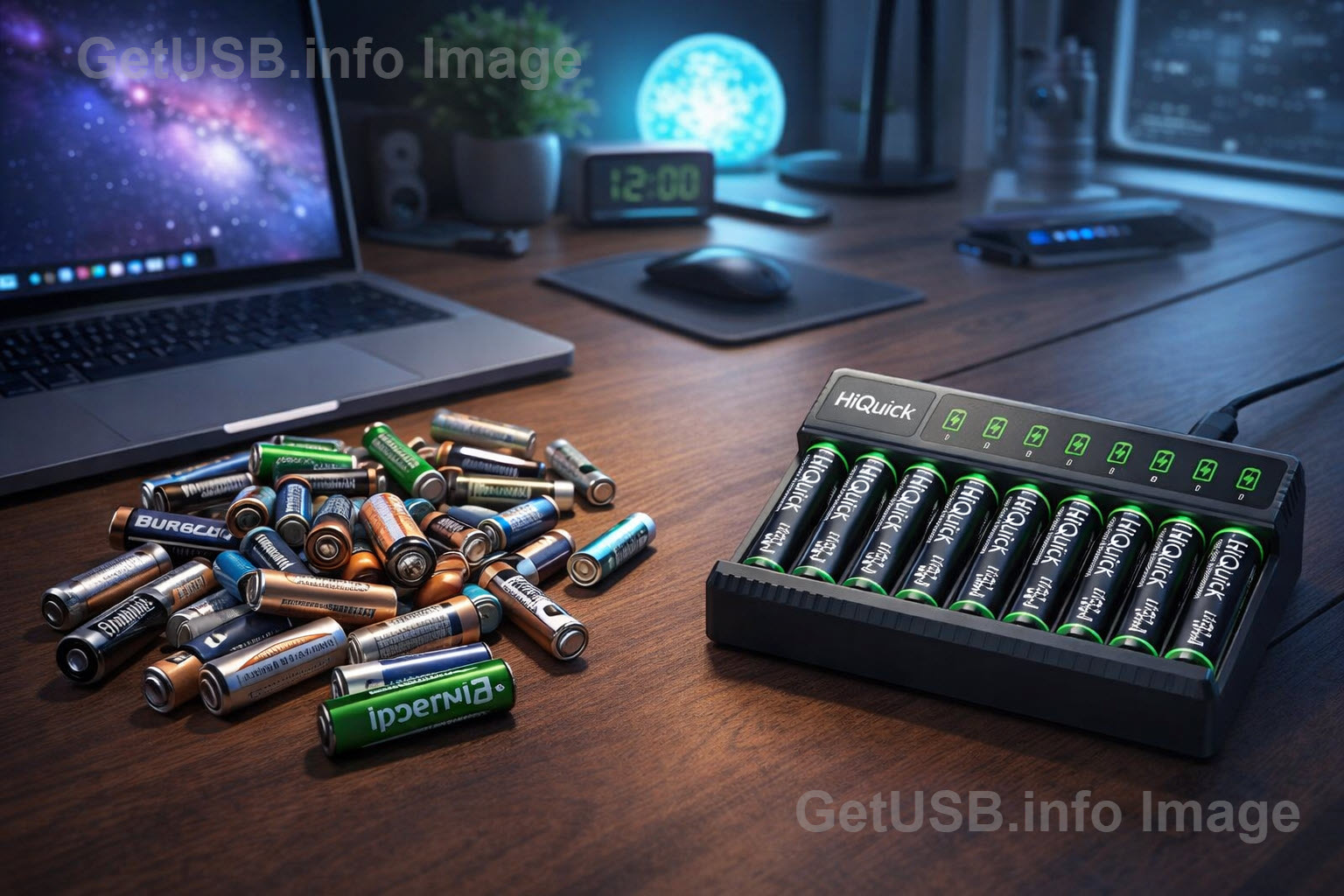
USB-Rechargeable AA & AAA Batteries: Are They Really Better Than Disposable?

USB rechargeable AA and AAA batteries compared to disposable batteries

A practical look at battery life, power delivery, and why USB charging changes the equation.

AA and AAA batteries quietly power a surprising amount of modern life. From TV remotes and flashlights to wireless keyboards, toys, and test equipment, these small cells sit behind countless everyday tasks. For decades, disposable alkaline batteries were the default choice. You bought a pack, used them until they died, then tossed them in a drawer or the trash and bought more.

That habit made sense when rechargeables were inconvenient, slow, and unreliable. But that era is over. Today’s rechargeable AA and AAA batteries — especially those that charge directly over USB — have fundamentally changed how practical reusable power can be.

To understand why, it helps to break the discussion into two parts: the difference between AA and AAA sizes, and the difference between disposable and rechargeable chemistry.

AA and AAA batteries share the same basic voltage class, but they are not equal. AA batteries are physically larger, which means they can store more energy. A typical AA disposable battery can hold roughly two to three times the capacity of a AAA battery. In real terms, this means an AA battery usually lasts much longer than a AAA battery in the same type of device.

Voltage, however, tells only part of the story. Disposable alkaline batteries start at about 1.5 volts, but their voltage steadily drops as they discharge. Rechargeable NiMH batteries are rated at about 1.2 volts, which sounds worse on paper but behaves very differently in practice. Rechargeables tend to deliver steadier voltage for most of their discharge cycle, while alkalines slowly fade.

This difference matters because many modern devices care more about voltage stability than peak voltage. A rechargeable battery may appear “weaker” by the numbers, but in moderate- to high-drain devices, it often delivers more usable energy before the device shuts down.

Continue Reading

Should You Self-Host Your Password Manager? A Clear-Eyed Decision Checklist

Should you self-host your password manager

A practical, printable checklist to help you decide whether running your own password manager makes sense for your habits—not your optimism.

Password managers have moved from “nice to have” to “you really should be using one.” Most of us carry dozens (or hundreds) of logins across work, banking, shopping, utilities, and personal accounts. The problem isn’t that people don’t care about security. The problem is that humans are terrible at managing unique, strong passwords at scale. We reuse passwords. We choose passwords that feel memorable. We fall for a convincing phishing page once in a while. A password manager is one of the few tools that actually bends the odds in your favor: it generates strong passwords, stores them safely, and fills them reliably so you don’t have to rely on memory.

The current frustration is that many password managers keep their most useful features behind a paywall. Even good, respected options do it. Bitwarden is often held up as the king of open-source password managers, and it deserves the praise: the core product is excellent and the company pricing is fair. But “fair” isn’t the same as “free.” A common example is integrated authenticator features (Time-based One-Time Passwords, or TOTP) being part of a paid tier. That leads to a very tempting idea: if the software is open-source, can you run the whole thing yourself and get the best of both worlds?

That’s where the self-hosting trend comes in. The promise is simple: instead of syncing your encrypted password vault to a company’s infrastructure, you run your own private server and your devices sync to that. You keep the familiar apps and browser extensions, but the “cloud” is your hardware. Some people do this on a small always-on computer like a Raspberry Pi, often using Docker to run the password server cleanly and repeatably. The appeal is real: fewer third-party dependencies, more control, and sometimes fewer ongoing fees.

The part that gets glossed over is what you are actually trading. Hosted password managers don’t charge you only for a feature checkbox. They charge you for operations: uptime, updates, backups, monitoring, redundancy, and a safety net when things break. Self-hosting is not primarily a money-saving hack. It’s a decision to become your own tiny IT department for one of the most important systems in your life. That can be a great fit for the right person and a quiet disaster for everyone else.

If you’ve been around GetUSB long enough, you already know the bigger theme here: control and custody. We’ve written about security hardware, authentication ideas, and the “lock down” mindset for years. For example, our older posts touch on security and control concepts in different forms—like locking strategies (Crack Down on Your Lock Down) and authentication tokens (Network Multi-User Security via USB Token). A password manager is different technology, but the same question keeps showing up: do you want to outsource critical trust to a provider, or keep it under your roof?

What “Self-Hosting” a Password Manager Actually Means

A modern password manager is really two things: the client apps (browser extension, mobile app, desktop app) and the backend service that stores and syncs your encrypted vault. In a hosted model, the provider runs the backend for you. In a self-hosted model, you run it. Your client apps still do the heavy lifting: they encrypt the vault locally and decrypt it locally. The server mainly stores encrypted blobs and coordinates syncing across devices.

Continue Reading

Wishing You a Merry Christmas — Stored in Good Hands

USB Christmas Tree made from flash drives

Every year around this time, we look back at what caught our attention, what surprised us, and what quietly reshaped how we think about USB, storage, and the way data moves through our lives.

So instead of a traditional holiday post, we took inspiration from a familiar tune and reflected on twelve ideas that stood out across our recent articles — the stories, lessons, and oddities that made this year interesting.

Here’s our take on The 12 Days of Christmas, GetUSB-style.

On the First Day of Christmas

One reminder that not all flash memory is created equal.
Performance numbers look great on paper — reliability is earned over time.

On the Second Day of Christmas

Two very different meanings of “fast.”
Burst speed is easy. Sustained performance under real workloads is not.

On the Third Day of Christmas

Three ways USB still surprises us.
From unexpected form factors to creative use cases, this interface keeps evolving.

On the Fourth Day of Christmas

Four reasons physical media still matters.
Offline storage, controlled distribution, predictable behavior, and longevity.

On the Fifth Day of Christmas

Five failure points nobody talks about.
Controllers, NAND quality, firmware, power loss, and human behavior.

On the Sixth Day of Christmas

Six devices pretending to be something else.
USB gadgets that blur the line between storage, security, and novelty.

On the Seventh Day of Christmas

Seven lessons learned from broken flash drives.
Most data loss stories start small — and end the same way.

On the Eighth Day of Christmas

Eight ways USB shows up where you don’t expect it.
Cars, medical devices, cameras, kiosks, toys, tools, and places you’d never guess.

On the Ninth Day of Christmas

Nine myths about copy protection.
Security isn’t a checkbox — it’s a design decision.

On the Tenth Day of Christmas

Ten years of watching CDs quietly disappear.
And USB step in — not loudly, but effectively.

On the Eleventh Day of Christmas

Eleven examples of USB doing exactly what it promised.
Simple, universal, and still relevant decades later.

On the Twelfth Day of Christmas

Twelve months of stories worth sharing.
From clever ideas to cautionary tales — all part of the same ecosystem.

A Final Note

Thank you for reading, bookmarking, sharing, and occasionally questioning what we publish. GetUSB.info exists because people still care about how technology actually behaves — not just how it’s marketed.

If you’re new here or just browsing again over the holidays, you can always start at the homepage and wander from there:

https://www.getusb.info/

From all of us,
Merry Christmas and Happy Holidays.
We’ll see you next year — same port, same curiosity.

Continue Reading

Storing Data in Living Protein Isn’t Science Fiction Anymore

Storing data in living protein is no longer science fiction

Scientists are experimenting with biological systems as a new medium for long-term data storage

Every few years, someone declares that we’re “running out of storage.” Scientists tend to respond the same way every time: Fine — we’ll just store data in glass… or DNA… or a living brain.

And no, they’re not joking.

Once you step outside the familiar world of silicon and NAND flash, data storage stops looking like chips and circuit boards and starts looking like something pulled from a biology lab, a physics experiment, or a science-fiction novel. What’s striking is that none of this is theoretical hand-waving. In one form or another, every idea you’re about to read has already been demonstrated in real labs—often working far better than intuition would suggest.

Let’s start with one of the least intuitive ideas that, once you sit with it, actually makes a lot of sense: DNA.

DNA already stores information. That’s literally its job. Every cell in your body carries a complete instruction manual for building you, written in a four-letter code. Scientists eventually realized that if biology can store that much information so densely and reliably, maybe we can piggyback on the same system.

By translating binary data into combinations of A, C, G, and T, researchers have already stored books, images, movies, and even entire operating systems inside synthetic DNA strands. The density is absurd. A single gram of DNA could theoretically hold hundreds of petabytes of data. Stored correctly, it could last thousands of years.

The catch, of course, is speed. Writing and reading DNA is slow and expensive, so this isn’t replacing your SSD anytime soon. But as a long-term archive, DNA starts to look less like a novelty and more like a biological vault.

Once you accept that molecules themselves can store data, proteins are the next logical step—and this is where things start getting strange.

Proteins don’t just sit there; they fold. The exact way a protein folds determines how it behaves, and in some cases, that folding can change in stable, repeatable ways. Scientists have engineered proteins that flip between multiple shapes, with each shape representing a different data state. In effect, a single molecule becomes a microscopic switch.

Cells already use this trick to “remember” past signals, so researchers are essentially hijacking biology’s own memory system. This idea isn’t even new. Nearly two decades ago, experiments were already showing how biological proteins could be used to store staggering amounts of data, long before “bio-storage” became a buzzword.

It works, but it’s fragile. Temperature, chemistry, and time all interfere. Still, the notion that information can be stored in the way a molecule curls up on itself is one of those ideas that tends to stick in your brain.

Continue Reading

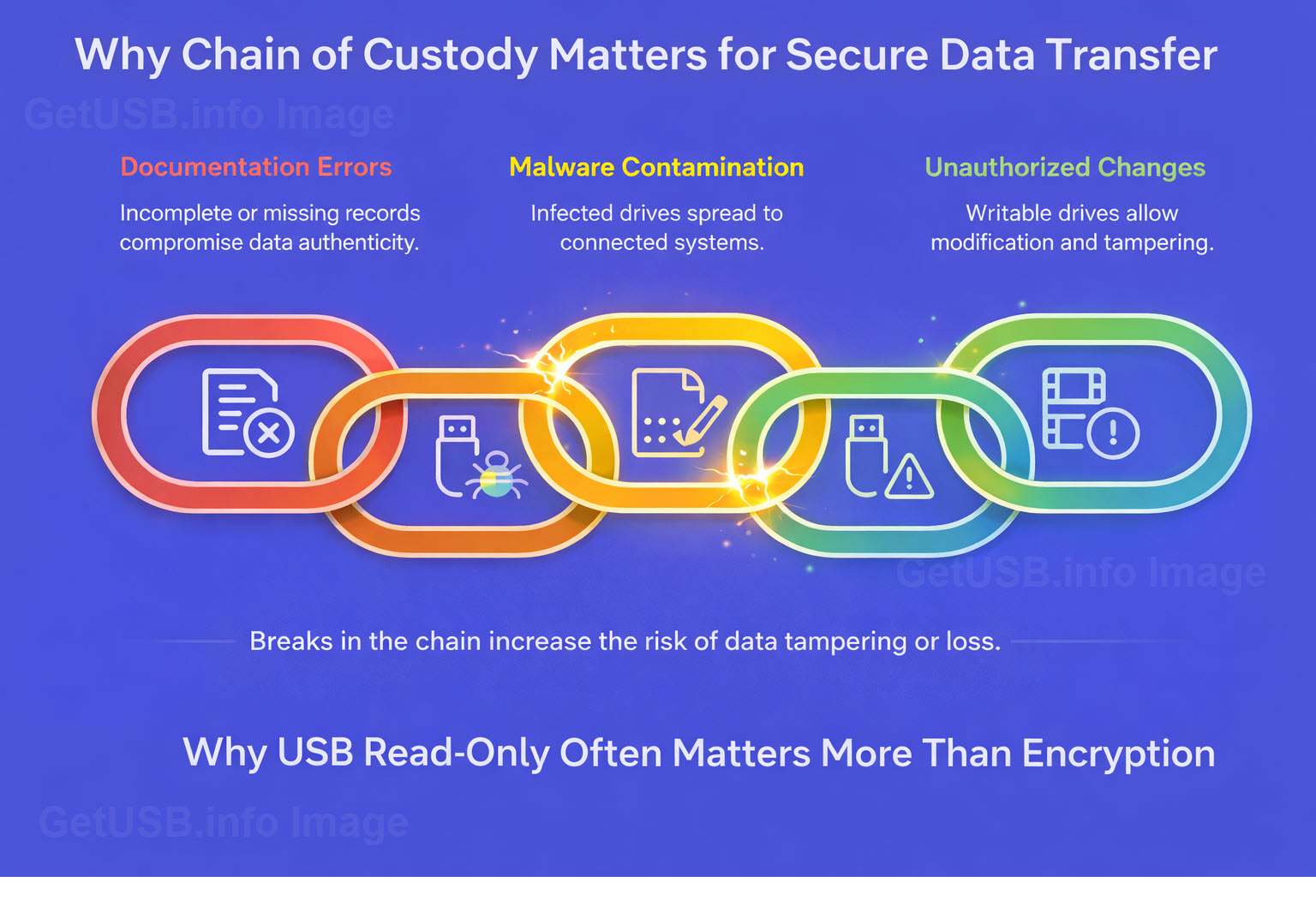
Why USB Read-Only Often Matters More Than Encryption

Why USB read-only often matters more than encryption

Encryption protects access to data, but it doesn’t guarantee the data hasn’t changed

When people talk about USB security, encryption usually comes up first. And for good reason. If a drive is lost or stolen, encryption protects the data from being read by someone who shouldn’t have it.

But encryption answers only one question: Can someone read what’s on the drive if they get it?

It doesn’t answer another question that often matters just as much: Can the contents of the drive be changed at all?

That distinction gets overlooked, and in many environments, it’s the more important one.

Encryption protects data. Read-only protects trust.

A writable USB drive is mutable by nature. Files can be modified, added, replaced, or removed. That’s true whether the data is encrypted or not. Once a drive is unlocked, the system assumes change is allowed.

Read-only media changes the model entirely. Instead of asking who is allowed to modify the data, it removes modification from the equation in the first place. The device becomes a reference, not a workspace.

That difference shows up clearly when you look at how USB drives are actually used in the real world.

Healthcare: stopping problems before they start

In healthcare environments, the fear isn’t just data theft. It’s contamination.

Malware doesn’t need permission to copy itself onto writable media. If a USB drive can accept new data, it can accept the wrong data. A drive used on one system can quietly become a carrier to the next.

Encryption doesn’t prevent that. Once a drive is writable, the system treats it like any other storage device.

Read-only USB media removes that pathway. Nothing new can be written to the device unless someone intentionally allows it. That means fewer opportunities for accidental infection, fewer unknown variables, and fewer assumptions about where the drive has been.

If you want the deeper “how it works” version, this Lock License write-up is a good reference: new flash drive counters USB cyber threats.

Legal: preserving integrity matters more than secrecy

Legal environments care deeply about authenticity. Evidence, testimony, video files, transcripts, and supporting documents must remain exactly as they were when produced.

Encryption can protect those files during transport, but it doesn’t guarantee they haven’t been altered. A writable drive introduces doubt, even if no one intended to change anything.

Read-only media establishes a stronger position: the contents are fixed. The device itself enforces that rule. When material passes between parties who may not trust each other, that immutability becomes part of the chain of custody.

In legal disputes, it’s often not enough for data to be secure. It has to be defensible.

Manufacturing and service environments: controlling the source of truth

Manufacturers, especially in automotive and industrial settings, rely on accurate instructions, firmware, service manuals, and calibration data. Those files aren’t just reference material — they directly affect safety and performance.

A writable USB drive introduces risk. Instructions can be altered, overwritten, or replaced, intentionally or accidentally. Over time, different versions start circulating, and no one is quite sure which one is authoritative.

Read-only media helps enforce a single source of truth. The device delivers information, not a place to store new information. That separation reduces errors and limits the opportunity for unauthorized changes.

If you’re coming from the “old-school write-protect switch” world, here’s a practical explainer on the modern replacement approach: USB write protect switch replaced with better technology.

Public works and infrastructure: fewer assumptions, fewer failures

Public works organizations often work with field equipment, control systems, and infrastructure assets that aren’t easily isolated or replaced. USB drives are commonly used to move configuration files, logs, or updates between systems.

The challenge isn’t just security — it’s reliability. When devices move between unknown systems, assumptions break down quickly. A writable drive carries the history of everywhere it’s been.

Read-only media limits that history. The device behaves predictably every time it’s connected. That consistency matters when systems control physical infrastructure rather than office software.

For industrial and critical environments, this is also worth a look: industrial control system USB flash drive designed for ICS security.

The overlooked question

Encryption remains important. There are many cases where it’s absolutely necessary.

But encryption answers only one part of the problem. Read-only answers a different one — whether the data can change at all.

In many environments, especially those dealing with safety, compliance, evidence, or critical systems, immutability matters as much as confidentiality.

Put simply:
Encryption protects data after something goes wrong.
Read-only helps prevent the problem in the first place.

That’s why, in practice, USB read-only often matters more than encryption.

Continue Reading

One Giant Gold Nugget, Millions of USB Sticks

Gold nugget transformed into USB sticks illustration

How Many USB Flash Drive PCBs Could You Make From the Monumental Nugget of 1869?

If you crack open a USB flash drive hoping to find treasure, you’ll be disappointed—but not entirely wrong. There is gold in there. Not much, not enough to make you rich, and certainly not worth firing up a smelter in your garage. But a typical USB PCB does contain tiny amounts of gold in its connector plating and, in some cases, inside microscopic bond wires. How tiny? Most USB boards carry somewhere around 1–5 milligrams of gold—less than what sticks to your fingers after eating a Dorito.

Manufacturers use gold because it’s solder-friendly, corrosion-resistant, and makes a perfect electrical contact. Even the thinnest “gold flash” layer on connector pins can survive years of plugging and unplugging. But for recycling? Forget it. You’d need thousands of dead USB drives just to make a visible speck of gold, and tens of thousands to produce anything resembling a nugget. Still, this tiny bit of gold creates a fun thought experiment: what if we went all the way in the opposite direction? What if we took one of the largest gold nuggets ever found and asked how many USB sticks we could make from it?

That brings us to the legendary Monumental Nugget of 1869, the crown jewel of the California Gold Rush’s late years.

Continue Reading

The Butterfly Effect of USB: How One Design Choice Changed Tech History

USB Butterfly Effect

A tiny design decision in 1996 didn’t just annoy us — it reshaped tech culture, product adoption, and billions of daily interactions.

This post was drafted on a napkin somewhere between a refill and a revelation.

Let me paint you a picture. It’s 1996. Somewhere in a conference room filled with beige computers and men wearing pleated khakis, a group of engineers is finalizing the design for a new kind of cable called USB.

And then… it happens.

Someone says, “Should we make it work both ways?” Someone else replies, “Nah, people will figure it out.”

That’s it. That was the moment. That was the butterfly wing flap that doomed humanity to decades of flipping a plug three times before it fits.

Fast-forward to today. Seven billion people have lived through the USB Shuffle:

  1. Try to plug it in. Doesn’t fit.
  2. Flip it. Still doesn’t fit.
  3. Flip it back. Suddenly works, because the universe is mocking you.

If you haven’t cursed under your breath during step two, congratulations — you’re either lying or, I don’t know, you use wireless everything and hate productivity.

The Cost of the USB Struggle: Humanity’s Dumbest Time Sink

Let’s talk impact. Because this isn’t just inconvenience. This is a global time suck of biblical proportions.

Quick napkin math:

  • Average person plugs in a USB 2× a day
  • Each attempt wastes 3–5 seconds of flipping, inspecting, and questioning your life choices
  • Multiply by 3+ billion USB users worldwide

We’re looking at millions of hours of collective human existence lost to a tiny, avoidable design flaw.

Think about that. We could’ve cured something. We could’ve written more books. We could’ve finally understood taxes. But no — we were busy rotating a rectangle like chimps trying to solve a puzzle box.

If USB Had Been Reversible From Day One

Continue Reading

IKEA Recalls 3 Port USB Hub

IKEA has issued a recall for thousands of its ASKSTORM 40W USB Chargers in the United States and Canada due to potential burn and electric shock hazards. The recall, prompted by the Consumer Product Safety Commission, addresses concerns that the chargers’ cables may break or become damaged over time, posing risks to users.

Internationally, there have been 17 reported incidents related to these chargers, including five instances of burns and four reports of electrical shock. However, no such incidents have been reported in the United States.

These gray chargers, bearing model number ICPSW5-40-1, were sold both online and in IKEA stores between April 2020 and December 2023.

Contact the IKEA recall center to find out how to swap out the product or receive a refund for the purchase.

In its journey to becoming a household name, IKEA has a rich history that dates back to 1943 when founder Ingvar Kamprad started selling pens, wallets, and other goods. The company’s name is an acronym formed from Ingvar Kamprad’s initials along with those of the farm where he grew up (Elmtaryd) and the nearby village (Agunnaryd) in Sweden. From these humble beginnings, IKEA gradually evolved, introducing its first furniture piece in 1947 and opening its first store in 1958. Over the decades, IKEA’s innovative approach to design, affordability, and sustainability has propelled it to global success, making it a beloved brand for millions of customers worldwide.

Continue Reading

Why Corsair’s Platform:6 Standing Desk is a Game Changer

Corsair Platform:6 Standing Desk

In a move that exemplifies innovation at the intersection of technology and design, CORSAIR®, renowned for its cutting-edge gaming peripherals and PC components, has introduced a groundbreaking solution for gamers, content creators, and professionals alike. The CORSAIR Platform:6, a modular desk engineered to redefine the workspace experience, has arrived on the scene, raising the bar for ergonomic excellence and customizable convenience.

Guided by decades of expertise in crafting high-performance desktop gear, CORSAIR, alongside its subsidiary Elgato, has harnessed an acute understanding of user needs to give birth to the Platform:6. This multifaceted masterpiece not only caters to the evolving demands of gamers and professionals but embodies the very essence of a dynamic and adaptable workspace. Seamlessly integrating premium materials, an unparalleled spectrum of customization options, and an array of intelligent features—ranging from adjustable height mechanisms to meticulous cable management—the Platform:6 sets an all-new standard for the ultimate, feature-rich computer desk.

Embracing the full spectrum of modern lifestyles, from avid gamers to home-based remote workers seeking an optimized workspace, the Platform:6 is a colossal six-foot expanse that can be expanded even further to accommodate high-end gaming rigs, complete streaming setups, and a profusion of accessories. The uniqueness of the Platform:6 lies in its multitude of configurations, each offering a diverse selection of features, including motorized height adjustments, a choice of surface materials, and an expandable rail system. The process of curating one’s ideal Platform:6 is seamlessly facilitated through CORSAIR’s user-friendly online configurator, which caters to both individual needs and spatial requirements. Alternatively, users can explore carefully curated bundles that promise unmatched value.

A testament to foresight and adaptability, the Platform:6 is crafted with the future in mind, mirroring the evolution of its user’s needs. A modular rail system forms the core of the Platform:6’s design, boasting a universal aluminum T-channel crossbar, side rails, and top-mounted rail. This ingenious arrangement renders the Platform:6 compatible with an extensive range of aftermarket attachments and accessories, inviting users to personalize their workspace with unprecedented creativity. Furthermore, CORSAIR celebrates user ingenuity by facilitating the incorporation of self-designed 3D printed accessories, resulting in an experience that’s truly one-of-a-kind.

For those who prioritize ergonomic convenience, the Platform:6 offers a variant equipped with dual electric motors that silently and swiftly adjust the desk’s height. This dynamic feature, controlled via an LCD readout controller, accommodates preferred positions with memory presets for a truly tailored experience. The desk’s surface can be chosen in either a classic dark walnut-stained, environmentally friendly rubberwood or a robust black laminate, adding an element of aesthetic choice to the mix.

No detail is left unattended in the Platform:6’s pursuit of an elevated workspace experience. Supplied dual monitor arms facilitate effortless dual-monitor setup, while an expansive CORSAIR RapidRoute wire management tray conceals cables and even power strips. Furthermore, an in-desk storage cubby, complete with USB Type-A and Type-C charging ports, harmonizes wire management and small item storage. The result is a space that not only accommodates the complexity of high-powered setups but does so while maintaining a clutter-free aesthetic.

Corsair platform:6 has usb ports

The pivotal driving force behind the Platform:6’s conception is expandability—a quality that manifests through a plethora of add-ons that empower users to fashion their perfect desk. Should the expansive six-foot width fall short, side extensions can be effortlessly attached, offering an additional 30cm x 70cm of space, complemented by optional hanging pegboards. The Elgato Multi Frame, an exclusive top-mounted pegboard designed for the Platform:6, introduces even more mounting opportunities, enabling the organization of gear and accessories. Adapters tailored for Elgato Multi-Mount and Flex Arm products seamlessly integrate Key Lights, cameras, or microphones into the rail system.

At the forefront of this innovation stands the Platform:6 Creator Edition, the flagship variant of the desk, complete with adjustable height functionality and a rubberwood surface. As the Platform:6 gears up for its official launch, users can anticipate the exhilarating prospect of designing and purchasing customized configurations through the online configurator. The unveiling of the Platform:6 promises a new era of workspace refinement, an experience that blends cutting-edge features with an innate understanding of ergonomic principles. As we count down to its official launch later this year, the Platform:6 beckons us to witness how it elevates the workspace to an echelon of distinction.

Continue Reading

Disable USB Flash Drive Pop Up Messages in Windows 10

Users can turn disable USB flash drive pop up messages in Windows 10 by performing a very simple step in Settings. While it may seem counterproductive to turn off USB notifications in Windows 10, once you’ve been using Windows for a while you will likely want to reduce the number of pop-up messages.

There are two ways to disable USB flash drive messages in Windows. Performing a RegEdit or modifing a Settings feature in the Windows GUI

Disable the USB flash drive pop up message via Windows Registry Edit

  • Open RegEdit by typing “regedit” in the Search bar
  • Navigate to: HOKEY_LOCAL_MACHINE\SOFTWARE\Miscrosoft\Shell\USB
  • Click the USB folder on the left of the screen to highlight the registry entries for \USB\
  • On the right side of screen select “NotifyOnUsbErrors” by clicking on it
  • Right click and select “Modify”
  • Set the value to “0” (zero). Zero is off, One is on

Disable USB message Windows 10, regedit

NOTE: Most users will receive a message saying they do not have privileges to modify the registry value. That is meant by design, and please see the comments at the end of this article for why.

Disable the USB flash drive pop up message via Settings

  • Type “settings” in the Seach bar of Windows
  • Select “Devices”
  • Select the USB tab near/at the bottom on left
  • Uncheck “Notify me if there are issues connecting USB devices

Disable USB message Windows 10, Settings

The second method via Settings is the preferred method because changing registry entries is not recommended unless the user is very experienced with computers. Windows 10 does a good job of not allowing users make registry changes that would crash their computer or brick the operating system, but the risk is still there.

If you received some sort of permissions message when attempting our regedit method, I would stay away from trying to resolve that security message. The reason Miscrosoft locks downt he registry in certain areas is to provide a more secure computer system for the user and reduce potential risk of malware or hackers getting control of your computer.

Over the years, numerous reports have come out about how hackers will expose certain USB protocols to insert malware or take control of a system. The registry is the main point of focus for hackers.

If you are persistent about changing the registry entries the first thing you can try is running RegEdit as Administrator. If that doesn’t resolve your issue then you may Google search for your specific error message and see if another website offers up a solution.

Continue Reading

How To: Keep 12v ON to Power eCooler or CPAP Machine – For Tesla Cars

How To:  Keep 12v on to Power eCooler or CPAP Machine - For Tesla Cars

eVehicles are all the trend for new cars… and many Tesla owners are discovering the joys of camping with their eco-friendly cars. With ample interior space, comfortable seating, and advanced features, a Tesla makes for a convenient and sustainable option for camping adventures. However, some Tesla owners have encountered issues with power supply while camping, particularly when using devices like eCoolers or medical devices like CPAP machines that require continuous power.

Here is our quick and easy solution for how to keep the 12v outlet on to power an eCooler or CPAP machine.

One Tesla owner recently shared their experience with trying to power an eCooler during a camping trip. They tried using Sentry mode and camping mode, but found that once the car went to sleep, the 12v outlet in the back of their Model Y stopped providing power. Frustrated, they stumbled upon a solution by accident – they put their duffle bag in the driver’s seat while troubleshooting. By doing this, the car didn’t go into sleep mode because the car’s operating system thought someone was sitting in the driver’s seat, and consequently kept the 12v power going, allowing the eCooler to continue operating.

This simple trick of adding weight to the driver’s seat proved to be a great way to keep the eCooler running throughout the camping trip. This little “hack” would also work for those who need to use a CPAP machine, as these are crucial medical devices for individuals with sleep apnea.

It’s worth noting that while this trick has been effective for some Tesla owners, it may not be a foolproof solution for everyone. Tesla’s software updates and electrical systems are constantly improving, and the need for such workarounds may become obsolete in the future. But for now, this unexpected solution is the ticket to keeping the 12v going all night.

Continue Reading

Copyright

Copyright © 2006 +

USB Powered Gadgets and more...

All Rights Reserved

Advertise with us

GetUSB Advertising

This is a high value website providing great exposure to your product and brand. Visit our advertising page to learn specifics.

For more information
Visit our advertising page.

Nexcopy Ad

Nexcopy Provides

USB copy protection with digital rights management for data loaded on USB flash drives.

Contact us learn more

Resources and References Page

Resources and References Page