USB Powered Gadgets and more..

USB effects your everyday life. It really does. We’ll show you how.
USB technology is the leading connectivity standard for consumer electronics. GetUSB.info takes a look at these products and other fun USB Gadgets to show how USB affects your everyday life, it really does. We talk about USB 1.1, USB 2.0, Wireless USB and soon to be USB 3.0. We have USB hacks, tutorials and general USB information. Welcome and enjoy.

Wine Cork Works Double Shift

06.10.08 | Flash Storage| Wireless | Permalink

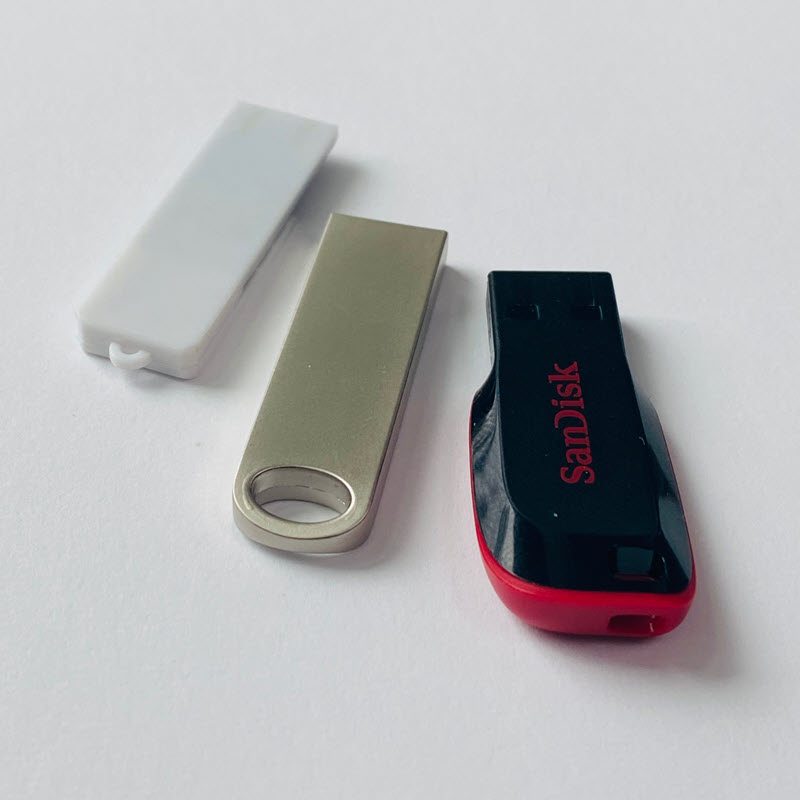
Mac from Zedomax picked up a nice story on turning a wine cork into a USB stick.  Why ask you say?  So wine companies can data load the cork with company history, processing methods and other marketing spin (mood setting music) to give the ultimate crushed grapes experience.  You couldn’t do this with CDs or DVDs that’s for sure.

wine cork usb

Source:  Zedomax.

Goth Style Four Claw Plasma Ball

06.06.08 | Brando USB| Off Topic | Permalink

Have we seen this before? I don’t think so, a four claw Goth Style Plasma Ball. It’s a must for any kids play-room or psycho girlfriend looking to spice up her digs. It’s not a USB powered gadget, but who cares, it’s cool looking. At just $18 each I wonder if I could illuminate my entire office with a collection of these. What do you think?

goth plasma ball

~~~

plasma ball gothic

~~~

gothic plasma ball

~~~

plasma ball

From Brando of course.

Flip Video Mino Now Available at Amazon.com

06.06.08 | GetUSB Dealz| USB News| Video | Permalink

Flip Video Mino Now Available From Amazon:

flip mino

From the makers of the popular Flip Video Ultra comes the Mino, which puts the power of video in your pocket. The super-portable, super-simple Mino makes it easy to capture and share high-quality video anywhere and everywhere. And thanks to its flip-out USB arm and intuitive, built-in software, Mino lets you view, edit and upload your videos to popular video-sharing sites instantly. In addition to its sleek compact design–complete with touch-sensitive, backlit buttons–Mino boasts a rechargeable battery that powers up automatically while plugged into your computer or electrical outlet.

Flip Mino Highlights

All That Flip Video Goodness, Only Smaller - 40% smaller than its already pocket-sized brother the Flip Ultra, the Flip Mino barely makes a dent in even the tightest of jeans. But small in size doesn’t mean short on function;Flip Mino Highlights

Mino’s got all the Flip features–simple user-interface, one touch-recording, built-in USB, intuitive editing software, easy sharing functionality–that folks have come to know and love.

Sleek, Portable Design

The Flip Mino is the perfect combination of form and function. Its minimalist, retro front is the perfect complement to its high-tech modern back, with a large no-glare screen, touch-sensitive panel, and glowing backlit control buttons. All focused around Flip’s signature red record button that lets you go from pocket to recording in seconds.

With a camcorder this small and sleek, there’s no limit to where you can take it and what you’ll end up shooting. From a short film to enter in your favorite festival to footage of a hot new band, the Mino makes it easy because it’s always with you and always ready to go.

mino videoMind-Boggling Quality

Despite its diminutive size, the Flip Mino produces video that rivals that of camcorders costing much, much more. With 2 GB of flash memory, the Mino can record up to 60 minutes of VGA (Video Graphics Array)-quality video that looks sharp when played back on your laptop or television (TV cable included). The high-quality microphone captures crisp, detailed audio, whether you’re paddling down the Amazon, or rockin’ out at your favorite club.

Revolutionary Built-in Software

Flip Video’s revolutionary software is built into the camcorder, so there’s no need for clunky 3rd party software or cables. Just plug the Mino into any PC or Mac via the flip-out USB arm and you’ll be viewing, organizing, editing and sharing your videos effortlessly.

iPhone 3G and WWDC Announcement Predictions

06.04.08 | Apple / iPod | Permalink

There’s no doubt that an iPhone update is imminent. But while nearly everyone has agreed on that, nobody knows anything definite about the specifics… except that the new iPhone will be compatible with the Microsoft Exchange email services. There’s a link on the main Apple.com iPhone page where you can apply to be a beta tester.

In regards to the iPhone, here’s what we know today:

  • Apple.com lists the iPhone as “Currently Unavailable.” Stock is so low that you can’t buy it. Usually a good sign that a new model is coming out soon.
  • Apple continues to make iPhone sales deals across the globe. Netherlands, Hong Kong, Singapore, India and Australia were all announced with the last few months.
  • A 3G settings screen was found by hackers in the latest firmware update for the iPhone.
  • The new iPhone will most likely be unveiled during Steve Jobs’ keynote speech at Apple’s WWDC (World Wide Developers Conference) on June 9th.
  • AT&T is prohibiting retail-store employees from taking vacations between June 15 and July 12, claiming that they’re expecting a “heavy selling period”. They implemented a similar policy last year for the iPhone launch.
  • AT&T executives have said numerous times that all of their smartphones (the iPhone is one of the) will support 3G networking soon.
  • The Apple Stores have been out of stock of the iPhone for weeks. And people are forming daily lines outside Apple stores that still have a few iPhones in stock.

And here are some rumors that the guys at MethodShop.com compiled, about what Steve Jobs might announce at the WWDC on June 9th:

  • Rumor: The new 3G iPhone will be about 20% thinner.
  • Rumor: The new 3G iPhone will have built-in video chat that would allow you to video chat with other iPhones or even computers with webcams.
  • Rumor: The Apple TV is going to get an add-on USB camera that will turn the Apple TV into a video chat system (see item above). How would it work? A picture in picture effect would happen if you were watching a movie on your Apple TV when someone tried to “video call” you from an iPhone.
  • Rumor: Just like the iPods, the new iPhone will come in several colors including black [pic] and white [pic]. Several colored iPhone photos have already surfaced on the Interweb. There’s no doubt that black would be an extremely popular iPhone color.
  • Rumor: The new iPhone will have built-in GPS (it’s about time).
  • Rumor: Apple will also announce a new, wireless keyboard specifically for Apple TV, with multi touch capabilities. Basically it will be a super remote control.

methodshop

Converting Audio File Formats in iTunes

06.02.08 | Apple / iPod| Audio | Permalink

iTunes is much more than a digital music jukebox. It’s capable of handling many different tasks involving digital media. Some of iTunes’ most popular features include buying music and videos online, burning CDs, and syncing files with your iPod or iPhone.

But one of the lesser known functions hidden within iTunes is the ability to convert audio files.

Why would you need to convert an audio file? Converting audio file types can be useful in many different situations. Here are a few examples:

  • You have an AAC file in iTunes that’s not compatible with your Zune that can play MP3 and not AAC files.
  • A WAV file needs to be emailed to a client for approval but it’s too big. You need to convert the file to an AAC so it’s small enough to easily send via email.
  • You are making a music video and want to use a song you got online as the soundtrack. However, the editing program won’t import the song because it doesn’t support MP3 or AAC.
  • You need to remove the DRM (Digital Rights Management) from an AAC song you purchased from the iTunes Store (see step #7).

Many programs that convert audio files into different formats are pretty complicated and usually cost money. But not iTunes. iTunes is simple, fast and best of all… free.

Tutorial: Converting Audio File Formats in iTunes

methodshop

The Ugliest USB Keyboard

05.30.08 | USB Input Device | Permalink

I am all for spicing up the computer world with cool designs, colors and shapes, but sometimes even the most valiant effort fails.  Case in point: The Nishi-Ki keyboard is the ugliest keyboard you will ever see, despite it’s attempt to be a beautiful piece of artwork.

At just a glance, or even long stare, you can’t guess what’s printed on the keyboard.  Just ugliness.

ugly usb keyboard

Apparently there are unique and customized butterfly and flowers painted on to each key.  Wow - that takes time, and to justify those wasted hours Nishi-Ki is charging about $155 per keyboard.

Source:  Slippery Brick.

Double A Battery Gives 15 Emergency Minutes of Power

05.29.08 | Power for USB| USB News | Permalink

IOGear releases their version of the USB battery, with the GearJuice Rescue charger.  What IOGear has done differently from other battery shaped USB solution, is make a miniUSB connector for cell phones, PDAs and other handhelds rather than the traditional full sized USB connector.

iogear gearjuice recharger

The unit is just larger than a double A battery and will provide your device with an extra 15 minutes of performance.  Just enough time to call the bails-bondsman after getting the late night lock down because of too much party’in.

IOGear GearJuice Rescue Charger product page. (more…)

« Previous Entries
» Next Entries